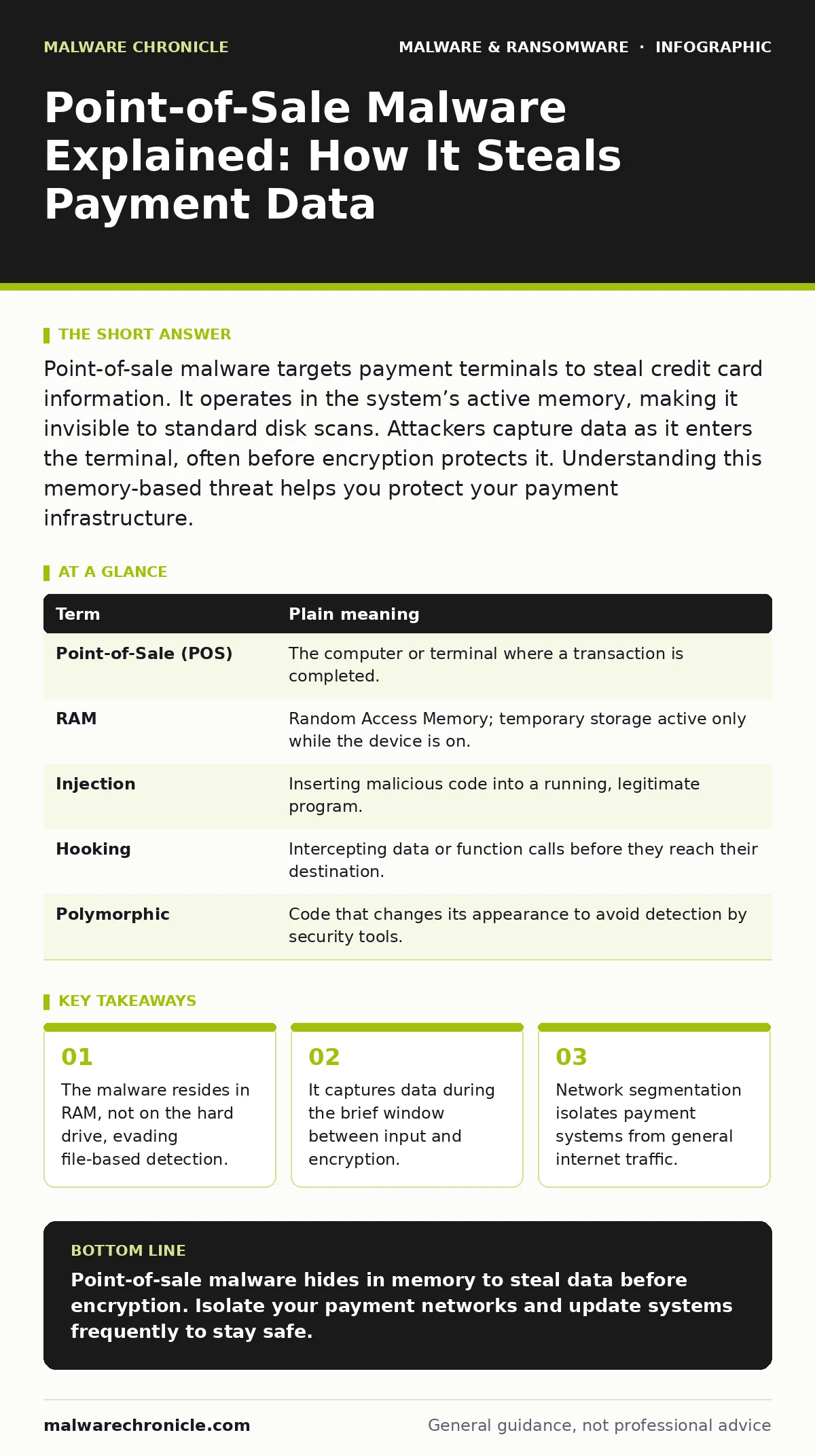
Point-of-sale malware targets payment terminals to steal credit card information. It operates in the system’s active memory, making it invisible to standard disk scans. Attackers capture data as it enters the terminal, often before encryption protects it. Understanding this memory-based threat helps you protect your payment infrastructure.
The Ghost in the Register
Imagine a busy restaurant kitchen. A cook takes raw ingredients and prepares a meal. In this analogy, your credit card data is the raw ingredient. The payment terminal is the cook. The encrypted data sent to the bank is the finished meal. Point-of-sale malware is like a thief standing next to the cook. The thief does not steal the finished meal. Instead, they snatch the raw ingredients the moment the cook touches them. This happens before the ingredients are transformed or protected. By the time the security system checks the finished meal, the raw data is already gone.
This theft occurs in the memory of the computer. Traditional security tools look at files stored on the disk. They check if a file matches a known bad pattern. Point-of-sale malware often does not write itself to the disk. It lives only in the random access memory, which is the temporary workspace of the computer. When the computer turns off, the malware disappears. This makes it incredibly difficult to find using standard methods.
How Memory-Resident Threats Operate
You might assume that if a file is not on the hard drive, it is not there. This is a dangerous assumption. The malware injects its code into a legitimate process running in the memory. It hooks into the data stream. When you swipe or tap your card, the terminal reads the magnetic stripe or chip data. This data sits in the memory for a fraction of a second. The malware reads this data at that exact moment. It then sends the information to a remote location. This remote location is often controlled by the attacker.
This method bypasses many defenses. Antivirus software typically scans files on storage. It does not constantly monitor every byte of active memory. Even if it did, the memory signature changes with every infection. The malware polymorphs, meaning it changes its code structure to look different each time. This prevents signature-based detection from working. You are fighting a target that changes shape every time you look at it.
| Term | Plain meaning |
|---|---|
| Point-of-Sale (POS) | The computer or terminal where a transaction is completed. |
| RAM | Random Access Memory; temporary storage active only while the device is on. |
| Injection | Inserting malicious code into a running, legitimate program. |
| Hooking | Intercepting data or function calls before they reach their destination. |
| Polymorphic | Code that changes its appearance to avoid detection by security tools. |
The Hidden Cost of Compromise
The damage goes beyond stolen credit card numbers. When a breach occurs, the business faces massive liability. Customers lose trust. The brand reputation suffers long-term damage. Replacing payment cards is expensive for the bank and the customer. The business must also pay for forensic investigations. These investigations often involve memory forensics. Experts analyze the RAM dumps to understand how the intrusion happened. This is complex and requires specialized skills.
Imagine a scenario where the malware is not found for months. During this time, thousands of transactions are compromised. The attacker has a command and control server that receives the data. This server is often located in a different country. This complicates legal action. The business may also face regulatory fines. Compliance standards require specific security measures. Failing to meet these standards results in penalties. The cost of prevention is always lower than the cost of response.
Simple Safety Habits for Protection
You can reduce your risk with simple steps. First, segment your network. Keep the payment terminals on a separate network from the guest Wi-Fi. Do not allow the terminals to access the internet directly. They only need to talk to the payment processor. This limits the attack surface. If the guest Wi-Fi is compromised, the attacker cannot reach the payment system.
Second, update your systems regularly. Vendors release patches to fix vulnerabilities. These patches close the doors that attackers use to enter. Delaying updates leaves those doors open. Third, monitor for unusual behavior. Look for processes that consume excessive memory. Check for unknown connections to external servers. These signs may indicate an active infection.
- Isolate payment terminals from the general network.
- Apply security patches as soon as they are released.
- Monitor system performance for unexpected memory usage.
Why Traditional Defenses Fail
Many businesses believe that having antivirus software is enough. This is a misconception. Antivirus software looks for known bad files. Point-of-sale malware often does not exist as a file. It exists as code in memory. Even advanced heuristics may miss it. The malware mimics legitimate system behavior. It looks like normal data processing. This camouflage makes it hard to distinguish from real activity.
You need a layered defense. This includes software restriction policies. These policies limit what programs can run on the terminal. Only authorized applications are allowed. This prevents the malware from executing even if it enters the system. It also helps prevent crypto-stealing malware from running. By restricting execution, you reduce the chance of success.
See also: Detect Wiper Malware Early: Signals, Logs, and Hidden Blind Spots · Cryptojacking Response: Immediate Steps to Contain and Recover
Understanding the Attack Chain
The attacker usually starts with a weak link. This might be a weak password or an unpatched vulnerability. Once inside, they move laterally. They look for the payment terminal. They may use computer worms to spread across the network. These worms exploit weaknesses in other computers. This allows them to reach the targeted terminal.
Once at the terminal, they inject the malware. The malware starts skimming data. It sends the data out quietly. It tries to avoid detection by sending small amounts at a time. This makes it look like normal traffic. Detecting this requires deep packet inspection. It requires understanding what normal traffic looks like. Any deviation from the norm is a red flag.
The Role of Verification
You can verify the integrity of your systems. Use file hashes in malware detection. This involves checking the digital fingerprint of system files. If the hash changes, the file has been altered. This indicates tampering. While this does not catch memory-resident malware directly, it helps detect the initial entry point. It helps you know if the system has been compromised.
Regular audits are necessary. Review who has access to the payment systems. Remove access for employees who no longer need it. This limits the potential for insider threats. It also reduces the number of accounts an attacker can compromise. Security is a continuous process. It requires constant attention and adjustment.
Key takeaways
- The malware resides in RAM, not on the hard drive, evading file-based detection.
- It captures data during the brief window between input and encryption.
- Network segmentation isolates payment systems from general internet traffic.
Point-of-sale malware hides in memory to steal data before encryption. Isolate your payment networks and update systems frequently to stay safe.
Frequently asked questions
Can I remove POS malware by restarting the computer?
Restarting clears the RAM, which removes the active malware code. However, the attacker may have installed a loader on the disk to reinfect the system upon restart.
Does using a credit card reader prevent this attack?
Encrypted readers help, but malware can sometimes skim data before it is encrypted. Network segmentation and memory protection are still required for full safety.
How do I know if my POS system is infected?
Look for unusual network traffic, slow performance, or unknown processes. Security tools that monitor memory behavior can also detect anomalies.
Are cloud-based POS systems safer?
They can be safer because the data processing happens remotely. However, the terminal itself can still be compromised to steal data before it is sent to the cloud.
How this guide was produced: written by the Malware Chronicle editorial team with AI assistance, checked against the public references listed below, and reviewed when the facts change. See our editorial policy or report an error.