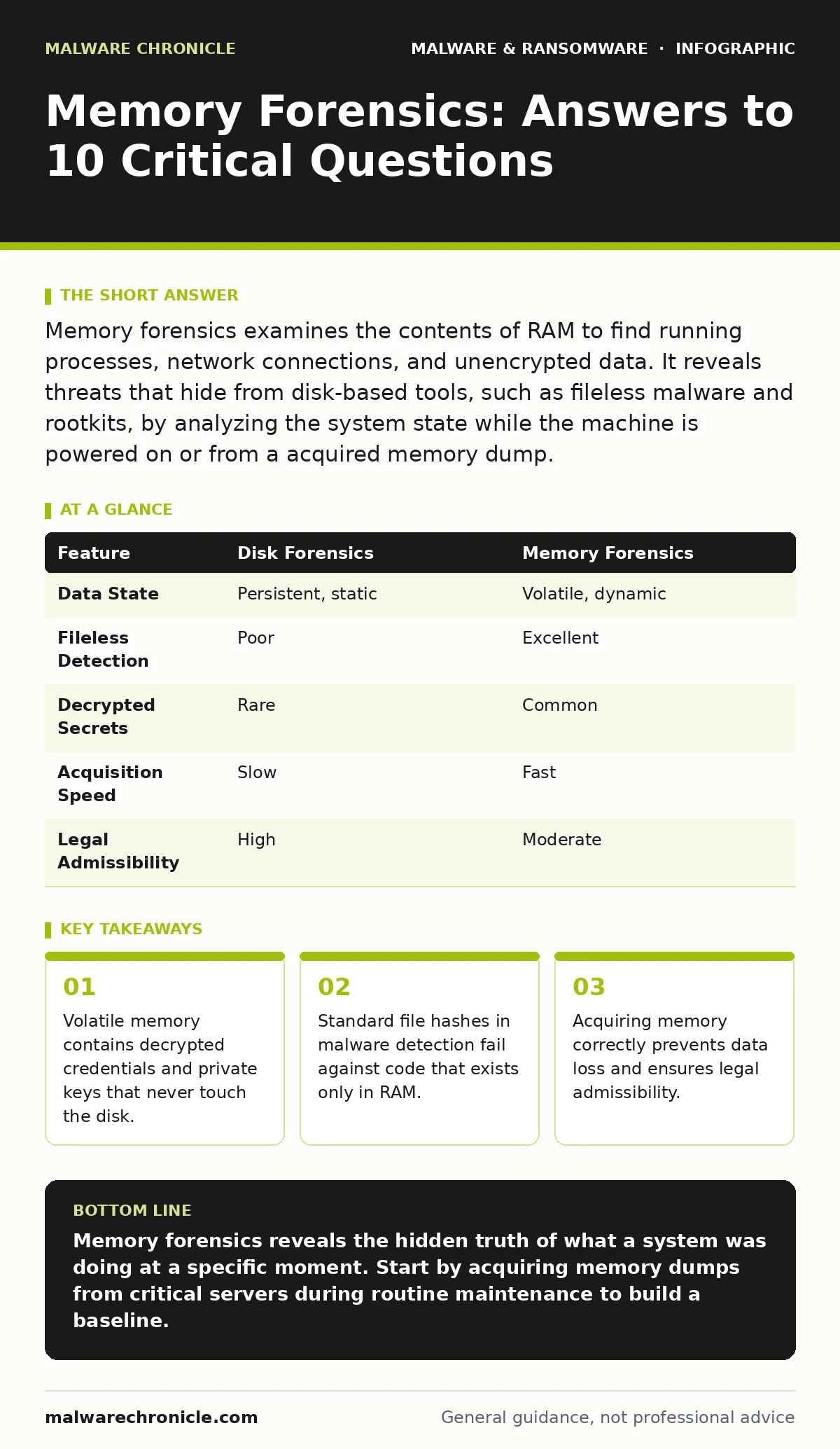
Memory forensics examines the contents of RAM to find running processes, network connections, and unencrypted data. It reveals threats that hide from disk-based tools, such as fileless malware and rootkits, by analyzing the system state while the machine is powered on or from a acquired memory dump.
What is memory forensics?
Memory forensics is the analysis of a computer’s random access memory to reconstruct system state. It captures data that exists only while the system is powered on, such as running processes and active network connections. This method reveals activity that disk-based tools miss because the data never writes to storage.
Why is RAM analysis necessary?
RAM holds decrypted secrets and active code that vanish when power is cut. Attackers use fileless techniques to run payloads directly in memory, avoiding detection by traditional antivirus software. Analyzing RAM allows you to see these transient threats before they disappear.
How do you acquire a memory dump?
You use specialized tools to copy the contents of physical RAM to a secure storage medium. The process must be fast to prevent the operating system from overwriting data with new allocations. Incorrect acquisition can corrupt the image or alert sophisticated malware that monitors for forensic activity.
What data resides in memory?
Memory contains process structures, kernel objects, network sockets, and decrypted user data. It also holds command line arguments and environment variables that may reveal malicious intent. Unlike disk files, this data is unstructured and changes constantly, requiring specialized parsing.
Can malware hide in memory?
Yes, malware can inject code into legitimate processes to evade detection. This technique, known as process injection, makes the malicious code appear as part of a trusted application. Standard file hashes in malware detection cannot identify this because no new file is created on disk.
See also: Keyloggers Explained: How They Steal Data and How to Stop Them · Computer Worm Mistakes: 7 Configuration Errors That Invite Infection
What are the limitations of memory forensics?
Memory is volatile and limited in capacity, meaning old data is overwritten quickly. You cannot analyze memory after the system shuts down unless you acquired a dump beforehand. Additionally, encrypted data at rest on disk is often decrypted in memory, providing a window of vulnerability.
How does it detect fileless attacks?
Fileless attacks execute scripts or code directly in memory without dropping binaries. Memory forensics scans for anomalous process behavior, such as PowerShell running unusual commands. It identifies the execution context even when no executable file exists on the hard drive.
What is the role of heap analysis?
The heap is a region of memory where programs allocate dynamic data. Analyzing the heap reveals leftover strings, URLs, and configuration data from closed processes. This can uncover remnants of crypto-stealing malware that harvested credentials before terminating.
How do you handle encrypted data?
Decrypted data exists in memory while applications use it, even if the file is encrypted on disk. Memory forensics can extract these plaintext secrets, such as API keys or passwords. This is particularly effective against ransomware that decrypts files temporarily during the encryption process.
| Feature | Disk Forensics | Memory Forensics |
|---|---|---|
| Data State | Persistent, static | Volatile, dynamic |
| Fileless Detection | Poor | Excellent |
| Decrypted Secrets | Rare | Common |
| Acquisition Speed | Slow | Fast |
| Legal Admissibility | High | Moderate |
What tools are commonly used?
Open-source frameworks provide libraries for parsing memory images across different operating systems. These tools automate the extraction of processes, network connections, and loaded modules. They allow analysts to search for specific indicators of compromise within the raw memory data.
How does it relate to other detection methods?
Memory analysis complements heuristic detection by providing context for suspicious behavior. While heuristics flag unusual patterns, memory forensics confirms whether malicious code is actually present. This combination reduces false positives and provides deeper insight into the attack chain.
What are the challenges in analysis?
Memory images are large and unstructured, requiring significant computational resources to parse. Analysts must distinguish between legitimate system noise and malicious artifacts. False positives are common when analyzing standard system libraries that share memory with malicious code.
How do you stay updated?
Attack techniques evolve to bypass memory analysis tools. You must regularly update your parsing rules and indicator databases. Understanding new evasion tactics, such as direct syscalls, helps you adapt your detection strategies.
What is the future of memory forensics?
Hardware-assisted security features complicate memory access for forensic tools. Virtualization-based security isolates critical data, making it harder to capture. Analysts must adapt to these changes by focusing on side-channel effects and kernel-level anomalies.
Key takeaways
- Volatile memory contains decrypted credentials and private keys that never touch the disk.
- Standard file hashes in malware detection fail against code that exists only in RAM.
- Acquiring memory correctly prevents data loss and ensures legal admissibility.
Memory forensics reveals the hidden truth of what a system was doing at a specific moment. Start by acquiring memory dumps from critical servers during routine maintenance to build a baseline.
Frequently asked questions
Can I analyze memory from a mobile device?
Yes, but the process is more complex due to hardware encryption and locked bootloaders. Specialized tools are required to extract memory from iOS and Android devices.
Does memory forensics work on cloud instances?
Cloud providers often restrict direct memory access. You may need to use provider-specific tools or acquire memory through agent-based solutions.
How long does memory analysis take?
It depends on the size of the memory dump and the complexity of the analysis. Simple process listings take minutes, while deep heap analysis can take hours.
How this guide was produced: written by the Malware Chronicle editorial team with AI assistance, checked against the public references listed below, and reviewed when the facts change. See our editorial policy or report an error.