
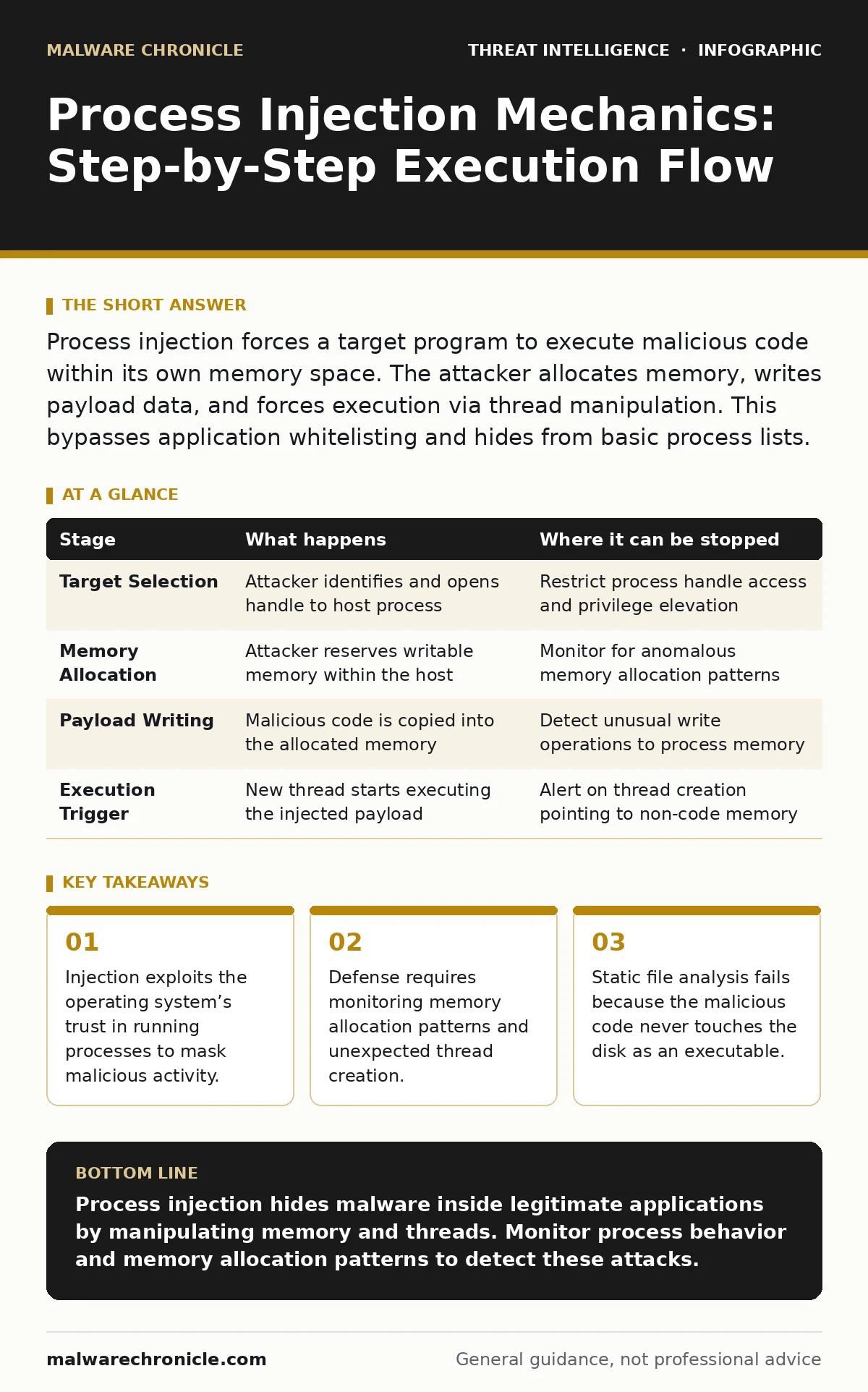
Process injection forces a target program to execute malicious code within its own memory space. The attacker allocates memory, writes payload data, and forces execution via thread manipulation. This bypasses application whitelisting and hides from basic process lists.
Understanding the Injection Vector
Process injection is a technique where an attacker places code into the memory space of a running process. The goal is to execute that code under the guise of a legitimate application. This method bypasses security controls that monitor executable files on disk. The operating system trusts the host process because it was launched through normal means.
Imagine a web browser running on a workstation. It has high privileges and network access. An attacker injects code into this browser process. The new code runs with the browser’s permissions. Security tools see only the browser running. They do not see a separate malicious program. This concealment is the primary advantage of the technique.
The success of this attack relies on the principle of least privilege being violated. The host process holds privileges the attacker did not originally possess. By injecting code, the attacker inherits those privileges. This allows access to protected files or network resources. The operating system architecture allows this sharing of memory space for performance reasons. Attackers exploit this design feature for persistence and evasion.
### Stage 1: Target Selection and Access
The attacker must first identify a suitable host process. The choice depends on the desired privileges and the likelihood of the process running. System processes often have high privileges but are closely monitored. User applications offer lower privileges but may be ignored by security software. The attacker scans the process list to find a candidate.
Access to the target process requires specific permissions. The attacker uses operating system calls to open a handle to the process. This handle allows the attacker to read from and write to the process memory. If the target process runs with higher privileges, the attacker may need an elevation of privilege flaw. This step is often the point of failure for the attack.
Security controls can interrupt this stage by restricting process handle access. Policies that limit which processes can interact with others reduce the attack surface. Monitoring for unusual handle requests can reveal the attempt. The attacker needs write access to the target’s memory space. Without this access, the injection cannot proceed.
### Stage 2: Memory Allocation
Once access is granted, the attacker allocates memory within the target process. This memory must be large enough to hold the malicious payload. The allocation request looks like normal behavior to the operating system. The target process frequently allocates memory for its own operations. The attacker blends in with this normal activity.
The allocated memory must have specific permissions. It needs to be writable so the attacker can place the code. It also needs to be executable later. Initially, the attacker may request memory that is only writable. This separates the writing phase from the execution phase. This separation helps avoid detection by security tools that monitor for writable and executable memory.
Endpoint telemetry can detect unusual allocation patterns. If a process allocates large blocks of memory without a clear reason, it may be flagged. The attacker tries to mimic normal allocation sizes. Using standard system functions for allocation helps hide the activity. The memory address is noted for the next stage.
### Stage 3: Payload Writing
The attacker writes the malicious code into the allocated memory. This code is the payload that will execute. The payload is often compressed or encrypted to avoid signature detection. The attacker decrypts or decompresses it in memory before writing. This ensures the code on disk is harmless if captured.
The write operation uses the handle obtained in Stage 1. The attacker copies the payload bytes into the target’s memory address. This action modifies the state of the running process. The operating system allows this because the attacker has write permissions. The payload is now resident in the target’s memory space.
Static analysis cannot detect this payload. It exists only in memory. If the system crashes, the payload is lost. This volatility makes forensic analysis difficult. The attacker must ensure the payload is written correctly. Any error here will cause the process to crash. Crashing the host process alerts the user and security tools.
### Stage 4: Execution Trigger
The final stage involves forcing the target process to execute the injected code. The attacker creates a new thread within the target process. This thread starts at the memory address where the payload was written. The operating system begins executing the payload as if it were part of the host application.
The thread creation function takes the address of the payload as a parameter. This directs the CPU to start executing instructions from that location. The payload now runs with the permissions of the host process. The attacker gains control over the process’s resources. The original code of the host process may be suspended or ignored.
This stage is critical for detection. Creating a new thread is a distinct action. Security tools can monitor for thread creation in unexpected contexts. If a web browser creates a thread that points to unusual memory, it is suspicious. The attacker may delay this step to avoid immediate detection. Timing the execution with normal activity helps mask the intent.
| Stage | What happens | Where it can be stopped |
|---|---|---|
| Target Selection | Attacker identifies and opens handle to host process | Restrict process handle access and privilege elevation |
| Memory Allocation | Attacker reserves writable memory within the host | Monitor for anomalous memory allocation patterns |
| Payload Writing | Malicious code is copied into the allocated memory | Detect unusual write operations to process memory |
| Execution Trigger | New thread starts executing the injected payload | Alert on thread creation pointing to non-code memory |
See also: Sysmon Best Practices: Reduce Noise and Catch Hidden Threats · False Positives in Threat Detection: Meaning, Causes, and Impact
Defending Against Injection Techniques
Defense against process injection requires behavioral monitoring. Traditional antivirus scans files on disk. It cannot see code in memory. You must use tools that observe process behavior. These tools look for anomalies in how processes interact with memory and threads.
Sigma rules can help detect these anomalies. These are detection rules that can be applied to security data. They look for patterns like unusual thread creation. Implementing these rules in your security stack improves visibility. They help identify attacks that bypass file-based defenses.
Operational threat intelligence provides context for these alerts. It helps you understand which processes are commonly targeted. Knowing the typical behavior of applications helps distinguish normal from malicious. This knowledge reduces false positives. It allows you to focus on genuine threats.
Advanced Detection Strategies
Network scanning can reveal communication from injected code. The payload often sends data to a command server. Monitoring network traffic for unusual connections helps detect this. The host process may not normally initiate outbound connections. Any such activity is suspicious.
Indicators of attack focus on behavior rather than signatures. These indicators include memory allocation followed by thread creation. They help identify the sequence of injection steps. Using these indicators in your detection systems improves accuracy. They allow you to catch the attack in progress.
Threat actor profiling helps anticipate injection methods. Different groups use different techniques. Some prefer simple injection, while others use complex methods. Understanding the tactics of relevant groups helps tailor your defenses. It allows you to prioritize detection efforts.
Mitigating the Risk
Mitigation involves reducing the attack surface. Limit the privileges of user processes. This reduces the impact if injection succeeds. Use application control to restrict which processes can run. This prevents attackers from launching their own hosts.
Regular updates patch flaws that allow privilege elevation. This prevents attackers from accessing high-privilege processes. Keep your operating system and applications current. This closes known vulnerabilities. It makes the initial access step harder.
Threat intelligence program integration ensures you stay aware of new techniques. Injection methods evolve over time. New variants may bypass existing detections. Staying informed helps you update your defenses. It ensures your detection rules remain effective.
Conclusion of Analysis
Process injection remains a powerful technique for attackers. It leverages the operating system’s trust in running processes. Defense requires a shift from file-based to behavior-based monitoring. You must look at what processes do, not just what they are.
Implementing layered defenses reduces the risk. Combine process monitoring with network analysis. Use threat intelligence to guide your detection efforts. Stay vigilant for new variants of this technique. Continuous improvement is key to staying ahead.
Key takeaways
- Injection exploits the operating system’s trust in running processes to mask malicious activity.
- Defense requires monitoring memory allocation patterns and unexpected thread creation.
- Static file analysis fails because the malicious code never touches the disk as an executable.
Process injection hides malware inside legitimate applications by manipulating memory and threads. Monitor process behavior and memory allocation patterns to detect these attacks.
Frequently asked questions
Can process injection be detected by antivirus software?
Traditional antivirus often misses process injection because it scans files on disk. The malicious code resides only in memory. Behavior-based detection is required to identify these attacks.
What is the difference between process injection and DLL injection?
DLL injection forces a process to load a dynamic link library. Process injection places code directly into the process memory. Both achieve similar goals but use different mechanisms.
How can I prevent process injection on my system?
Limit process privileges and use application control. Monitor for unusual memory and thread activity. Keep systems updated to patch elevation flaws. Use behavior-based detection tools.
Why do attackers use process injection?
Attackers use process injection to hide from security tools. It allows code to run under the guise of legitimate applications. This bypasses file-based security controls and whitelisting.
How this guide was produced: written by the Malware Chronicle editorial team with AI assistance, checked against the public references listed below, and reviewed when the facts change. See our editorial policy or report an error.