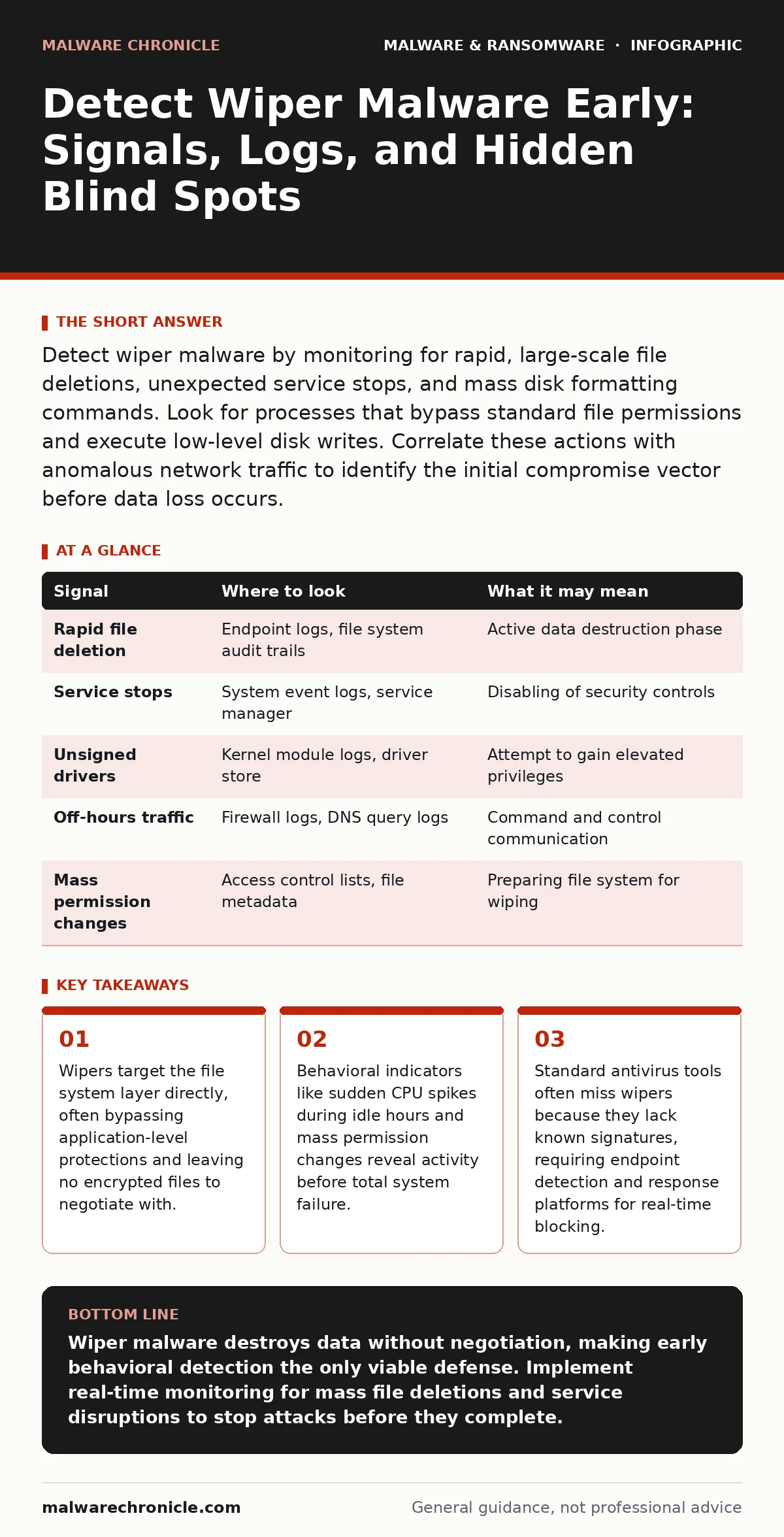
Detect wiper malware by monitoring for rapid, large-scale file deletions, unexpected service stops, and mass disk formatting commands. Look for processes that bypass standard file permissions and execute low-level disk writes. Correlate these actions with anomalous network traffic to identify the initial compromise vector before data loss occurs.
Identifying File System Destruction Patterns
Wiper malware focuses on erasing data rather than holding it for ransom. This distinction changes the detection strategy entirely. You cannot rely on observing encryption activity or ransom notes. Instead, you must look for the immediate destruction of file structures. The malware often targets specific file extensions associated with business-critical data, such as databases, virtual machine images, or source code repositories.
Monitor for processes that delete files in bulk without moving them to the recycle bin. Standard user behavior rarely involves deleting thousands of files simultaneously. When you see a process executing rapid delete commands across multiple directories, treat it as a high-severity event. Check for the use of low-level disk utilities that overwrite sectors rather than just removing directory entries. This method makes forensic recovery significantly harder.
Analyzing System Service and Driver Behavior
Wipers often disable security mechanisms before executing their payload. They may stop antivirus services, firewall processes, or system monitoring agents. This creates a window of vulnerability where the malware operates unchecked. Look for unexpected stops in critical system services, especially those related to security or logging. If a service stops without administrative intervention, investigate the process that triggered the stop command.
Some wipers install malicious drivers to gain kernel-level access. This allows them to bypass standard operating system protections. Monitor for the loading of unsigned or suspicious kernel modules. Check the driver signature status of newly loaded components. If a driver lacks a valid digital signature from a trusted publisher, it is a strong indicator of malicious activity. Kernel-level access grants the malware the ability to hide its processes and manipulate system calls.
Detecting Anomalous Network Communication
Wiper malware typically arrives via a initial compromise vector, such as a phishing email or an exploited vulnerability. The malware may communicate with command and control servers to receive instructions or to confirm successful deployment. Look for outbound connections to unknown or newly registered domains. Pay attention to traffic that occurs during off-hours or from workstations that rarely initiate outbound connections.
DNS queries for generic top-level domains or IP address lookups for known malicious infrastructure can signal activity. If you see a sudden spike in DNS requests for unrelated domains, investigate the source host. The malware may also attempt to propagate laterally within the network. Monitor for unusual SMB or RDP connections between hosts that do not typically communicate. Lateral movement often precedes a widespread wipe event.
| Signal | Where to look | What it may mean |
|---|---|---|
| Rapid file deletion | Endpoint logs, file system audit trails | Active data destruction phase |
| Service stops | System event logs, service manager | Disabling of security controls |
| Unsigned drivers | Kernel module logs, driver store | Attempt to gain elevated privileges |
| Off-hours traffic | Firewall logs, DNS query logs | Command and control communication |
| Mass permission changes | Access control lists, file metadata | Preparing file system for wiping |
Leveraging Endpoint Detection and Response
Traditional antivirus software relies on known signatures. Wipers often change their code structure with each deployment, rendering signature-based detection ineffective. You need endpoint detection and response platforms that analyze behavior. These tools monitor process execution, memory access, and system calls in real time. Configure your platform to detect anomalies in process tree structures.
Look for parent-child process relationships that do not match standard operating system behavior. For example, a web browser spawning a disk formatting utility is highly suspicious. Memory forensics can reveal malicious code that resides only in RAM. If a process is not present on disk but is active in memory, it may be a fileless wiper. Analyze memory dumps to identify injected code or hidden processes that are attempting to evade detection.
Reviewing Log Integrity and Timestamps
Wipers may attempt to cover their tracks by clearing logs or modifying timestamps. This makes forensic analysis difficult. Check for gaps in log data or sudden truncation of log files. If security logs disappear around the time of the incident, assume the malware targeted them. Look for inconsistencies in file modification times. If a large number of files show the same modification time, it may indicate a scripted deletion or overwrite.
System event logs are critical for reconstruction. Ensure that log forwarding is enabled to a remote server. If the local system is wiped, remote logs may be the only record of the attack. Verify that log integrity mechanisms, such as cryptographic hashing, are in place. This prevents attackers from tampering with log entries after the fact. Without intact logs, determining the scope and timeline of the attack becomes nearly impossible.
See also: Sysmon Configuration Mistakes That Blind Your Threat Detection · Cryptojacking Response: Immediate Steps to Contain and Recover
Common Detection Blind Spots
Many organizations miss wiper activity because they focus on encryption signals. They wait for ransom notes or locked files. By then, the data is gone. Another blind spot is ignoring administrative accounts. Wipers often escalate privileges to gain administrative access. If you do not monitor administrative actions closely, the malware can operate with full system control.
Legacy systems and offline devices are also vulnerable. Wipers can spread via removable media or direct network connections. If a device is not connected to the internet, it may still be at risk from internal propagation. Ensure that all endpoints, including isolated systems, are monitored for unusual activity. Do not assume that air-gapped systems are safe from physical or local network attacks.
Correlating Indicators for Early Warning
No single indicator proves a wiper attack. You must correlate multiple signals to reduce false positives. Combine file system changes with network activity and process behavior. If a host shows rapid file deletion, stops security services, and connects to a new IP address, the probability of a wiper attack is high. Automated correlation engines in security information and event management platforms can help identify these patterns.
Establish a baseline of normal activity for each system. Deviations from this baseline are easier to detect than absolute thresholds. A workstation that normally processes 100 files per hour suddenly deleting 10,000 is an anomaly. Continuous monitoring and regular tuning of detection rules are necessary to stay ahead of evolving techniques. The goal is to detect the activity before the data is irrecoverably destroyed.
Key takeaways
- Wipers target the file system layer directly, often bypassing application-level protections and leaving no encrypted files to negotiate with.
- Behavioral indicators like sudden CPU spikes during idle hours and mass permission changes reveal activity before total system failure.
- Standard antivirus tools often miss wipers because they lack known signatures, requiring endpoint detection and response platforms for real-time blocking.
Wiper malware destroys data without negotiation, making early behavioral detection the only viable defense. Implement real-time monitoring for mass file deletions and service disruptions to stop attacks before they complete.
Frequently asked questions
How do wipers differ from ransomware?
Wipers permanently delete or overwrite data, while ransomware encrypts it and demands payment for the decryption key. Wipers leave no possibility of recovery through payment.
Can backups protect against wiper malware?
Backups protect data only if they are isolated from the network and updated frequently. If the wiper compromises the backup system or deletes recent backups, recovery may be impossible.
What is the role of command and control servers in wiper attacks?
These servers provide instructions to the malware, such as when to start wiping or which files to target. Blocking communication with these servers can halt the attack.
Why are memory forensics important for detection?
Some wipers operate entirely in memory to avoid leaving traces on disk. Memory analysis can reveal malicious code and processes that file-based scanning misses.
How this guide was produced: written by the Malware Chronicle editorial team with AI assistance, checked against the public references listed below, and reviewed when the facts change. See our editorial policy or report an error.