
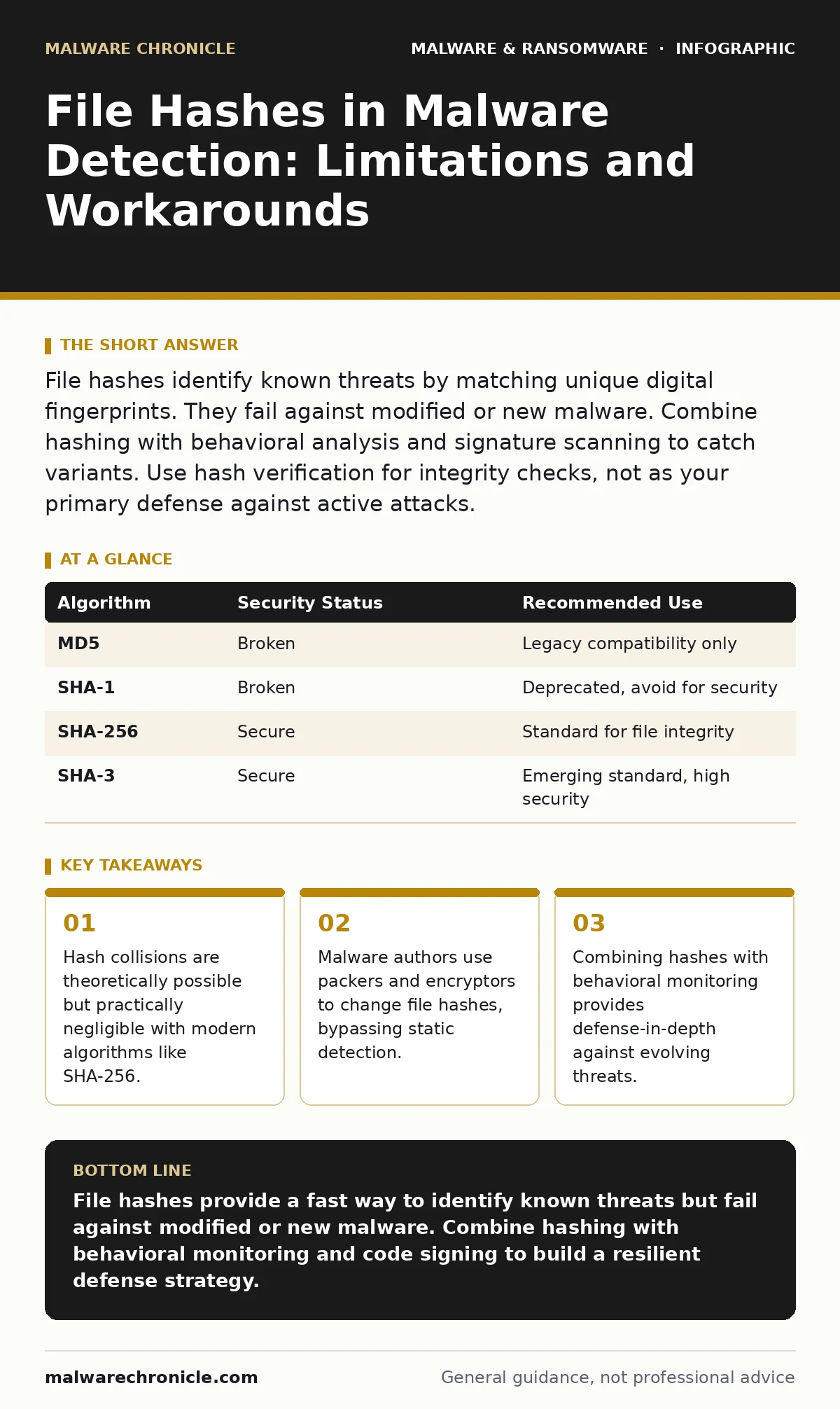
File hashes identify known threats by matching unique digital fingerprints. They fail against modified or new malware. Combine hashing with behavioral analysis and signature scanning to catch variants. Use hash verification for integrity checks, not as your primary defense against active attacks.
What is a file hash and how does it work?
A file hash is a fixed-size string of characters generated by a mathematical algorithm from a file’s contents. Any change to the file, even a single bit, produces a completely different hash value. Security tools compare this value against databases of known malicious files to identify threats. This method provides a deterministic way to verify file identity without storing the file itself.
Why are file hashes insufficient for modern malware detection?
File hashes fail when malware changes its binary structure, a common tactic among attackers. If you modify the code, the hash changes, rendering the previous fingerprint useless. This limitation means static hash-based detection cannot catch new variants or polymorphic malware. You must combine hashing with other methods to address this blind spot.
How do malware authors bypass hash-based detection?
Attackers use packers, which compress and encrypt the executable, or obfuscators, which scramble the code logic. These tools alter the file’s binary representation while preserving its function. The resulting file has a new hash that does not match known malicious entries. This technique allows the same malicious payload to evade static detection repeatedly.
What is the difference between MD5, SHA-1, and SHA-256?
MD5 and SHA-1 are older algorithms that are now considered cryptographically broken and prone to collisions. A collision occurs when two different files produce the same hash, allowing an attacker to substitute a malicious file for a legitimate one. SHA-256 is the current standard for security applications because it is resistant to collision attacks. Always use SHA-256 or stronger for integrity verification and threat identification.
Can file hashes detect fileless malware?
Fileless malware operates in memory and does not write malicious code to the disk as a persistent file. Since there is no static file to hash, traditional hash-based detection is ineffective. This type of threat often abuses legitimate system tools to execute commands. You need memory inspection and behavioral monitoring to detect these activities, as covered in our guide on remote access tool abuse.
See also: Build a Cyber Incident Response Team: Step-by-Step Implementation · Detect Wiper Malware Early: Signals, Logs, and Hidden Blind Spots
How do you handle hash collisions in security workflows?
While SHA-256 collisions are computationally infeasible, you should never rely on a hash alone for trust. A collision could theoretically allow a malicious file to masquerade as a legitimate one. Combine hash verification with code signing checks and behavioral analysis. This multi-layered approach ensures that even if a hash matches, the file’s behavior is validated.
| Algorithm | Security Status | Recommended Use |
|---|---|---|
| MD5 | Broken | Legacy compatibility only |
| SHA-1 | Broken | Deprecated, avoid for security |
| SHA-256 | Secure | Standard for file integrity |
| SHA-3 | Secure | Emerging standard, high security |
What role do file hashes play in incident response?
During an incident, hashes help identify all instances of a compromised file across your network. They allow you to quickly locate and isolate infected systems. However, they do not reveal how the malware entered or what it did. You must correlate hash data with logs and network traffic to understand the full scope. This process is critical for effective containment and eradication.
How do you balance hash detection with performance?
Calculating hashes for every file access can impact system performance, especially on high-throughput servers. You should prioritize hashing for critical directories and executable files. Use caching to store recent hash values and avoid redundant calculations. This strategy reduces overhead while maintaining security for high-risk assets.
What is the future of hash-based detection?
Hash-based detection will remain a component of defense-in-depth but will not stand alone. Machine learning models will increasingly analyze file structures and behaviors rather than just fingerprints. This shift addresses the limitations of static analysis against polymorphic threats. You should prepare for a hybrid approach that combines traditional hashing with advanced behavioral analytics.
Key takeaways
- Hash collisions are theoretically possible but practically negligible with modern algorithms like SHA-256.
- Malware authors use packers and encryptors to change file hashes, bypassing static detection.
- Combining hashes with behavioral monitoring provides defense-in-depth against evolving threats.
File hashes provide a fast way to identify known threats but fail against modified or new malware. Combine hashing with behavioral monitoring and code signing to build a resilient defense strategy.
Frequently asked questions
Can two different files have the same SHA-256 hash?
Theoretically, yes, but the probability is so low that it is considered computationally impossible with current technology.
Should I delete files based solely on hash matches?
No, always verify the context and potential for false positives before taking destructive actions.
How often should I update my hash database?
Update frequently, ideally in real-time, to catch newly identified threats and variants.
Do file hashes protect against ransomware?
They help identify known ransomware binaries but do not prevent encryption if the malware is new or modified.
How this guide was produced: written by the Malware Chronicle editorial team with AI assistance, checked against the public references listed below, and reviewed when the facts change. See our editorial policy or report an error.