
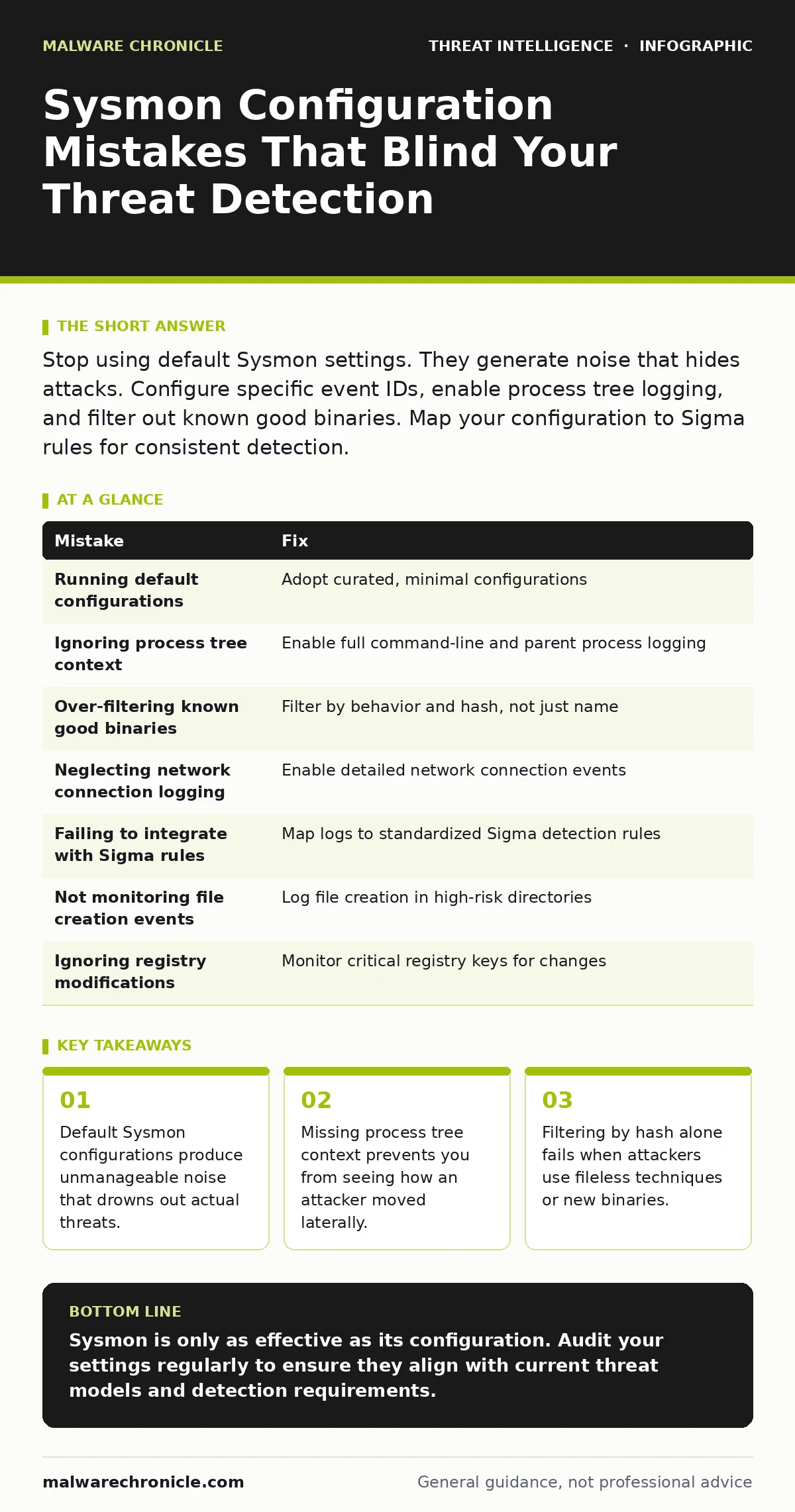
Stop using default Sysmon settings. They generate noise that hides attacks. Configure specific event IDs, enable process tree logging, and filter out known good binaries. Map your configuration to Sigma rules for consistent detection.
Mistake 1: Running Default Configurations
Many administrators install Sysmon and leave the settings alone. The default configuration logs a wide variety of events with minimal filtering. This creates a massive volume of data that is difficult to analyze.
Why it hurts:
You drown in low-value logs. Security tools and analysts spend time reviewing routine system behavior instead of hunting for threats. High noise levels increase the risk of alert fatigue, causing teams to ignore genuine warnings.
The fix:
Adopt a curated configuration from a trusted open-source project. These configs disable verbose events by default and enable only high-fidelity data. Review the enabled events against your specific environment to ensure relevance.
Mistake 2: Ignoring Process Tree Context
Sysmon can log the full command line and parent process for every execution. Some teams disable this to save storage or reduce log volume. They only log the process name and ID.
Why it hurts:
You lose the context of how a process started. An attacker might launch a legitimate tool like PowerShell from a malicious script. Without the parent process, this looks like normal administrative activity. You cannot distinguish between a user running a script and an attacker executing one.
The fix:
Enable full command-line logging and parent process details. This allows you to reconstruct the attack chain. You can see the initial infection vector and track lateral movement. This data is critical for understanding the scope of an incident.
Mistake 3: Over-Filtering Known Good Binaries
Teams often filter out events from trusted applications to reduce noise. They add Microsoft Office, Chrome, or other common tools to exclusion lists. They assume these applications are safe.
Why it hurts:
Attackers frequently abuse legitimate applications for living-off-the-land attacks. If you filter out all PowerShell events from Office, you miss document-based exploits. Attackers use these trusted binaries to bypass security controls. Over-filtering creates blind spots in your detection.
The fix:
Filter by behavior, not just application name. Use hash-based exclusions for specific, known-good versions of software. Avoid broad exclusions that cover entire applications. Monitor for unusual command-line arguments used by trusted tools.
Mistake 4: Neglecting Network Connection Logging
Some configurations disable network connection events to save bandwidth. They rely on firewall logs for network visibility. They assume Sysmon is only for process and file activity.
Why it hurts:
You miss the connection between local activity and external servers. An attacker might execute a script that connects to a command-and-control server. Without Sysmon network logs, you cannot link the local process to the outbound connection. This breaks the chain of evidence needed for attribution.
The fix:
Enable network connection logging with detailed options. Log the source and destination IP addresses and ports. Include the process name and ID in the network event. This correlates local execution with remote communication.
Mistake 5: Failing to Integrate with Sigma Rules
Sysmon generates raw logs. Many teams write custom queries for their SIEM or log analyzer. They do not use standardized detection rules.
Why it hurts:
Custom queries are often incomplete or inconsistent. You might miss known attack patterns because your queries do not match the latest threat intelligence. Writing rules from scratch is time-consuming and error-prone. You lack the community validation that comes with shared rules.
The fix:
Map your Sysmon configuration to Sigma rules. Sigma provides a standardized format for detection rules. Use these rules to validate your logging configuration. Ensure your logs contain the fields required by the Sigma rules you intend to use.
See also: Endpoint Telemetry Definition: Purpose, Components, and Integration · Process Injection Mechanics: Step-by-Step Execution Flow
Mistake 6: Not Monitoring File Creation Events
Some teams disable file creation events to reduce log volume. They focus on process execution and network connections. They assume file changes are less critical.
Why it hurts:
Attackers often drop payloads on disk before execution. They might create a temporary file that runs a malicious script. Without file creation logs, you miss the initial stage of the attack. You cannot detect fileless malware that writes to memory or temporary directories.
The fix:
Enable file creation events for specific directories. Focus on temporary folders, script directories, and application data paths. Filter out high-volume directories like browser caches. Balance visibility with performance by targeting high-risk locations.
Mistake 7: Ignoring Registry Modifications
Registry changes are often overlooked in Sysmon configurations. Teams focus on processes and files. They assume registry changes are normal system behavior.
Why it hurts:
Attackers modify registry keys to persist on the system. They might change startup items or disable security tools. Without registry logging, you miss these persistence mechanisms. You cannot detect changes that allow an attacker to return after a reboot.
The fix:
Enable registry modification events for critical keys. Focus on run keys, service configurations, and security settings. Filter out routine system updates to reduce noise. Monitor for changes that indicate persistence or defense evasion.
| Mistake | Fix |
|---|---|
| Running default configurations | Adopt curated, minimal configurations |
| Ignoring process tree context | Enable full command-line and parent process logging |
| Over-filtering known good binaries | Filter by behavior and hash, not just name |
| Neglecting network connection logging | Enable detailed network connection events |
| Failing to integrate with Sigma rules | Map logs to standardized Sigma detection rules |
| Not monitoring file creation events | Log file creation in high-risk directories |
| Ignoring registry modifications | Monitor critical registry keys for changes |
Key takeaways
- Default Sysmon configurations produce unmanageable noise that drowns out actual threats.
- Missing process tree context prevents you from seeing how an attacker moved laterally.
- Filtering by hash alone fails when attackers use fileless techniques or new binaries.
Sysmon is only as effective as its configuration. Audit your settings regularly to ensure they align with current threat models and detection requirements.
Frequently asked questions
Does Sysmon protect my system from malware?
No, Sysmon is a logging tool. It records system activity but does not block or prevent attacks. You need other security controls for protection.
How much storage does Sysmon use?
Storage usage depends on your configuration and system activity. Detailed logging increases storage needs. Plan your log retention policy accordingly.
Can I use Sysmon with other security tools?
Yes, Sysmon logs integrate with SIEMs and threat hunting platforms. Use standardized formats like Sigma rules for easier integration.
Is Sysmon free to use?
Yes, Sysmon is a free tool from Microsoft. It is available for Windows systems and does not require a license.
How this guide was produced: written by the Malware Chronicle editorial team with AI assistance, checked against the public references listed below, and reviewed when the facts change. See our editorial policy or report an error.