
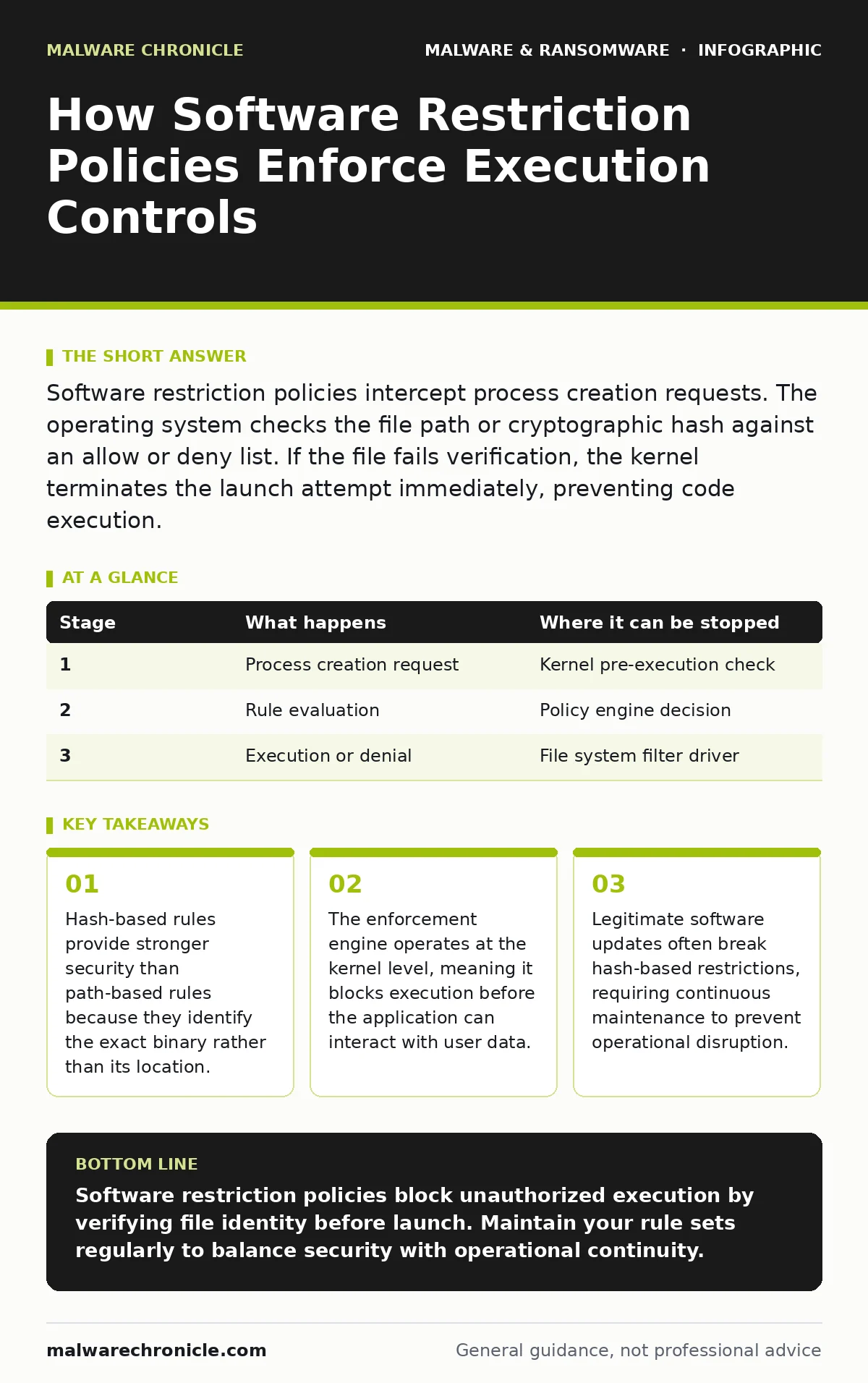
Software restriction policies intercept process creation requests. The operating system checks the file path or cryptographic hash against an allow or deny list. If the file fails verification, the kernel terminates the launch attempt immediately, preventing code execution.
The Interception Mechanism
Software restriction policies function as a gatekeeper for process creation. When you double-click an executable, the operating system does not immediately run the code. Instead, it pauses to verify whether the file is permitted to execute. This verification happens before the program loads into memory.
The system checks the request against a set of defined rules. These rules dictate which files are allowed or denied. The engine evaluates the file based on its location, its cryptographic signature, or its unique content identifier. If the file matches a denial rule, the launch is aborted.
This mechanism differs from traditional antivirus software. Antivirus tools often scan files after they are downloaded or during runtime. Restriction policies prevent the runtime phase entirely for unauthorized binaries. This stops many threats before they can establish persistence.
Stage 1: Process Creation Request
The chain of events begins when a user or a background service attempts to launch a program. The operating system receives a request to create a new process. This request includes the path to the executable file. The system identifies the caller and the target binary.
At this point, the kernel prepares to allocate resources for the new process. It does not yet load the code into memory. This pre-execution pause is critical for security. It allows the policy engine to inspect the request without the risk of active code running.
If the request comes from a trusted system service, it may bypass certain checks. However, most user-initiated launches undergo full scrutiny. The system determines which policy level applies to this specific action.
| Stage | What happens | Where it can be stopped |
|---|---|---|
| 1 | Process creation request | Kernel pre-execution check |
| 2 | Rule evaluation | Policy engine decision |
| 3 | Execution or denial | File system filter driver |
Stage 2: Rule Evaluation and Matching
The policy engine retrieves the current configuration. It looks for rules that apply to the target file. The engine checks multiple types of rules in a specific order. It evaluates path-based rules first, then hash-based rules.
Path-based rules look at where the file resides on the disk. If a rule denies execution from a temporary folder, any file in that folder is blocked. This is simple but fragile. Attackers can move files to trusted locations to bypass this.
Hash-based rules look at the content of the file. The system calculates a cryptographic hash of the executable. This hash is a unique fingerprint of the file’s contents. If the hash matches a denied entry, the file is blocked regardless of its location.
Stage 3: Decision and Enforcement
Once the engine evaluates all applicable rules, it makes a final decision. The default behavior is usually to allow execution unless a specific rule denies it. Some configurations invert this, denying everything unless explicitly allowed.
If the decision is to deny, the system sends an error code to the calling process. The user sees a generic access denied message. The executable never loads into memory. No code runs, and no network connections are initiated.
If the decision is to allow, the system proceeds with normal loading. The file is mapped into memory, and the operating system begins executing the instructions. The policy engine steps back and monitors for further actions.
The Hidden Cost of Hash Rules
Hash-based restrictions offer high precision but introduce significant maintenance overhead. Every time software updates, the binary changes. This changes the hash. A previously allowed application becomes blocked after an update.
Suppose a developer updates a critical utility. The new version has a different hash. The restriction policy blocks it immediately. Users cannot run the updated software. They must wait for an administrator to update the allow list.
This creates a tension between security and usability. Strict hash policies reduce the attack surface. They also increase the administrative burden. You must track every software change to keep the system functional.
See also: Keyloggers Explained: How They Steal Data and How to Stop Them · Computer Worm Mistakes: 7 Configuration Errors That Invite Infection
Path Rules and Their Vulnerabilities
Path-based rules are easier to manage but less secure. They rely on the assumption that files in certain directories are trusted. This assumption often fails. Attackers can place malicious files in trusted directories.
For instance, an attacker might copy a malicious executable into a folder that is allowed by policy. The system sees the file in a trusted path and allows it to run. The content of the file is not verified.
This method is susceptible to symlink attacks. An attacker can create a symbolic link from a trusted path to a malicious file elsewhere. The policy engine sees the trusted path and grants access. The malicious code executes anyway.
Integration with Detection Methods
Restriction policies work best when combined with other detection methods. They do not replace the need for malware signatures. Signatures identify known bad patterns within files. Restriction policies prevent unknown or unauthorized files from running.
Consider the threat of crypto-stealing malware. This malware often arrives as a new, unsigned binary. Signature-based tools might not recognize it immediately. A strict restriction policy blocks it because it is not on the allow list.
However, some malware can modify itself to change its hash. This defeats static hash rules. Dynamic analysis and memory forensics are needed to catch such sophisticated threats. Restriction policies are a strong first line of defense but not a complete solution.
Limits of the Approach
Software restriction policies cannot stop all threats. They do not protect against scripts that run within allowed applications. For example, a malicious macro in a Word document runs within the Word process. If Word is allowed, the macro executes.
They also do not prevent attacks that exploit vulnerabilities in allowed software. If a browser has a security flaw, an attacker can execute code through it. The restriction policy allows the browser to run, so the attack succeeds.
Additionally, these policies require careful configuration. Misconfigured rules can block legitimate software. This leads to user frustration and potential workarounds. Users might disable security features to get their work done.
Maintenance and Monitoring
Effective use of restriction policies requires continuous monitoring. Administrators must review logs for denied attempts. These logs can reveal new attack vectors or misconfigured software.
Regular audits of the rule set are necessary. Remove rules for software that is no longer used. Add rules for new applications. Keep the policy current to maintain its effectiveness.
Integrate these policies with broader security strategies. Combine them with endpoint detection and response tools. Use file hashes in malware detection to identify new threats. This layered approach provides deeper protection.
Key takeaways
- Hash-based rules provide stronger security than path-based rules because they identify the exact binary rather than its location.
- The enforcement engine operates at the kernel level, meaning it blocks execution before the application can interact with user data.
- Legitimate software updates often break hash-based restrictions, requiring continuous maintenance to prevent operational disruption.
Software restriction policies block unauthorized execution by verifying file identity before launch. Maintain your rule sets regularly to balance security with operational continuity.
Frequently asked questions
Does this protect against ransomware?
It can prevent initial execution if the ransomware binary is not allowed. It does not stop ransomware that runs through allowed applications or exploits vulnerabilities.
What is the difference between hash and path rules?
Hash rules verify the exact content of the file. Path rules verify the location of the file. Hash rules are more secure but harder to maintain.
Can attackers bypass these policies?
Attackers can bypass path rules by moving files. They can bypass hash rules by modifying the code. Scripts running inside allowed apps are not blocked.
Do I need this if I have antivirus?
Yes. Antivirus scans for known threats. Restriction policies prevent unknown or unauthorized software from running. They provide a different layer of defense.
How this guide was produced: written by the Malware Chronicle editorial team with AI assistance, checked against the public references listed below, and reviewed when the facts change. See our editorial policy or report an error.