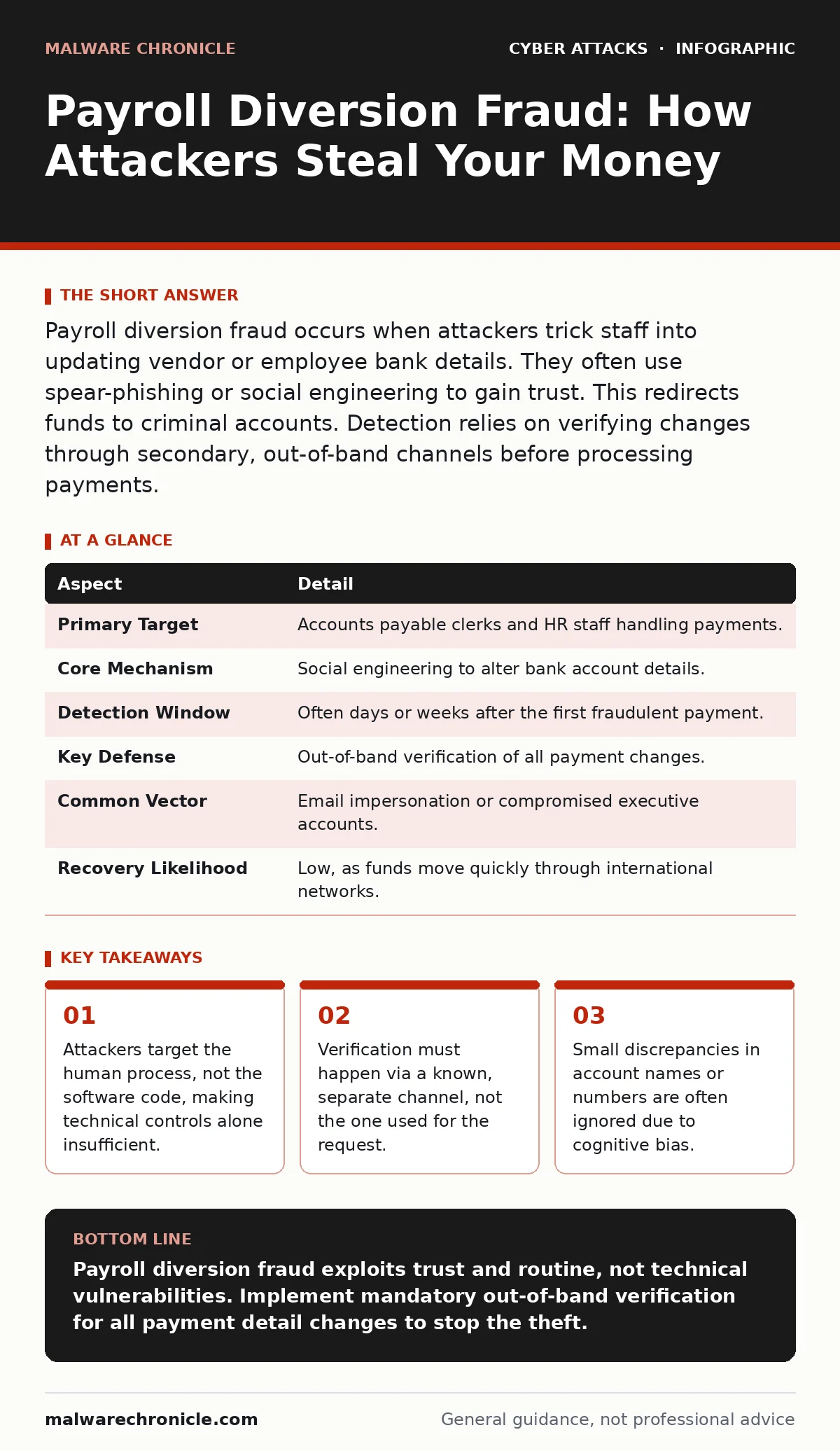
Payroll diversion fraud occurs when attackers trick staff into updating vendor or employee bank details. They often use spear-phishing or social engineering to gain trust. This redirects funds to criminal accounts. Detection relies on verifying changes through secondary, out-of-band channels before processing payments.
The Broken Chain of Trust
Imagine sending a package to a friend. You write their address on the label, but someone swaps the label with one for a stranger. The postal service delivers it correctly because the label is valid, but your friend never receives it. Payroll diversion fraud operates on this same principle. The financial system processes the transfer exactly as instructed. The error lies in the instruction itself.
This fraud type exploits the trust placed in routine administrative tasks. It does not require sophisticated hacking tools. It requires patience and an understanding of how your organization handles payments. The attacker’s goal is not to steal data for resale. The goal is to move money before you notice the discrepancy.
| Aspect | Detail |
|---|---|
| Primary Target | Accounts payable clerks and HR staff handling payments. |
| Core Mechanism | Social engineering to alter bank account details. |
| Detection Window | Often days or weeks after the first fraudulent payment. |
| Key Defense | Out-of-band verification of all payment changes. |
| Common Vector | Email impersonation or compromised executive accounts. |
| Recovery Likelihood | Low, as funds move quickly through international networks. |
How the Diversion Happens
The attack begins with reconnaissance. The adversary studies your company structure. They identify who approves payments and who processes them. They look for patterns in communication. Do you use email for sensitive changes? Do you have a standard format for invoices?
Once the target is identified, the attacker initiates contact. This is rarely a blunt force request. It is often a subtle update. An email arrives from a "vendor" with a new invoice. The invoice looks legitimate. The logo is correct. The amount is standard. But the bank account number is different. The attacker relies on your haste and assumption that the change is authorized.
Sometimes the attacker compromises a legitimate account. They do not break into the server. They steal credentials through phishing. Then they send the instruction from a real email address. This bypasses many secure email gateways that filter based on sender reputation. The message appears to come from a trusted source, lowering your guard.
Common Forms of the Attack
There are three primary variations of this fraud. Each exploits a different weakness in your verification process. Understanding these forms helps you recognize the signs.
Vendor Impersonation is the most common. The attacker pretends to be an existing supplier. They send a notification of changed banking details. They may use a domain name that looks similar to the real vendor’s. This is a form of brand impersonation designed to confuse the eye. The urgency is often high, claiming immediate effect to prevent service disruption.
CEO Fraud targets the approval chain. The attacker impersonates a senior executive. They claim to be busy or traveling. They ask a subordinate to process an urgent payment to a "new vendor" or "consultant." The subordinate feels pressured to comply with leadership. They skip standard verification steps to appear efficient.
Employee Diversion affects payroll. The attacker targets HR or finance staff. They claim an employee’s bank account was closed or compromised. They request an update to the employee’s direct deposit information. The attacker may provide fake ID documents or use a phone call to confirm the change. Since the employee is not present to verify, the staff member assumes the request is genuine.
Who Gets Hit and Why
Small and medium-sized businesses are frequent targets. They often lack dedicated fraud detection teams. Processes are manual, and checks are infrequent. However, large enterprises are not safe. Complexity creates blind spots. Multiple departments handle parts of the payment process. Communication gaps allow fraud to slip through.
The attack succeeds because it exploits cognitive biases. You tend to trust messages from known entities. You assume that if an email comes from a familiar address, the content is valid. You also suffer from confirmation bias. You look for reasons to believe the change is real, ignoring small inconsistencies.
Technical controls often fail here. Intrusion detection systems monitor network traffic for malicious code. They do not monitor the intent of a legitimate user changing a database field. If you type in the wrong bank number, the system sees it as a valid input. It does not know it is fraudulent.
What People Usually Get Wrong
Many organizations believe that technical solutions alone can stop this fraud. They invest in advanced filtering and monitoring. They forget that the final step is human. An employee must enter the data. An employee must approve the transfer. No amount of software can force a human to verify a change if the process does not require it.
Another common mistake is relying on the same channel for verification. If the attacker sends an email with new bank details, do not reply to that email to confirm. The attacker controls that inbox. You must use a different method. Call the vendor using a number from your existing records. Do not use the number provided in the suspicious email.
Some teams assume that small amounts are not worth the effort to verify. This is dangerous. Attackers often test the waters with small payments. If you pay the small amount without question, they know your verification process is weak. They will then request much larger sums.
See also: Prevent Whaling Attacks: Stop Targeted CEO Fraud Attempts · Phishing Simulations: 8 Practices That Actually Work
Reducing the Risk
You must build a culture of verification. This means slowing down the payment process intentionally. Speed is the enemy of security in this context. Implement a policy that requires secondary verification for any change to bank details. This applies to new vendors and existing ones.
Use conditional access policies to restrict who can modify payment records. Limit this ability to a small group of trusted staff. Require multi-factor authentication for these actions. This adds a layer of friction that makes unauthorized changes harder, though not impossible if credentials are stolen.
Train your staff to recognize the social engineering tactics. Show them examples of phishing simulations that mimic vendor emails. Teach them to look for subtle signs. Is the email signature different? Is the tone unusually urgent? Is the request outside of normal business hours?
Implement a "cooling off" period for new vendors. Do not process the first payment immediately. Verify the business through independent sources. Check their registration, website, and physical address. This delay gives you time to detect fraud before funds leave your account.
Regularly review your payment logs. Look for patterns. Are there multiple changes to the same vendor? Are payments going to new countries? Anomalies in data can reveal fraud before you lose money.
The Hidden Cost of Verification
Adding verification steps slows down your operations. Your accounts payable team will face more questions. Vendors may complain about delays. There is a trade-off between speed and security. You must accept that some friction is necessary.
The cost of a single successful fraud attempt far outweighs the time spent on verification. One diverted payment can drain months of profit. It can damage your relationship with vendors who must wait for reimbursement. It can lead to legal issues and audits.
Building these habits takes time. You cannot fix this overnight. Start with high-value payments. Gradually extend the verification requirement to all transactions. Make verification a standard part of your workflow, not an exception.
Final Thoughts on Defense
Payroll diversion fraud is a persistent threat. It evolves as your defenses improve. Attackers will find new ways to impersonate vendors and executives. Your defense must be equally adaptable.
Focus on the human element. Technology can alert you, but humans must act. Train your staff to be skeptical. Encourage them to ask questions. Reward those who catch potential fraud, even if it turns out to be a false alarm.
Stay vigilant, but do not rely on vigilance alone. Build processes that force verification. Make it difficult to bypass checks. This reduces the risk significantly. You cannot eliminate the threat, but you can make your organization a hard target.
Key takeaways
- Attackers target the human process, not the software code, making technical controls alone insufficient.
- Verification must happen via a known, separate channel, not the one used for the request.
- Small discrepancies in account names or numbers are often ignored due to cognitive bias.
Payroll diversion fraud exploits trust and routine, not technical vulnerabilities. Implement mandatory out-of-band verification for all payment detail changes to stop the theft.
Frequently asked questions
Can antivirus software detect payroll diversion fraud?
No, because the attack involves legitimate commands and social engineering, not malicious code files.
How long does it take to recover stolen funds?
Recovery is rarely possible, as funds are moved quickly through international banking networks.
Should I block all emails from new vendors?
No, but you should require strict verification of any payment details provided in those emails.
Is this fraud limited to large companies?
No, small businesses are often targeted because they have fewer verification controls in place.
How this guide was produced: written by the Malware Chronicle editorial team with AI assistance, checked against the public references listed below, and reviewed when the facts change. See our editorial policy or report an error.