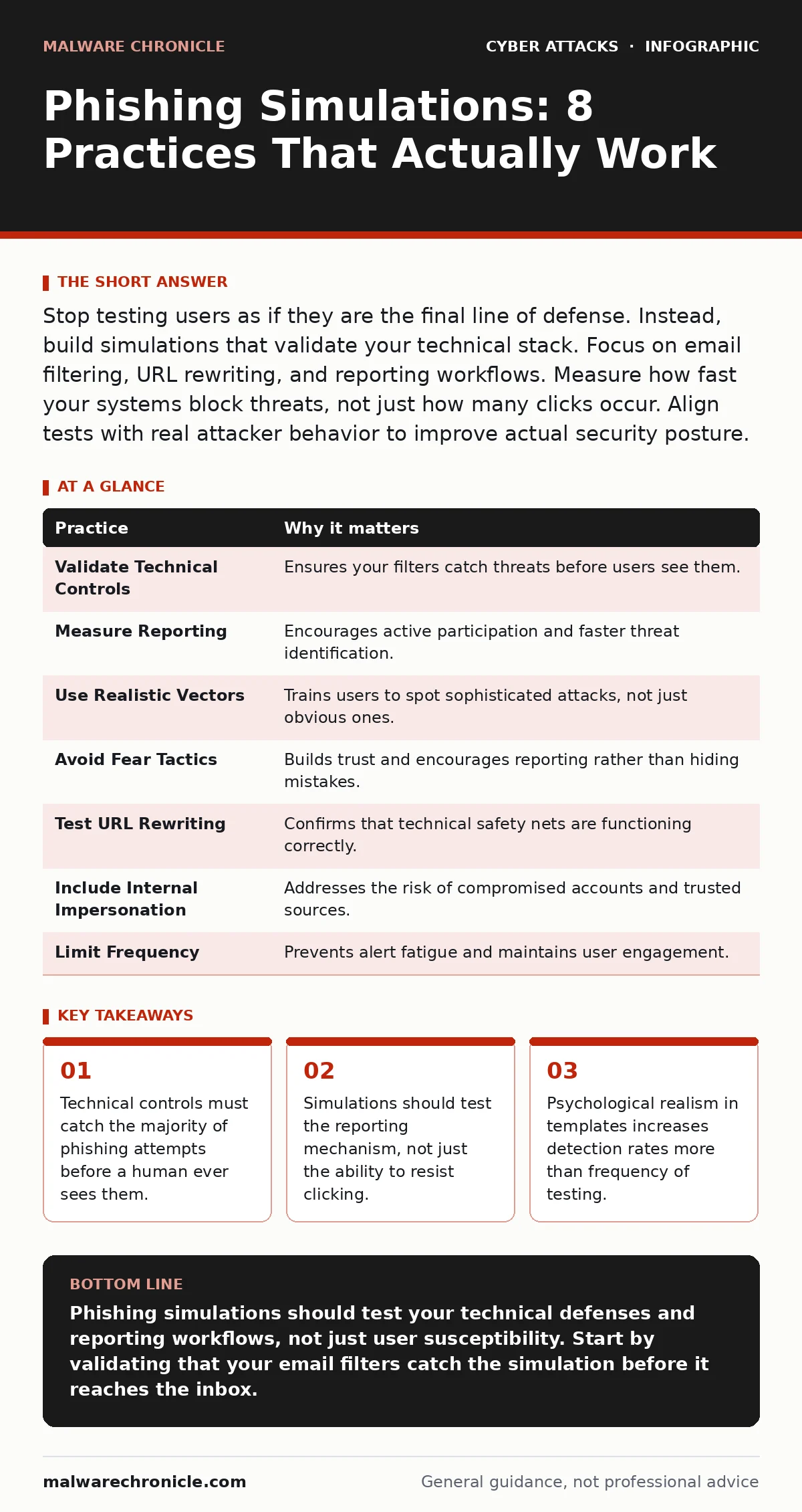
Stop testing users as if they are the final line of defense. Instead, build simulations that validate your technical stack. Focus on email filtering, URL rewriting, and reporting workflows. Measure how fast your systems block threats, not just how many clicks occur. Align tests with real attacker behavior to improve actual security posture.
1. Validate Technical Controls First
Imagine you send a simulated phishing email to your entire organization. This conclusion is often wrong. The real failure may be that your secure email gateways did not flag the suspicious sender or the malicious payload. You are measuring human error when you should be measuring system failure. Technical controls act as the primary filter. If they work correctly, the user never sees the threat. Testing without validating these upstream defenses creates a false sense of security.
Tip: Run simulations through your email filtering logs first. If the simulation bypasses your filters, fix the filter rules before judging the users who received it.
2. Measure Reporting, Not Just Clicks
Many organizations track the click-through rate as the primary metric. This metric is incomplete. A user who clicks a link but immediately reports the email has demonstrated better behavior than one who ignores it. The reporting workflow is a critical control. It allows your security team to analyze the threat and block it for everyone. If your simulation does not include a clear, one-click reporting button, you are ignoring a vital defensive layer. Users need a low-friction way to alert you to suspicious activity.
Tip: Configure your email client to add a "Report Phishing" button that forwards the full message headers to your security team. Measure how many reports come in, not just how many links get clicked.
3. Use Realistic Attack Vectors
Generic "urgent password reset" emails are easily spotted by trained users. Attackers rarely use such blunt instruments against sophisticated targets. They use context-aware social engineering. They mimic internal communications, project updates, or vendor notifications. If your simulations do not mirror the sophistication of current attacks, they provide no value. You are training users to spot obvious fakes, not the subtle ones that cause actual harm. This gap leaves you vulnerable to brand impersonation and other targeted schemes.
Tip: Craft templates based on recent internal communications or common vendor interactions. Ensure the content is plausible but clearly marked as a simulation in the footer for legal compliance.
4. Avoid Fear-Based Tactics
Sending a simulation that looks like a malware payload can cause panic. This reaction does not help security. It erodes trust in the security team. Users may become desensitized to alerts if they feel manipulated. The goal of a simulation is education, not humiliation. When users feel attacked by their own organization, they are less likely to report real threats. They may also bypass security controls to avoid "failing" a test. This behavior creates larger vulnerabilities than the original click.
Tip: Provide immediate, constructive feedback upon clicking. Explain why the email was suspicious and how to identify similar threats in the future. Avoid punitive measures for first-time failures.
5. Test URL Rewriting Mechanisms
Many email security tools rewrite URLs to inspect them for malicious content. This process adds a layer of protection but also introduces latency. If your simulation uses a URL that bypasses this rewriting, your test is invalid. You need to know if your rewriting engine is functioning correctly. Sometimes, legitimate links get blocked, causing user frustration. Other times, malicious links slip through because the rewriting rule is too permissive. This balance is difficult to maintain without regular testing.
Tip: Include URLs in your simulations that should trigger your rewriting engine. Verify that the rewritten URL points to your landing page, not the original destination. This confirms the mechanism is active and correct.
See also: What Is Static Application Security Testing: Code Scans That Find Bugs Before Build · Email Filtering FAQ: 8 Answers for Secure Inbox Management
6. Include Internal Impersonation Scenarios
External threats are common, but internal impersonation is often more effective. Attackers compromise a legitimate account and send requests to colleagues. These emails bypass many external filters because they originate from a trusted source. Your simulations should test this vector. If your team does not verify unusual requests from known contacts, you are exposed to payroll diversion fraud and other financial crimes. This type of social engineering relies on trust, not technical tricks.
Tip: Simulate a request from a "CEO" or "HR" account asking for sensitive data. Train users to verify such requests through a separate communication channel, like a phone call or instant message.
7. Limit Frequency to Avoid Alert Fatigue
Sending simulations weekly can backfire. Users may start ignoring emails altogether, including legitimate ones. This phenomenon is known as alert fatigue. It reduces the effectiveness of your security training. A better approach is to send simulations sporadically. This unpredictability mimics real-world attacks. It keeps users engaged without overwhelming them. The quality of the simulation matters more than the quantity. A well-crafted, infrequent test is more valuable than a daily, generic one.
Tip: Schedule simulations randomly rather than on a fixed calendar. Ensure each simulation has a unique educational component. Rotate the types of attacks to cover different social engineering tactics.
8. Integrate with Incident Response
A simulation is not an isolated event. It is part of your broader cyber incident response team strategy. When a real attack occurs, the same processes used in a simulation should activate. This includes containment, analysis, and communication. If your simulation does not trigger these processes, it is merely a quiz. You need to test the entire workflow. This includes how quickly your team can identify the scope of the attack. It also includes how well you communicate with affected users.
Tip: Use simulation results to update your incident response playbooks. Ensure that the steps taken during a test match the steps taken during a real breach. This alignment reduces confusion and improves response times.
| Practice | Why it matters |
|---|---|
| Validate Technical Controls | Ensures your filters catch threats before users see them. |
| Measure Reporting | Encourages active participation and faster threat identification. |
| Use Realistic Vectors | Trains users to spot sophisticated attacks, not just obvious ones. |
| Avoid Fear Tactics | Builds trust and encourages reporting rather than hiding mistakes. |
| Test URL Rewriting | Confirms that technical safety nets are functioning correctly. |
| Include Internal Impersonation | Addresses the risk of compromised accounts and trusted sources. |
| Limit Frequency | Prevents alert fatigue and maintains user engagement. |
| Integrate with Response | Ensures simulations improve actual operational readiness. |
9. Review and Iterate Regularly
Phishing tactics evolve constantly. Your simulations must evolve with them. A template that worked last year may be ineffective today. Attackers adapt to common defenses. They change their language, timing, and targets. You must review your simulation library regularly. Update templates to reflect new trends. This includes browser-in-the-browser attacks and other emerging techniques. Stagnant simulations provide outdated training. They give users a false sense of competence.
Tip: Schedule quarterly reviews of your simulation templates. Incorporate feedback from users and security analysts. Remove templates that are no longer relevant or are too easy to spot.
Key takeaways
- Technical controls must catch the majority of phishing attempts before a human ever sees them.
- Simulations should test the reporting mechanism, not just the ability to resist clicking.
- Psychological realism in templates increases detection rates more than frequency of testing.
Phishing simulations should test your technical defenses and reporting workflows, not just user susceptibility. Start by validating that your email filters catch the simulation before it reaches the inbox.
Frequently asked questions
How often should we run phishing simulations?
Run them sporadically, not on a fixed schedule. This unpredictability prevents alert fatigue and mimics real attack patterns. Aim for a few times a year, with high-quality, realistic templates.
Should we punish users who click on simulations?
No. Punishment creates fear and discourages reporting. Instead, provide immediate, constructive feedback. Focus on education and helping the user understand why the email was suspicious.
Do we need to test for internal impersonation?
Yes. Internal impersonation bypasses external filters. It is a high-risk vector for financial fraud and data theft. Ensure your simulations include scenarios where trusted internal accounts are compromised.
How do we measure the success of a simulation?
Measure both click rates and report rates. A high report rate indicates a vigilant workforce. A low click rate indicates effective training. Also, verify that technical controls blocked the simulation for most users.
How this guide was produced: written by the Malware Chronicle editorial team with AI assistance, checked against the public references listed below, and reviewed when the facts change. See our editorial policy or report an error.