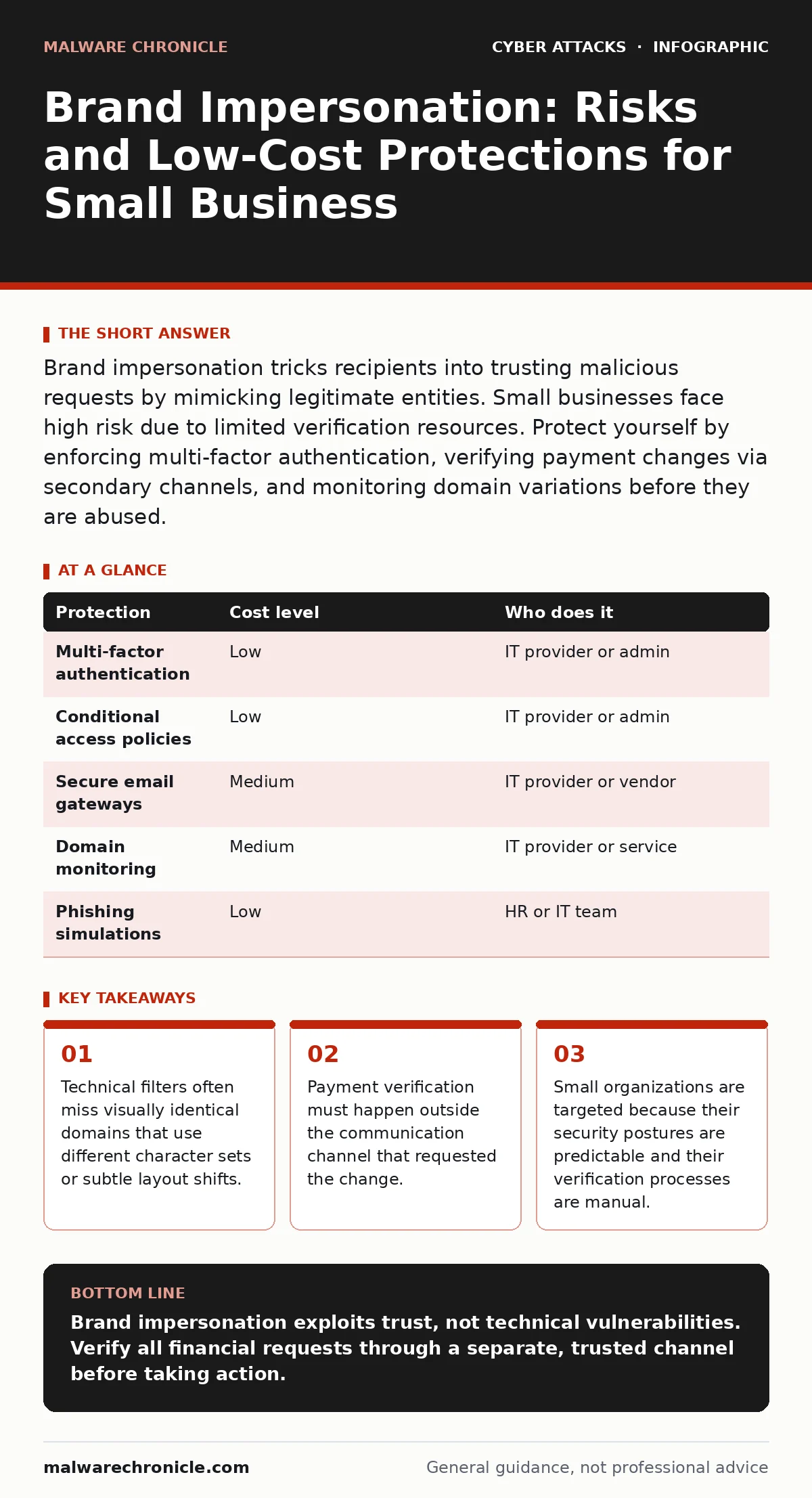
Brand impersonation tricks recipients into trusting malicious requests by mimicking legitimate entities. Small businesses face high risk due to limited verification resources. Protect yourself by enforcing multi-factor authentication, verifying payment changes via secondary channels, and monitoring domain variations before they are abused.
The Psychology of Trusted Channels
Attackers do not need to break your firewall to steal your money. They only need to break your trust. Brand impersonation relies on the assumption that if a message looks like it comes from a known entity, it is safe. You might see a slight typo in the domain name or a generic greeting, but the context feels correct. The urgency often overrides your caution.
This works because your brain recognizes the brand logo and the tone of voice. You have interacted with this brand before. You assume the infrastructure behind the message is the same infrastructure you trust. It is not. The attacker has rented a domain that looks similar and configured their email server to mimic yours.
Why Small Organizations Are Exposed
Small teams often lack the specialized staff to monitor the thousands of new domains registered daily. Large corporations use automated systems to detect and takedown look-alike sites. You likely do not. Attackers know this. They scan for smaller businesses with active email domains but no active defensive monitoring.
Your exposure increases when you use standard email providers without additional filtering. These providers prioritize deliverability over strict verification. They allow emails that pass basic checks to reach your inbox. If an attacker registers a domain that sounds like yours, their emails may land in your primary inbox rather than spam.
You are also exposed because your verification processes are often informal. A quick reply to an email is usually enough to confirm a request. This speed is efficient for business but fatal for security. Attackers time their requests to coincide with busy periods, reducing the chance you will pause to verify.
The Mechanics of Visual Deception
Impersonation is not just about typos. Attackers use homograph attacks. These involve characters from different alphabets that look identical to Latin letters. For example, a Cyrillic 'a' looks the same as a Latin 'a' to most users. The domain is technically different, but your eyes see your company name.
They also clone your website layout. If you host your own site, an attacker can mirror your login page. They host this clone on a subdomain of a legitimate-looking domain. When you click a link in the fake email, you land on a page that looks exactly like your internal portal. You enter your credentials. The attacker captures them.
Low-Cost Technical Defenses
You do not need expensive enterprise tools to reduce this risk. Start by enforcing multi-factor authentication (MFA) on all accounts that handle money or data. MFA requires a second form of verification, such as a code from a phone app. Even if an attacker steals your password via a cloned site, they cannot access your account without the second factor.
Next, implement conditional access policies. These rules allow or block access based on context. You can configure your system to block logins from countries where you do not do business. You can also require MFA only when a login attempt comes from a new device. This adds friction for attackers without annoying your daily workflow.
Consider using secure email gateways. These services scan incoming emails for malicious content and spoofed domains before they reach your inbox. They check against known blacklists and analyze the sender's reputation. While not perfect, they catch the most common impersonation attempts automatically.
| Protection | Cost level | Who does it |
|---|---|---|
| Multi-factor authentication | Low | IT provider or admin |
| Conditional access policies | Low | IT provider or admin |
| Secure email gateways | Medium | IT provider or vendor |
| Domain monitoring | Medium | IT provider or service |
| Phishing simulations | Low | HR or IT team |
Operational Verification Habits
Technology alone will not stop a well-crafted impersonation attack. You need operational habits. The most effective habit is out-of-band verification. If an email requests a change in bank details, do not reply to that email. Call the sender using a number you already have on file. Do not use the number provided in the suspicious email.
Check the sender's address carefully. Look for subtle differences. Is it "support" or "supp0rt"? Is the domain ".com" or ".co"? Small changes indicate a fake. You can also check the email headers. These hidden details show the actual path the email took. If it came from a free email provider but claims to be your CEO, it is fake.
See also: Phishing Simulations: 8 Practices That Actually Work · How Secure Email Gateways Filter Threats Before Inbox Delivery
What to Ask an IT Provider
If you outsource your IT, you must ensure they are actively protecting your brand identity. Do not assume standard maintenance includes impersonation defense. Ask specific questions.
- Do you monitor for domain squatting? This involves watching for new domains that resemble yours.
- Can you configure DMARC records for our domain? DMARC tells receiving servers how to handle emails that fail authentication checks. It prevents attackers from sending emails that appear to come from you.
- How do you handle phishing simulations? Regular testing helps your staff recognize fake emails.
- Do you review our conditional access policies quarterly? Settings can become outdated as your business changes.
Your provider should explain these concepts clearly. If they cannot explain DMARC or MFA, they may not be equipped to handle brand impersonation risks. You need a partner who understands that email security is about identity, not just viruses.
The Hidden Cost of Response
When impersonation succeeds, the cost is not just the stolen funds. It is the time spent investigating. You must contact your bank, your email provider, and potentially law enforcement. Your staff loses trust in digital communication. They may start questioning every legitimate request. This slows down your operations.
Rebuilding trust with your clients takes longer than recovering money. If attackers used your brand to scam your customers, your reputation suffers. You must notify your clients and explain what happened. This transparency is necessary but painful. Prevention is cheaper than reputation repair.
Building a Resilient Culture
You cannot stop every attack. Your goal is to make attacks difficult and expensive for the attacker. Start by educating your team. Show them examples of homograph attacks. Let them see how a fake login page looks. Knowledge reduces panic.
Review your processes regularly. Ask yourself where your weakest link is. Is it your email filtering? Is it your staff's awareness? Is it your payment verification? Strengthen that link. Security is a continuous process, not a one-time setup.
By combining technical controls like MFA and DMARC with operational habits like out-of-band verification, you create multiple layers of defense. One layer may fail, but the next will catch the threat. This depth makes your organization a harder target. Attackers move on to easier prey when they meet resistance.
Key takeaways
- Technical filters often miss visually identical domains that use different character sets or subtle layout shifts.
- Payment verification must happen outside the communication channel that requested the change.
- Small organizations are targeted because their security postures are predictable and their verification processes are manual.
Brand impersonation exploits trust, not technical vulnerabilities. Verify all financial requests through a separate, trusted channel before taking action.
Frequently asked questions
How do I know if my domain is being impersonated?
Use a domain search tool to look for variations of your domain name. Check for new registrations that use similar spellings or different top-level domains.
Is multi-factor authentication enough to stop brand impersonation?
MFA protects your accounts if credentials are stolen, but it does not stop the initial phishing email. You still need to verify the legitimacy of the request itself.
What is DMARC and why does it matter?
DMARC is an email authentication protocol that prevents attackers from sending emails that appear to come from your domain. It helps receiving servers reject fake emails.
Should I block all emails from new domains?
No, this would break legitimate business. Instead, use secure email gateways to flag emails from new or suspicious domains for manual review.
How this guide was produced: written by the Malware Chronicle editorial team with AI assistance, checked against the public references listed below, and reviewed when the facts change. See our editorial policy or report an error.