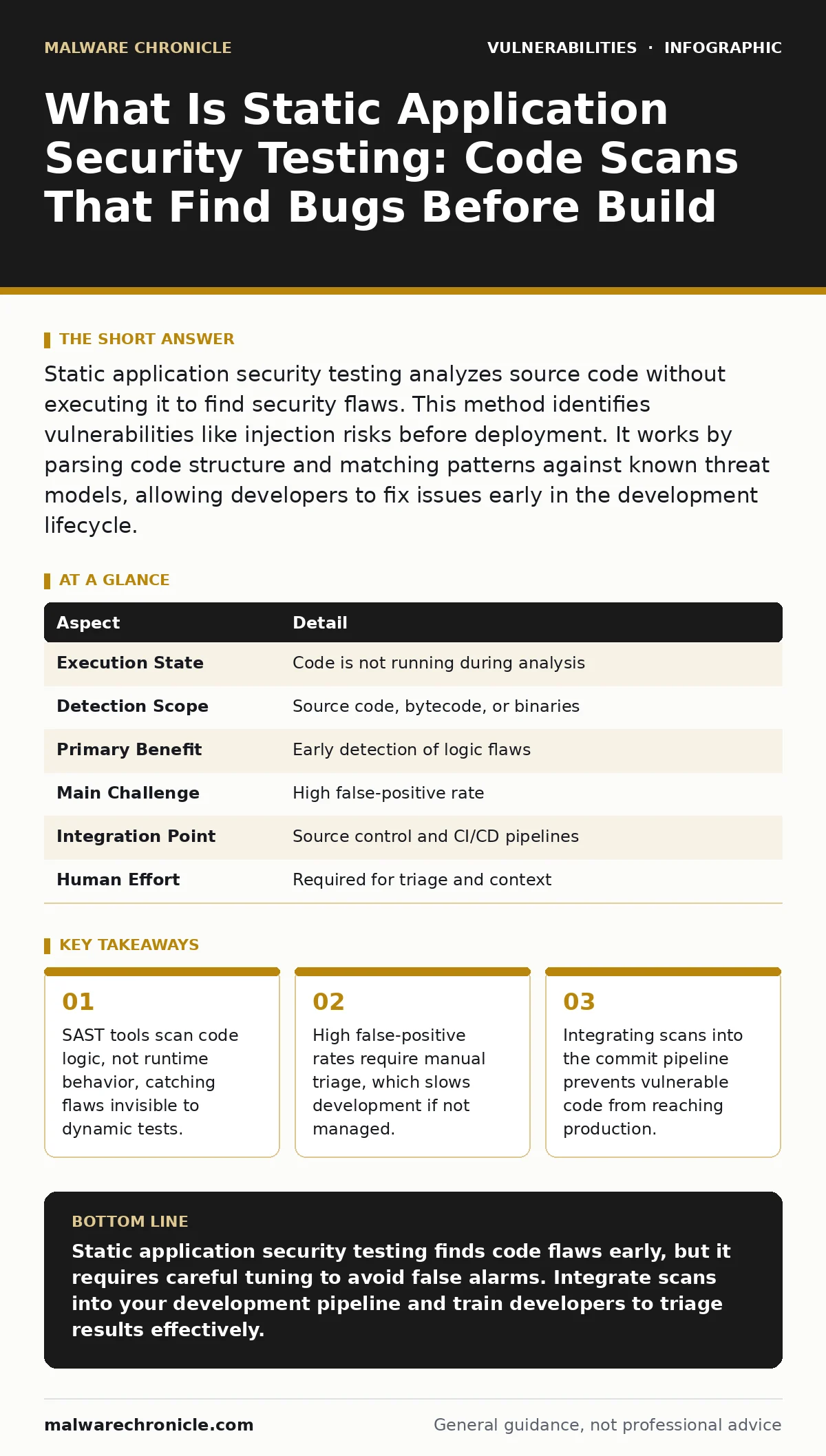
Static application security testing analyzes source code without executing it to find security flaws. This method identifies vulnerabilities like injection risks before deployment. It works by parsing code structure and matching patterns against known threat models, allowing developers to fix issues early in the development lifecycle.
What is static application security testing
What is static application security testing? It is a method of finding security flaws in software code without running the program. The tool reads the source files and analyzes the logic structure. This approach differs from dynamic testing, which probes a running application. Static analysis works like a spell checker for security rules. It examines the syntax and flow of data through your functions. You catch errors before the code ever executes. This early detection reduces the cost of fixing bugs.
Imagine a builder checking blueprints for structural weak points before pouring concrete. SAST performs this check on your codebase. It looks for patterns that match known vulnerability signatures. The scanner does not care about the server environment or network traffic. It cares only about how variables move through your logic. This isolation makes it possible to test complex systems that are hard to run locally.
| Aspect | Detail |
|---|---|
| Execution State | Code is not running during analysis |
| Detection Scope | Source code, bytecode, or binaries |
| Primary Benefit | Early detection of logic flaws |
| Main Challenge | High false-positive rate |
| Integration Point | Source control and CI/CD pipelines |
| Human Effort | Required for triage and context |
How the analysis engine works
The engine parses your code into an abstract syntax tree. This tree represents the structure of your program as data nodes. The scanner then performs control flow analysis to map possible execution paths. It tracks how data enters the system and where it exits. This tracking is called taint analysis. The tool marks user input as "tainted" and follows it through functions. If tainted data reaches a sensitive operation without sanitization, the tool flags it.
This method catches logic errors that runtime tests miss. A dynamic test might not trigger a specific code branch. Static analysis evaluates every possible branch in theory. It checks for buffer overflows by examining array bounds in the code. It identifies hardcoded credentials by scanning string literals. The tool does not need a working database or network connection. It relies entirely on the code’s internal logic.
Who feels the impact
Developers face the immediate burden of scanning results. They must review alerts and fix flagged code. This process can interrupt their flow if the tool is noisy. Security teams rely on these scans to verify code quality. They use the data to measure risk across projects. Project managers care about the speed of the pipeline. Slow scans delay releases and increase costs. The entire organization benefits when flaws are caught early. Late fixes require more time and money.
SAST affects every stage of the software lifecycle. It influences how you write code in the first place. Developers start to avoid patterns that trigger alerts. This shifts security left in the process. It reduces the load on penetration testers later. The tool becomes a guardrail for safe coding practices.
What to do about the noise
You cannot trust every alert from a SAST tool. False positives are common because the tool lacks runtime context. It sees a pattern and assumes it is dangerous. You must configure the tool to ignore safe patterns. Create a baseline of known safe code. Exclude third-party libraries from deep scans. These libraries are not your responsibility to fix. Focus only on your custom code.
Integrate the scanner into your commit process. Run it on every pull request. This ensures new code is checked immediately. Do not run full scans on every build. They are too slow. Use incremental scans for daily work. Reserve full scans for major releases. Train your team to triage alerts. They should learn to distinguish real risks from noise. This skill reduces alert fatigue over time.
Common mistakes in implementation
Many teams treat SAST as a pass-fail gate. They block builds if any alert appears. This approach fails because of false positives. Developers learn to bypass the tool to ship code. The security posture actually worsens. You must allow some risk to pass through. Set thresholds based on severity. Critical flaws should block builds. Low-severity warnings should be tracked but not block.
Another error is ignoring the tool’s configuration. Default rules are often too broad. They flag benign patterns as dangerous. You must tune the rules to your stack. Disable rules that do not apply to your language. Enable rules for your specific frameworks. This customization reduces noise significantly. It makes the alerts meaningful and actionable.
See also: Phishing Simulations: 8 Practices That Actually Work
Where static analysis falls short
SAST cannot find logic flaws that require runtime state. It does not see how the server behaves under load. It misses configuration errors in the environment. For example, it cannot detect if a server is misconfigured. It only checks the code itself. You need dynamic application security testing to complement it. DAST probes the running application for bugs. Together, they cover more ground than either alone.
SAST also struggles with complex dependencies. If your code calls a library with a flaw, SAST might miss it. It depends on whether the library is open source. If it is closed source, the scanner cannot see inside. You must rely on software composition analysis for these cases. This checks the libraries you use for known vulnerabilities. It fills the gap left by code scanning.
Integrating into the workflow
Make scanning invisible to the developer where possible. Use pre-commit hooks to run lightweight checks. This catches obvious errors before they are saved. Integrate deeper scans into the continuous integration pipeline. The build server runs the full analysis. It reports results to your tracking system. Developers see the alerts in their ticketing tool. They fix issues alongside their feature work.
Do not let security own the results. Developers must fix the code. Security provides the tool and guidance. Ownership stays with the code authors. This creates a culture of shared responsibility. It prevents bottlenecks in the release process. The tool becomes part of the craft, not a hurdle.
The long-term value
Consistent use of SAST improves code quality over time. Developers learn to avoid dangerous patterns. The codebase becomes easier to audit. New team members inherit safer code. The tool acts as an enforcer of best practices. It reduces the cognitive load on developers. They do not need to memorize every security rule. The tool reminds them of the risks.
This shift reduces the burden on security teams. They spend less time hunting for bugs. They focus on architecture and strategy. The organization becomes more resilient to attacks. Flaws are caught before they become incidents. The cost of security decreases as efficiency increases. You build a stronger foundation for future development.
Key takeaways
- SAST tools scan code logic, not runtime behavior, catching flaws invisible to dynamic tests.
- High false-positive rates require manual triage, which slows development if not managed.
- Integrating scans into the commit pipeline prevents vulnerable code from reaching production.
Static application security testing finds code flaws early, but it requires careful tuning to avoid false alarms. Integrate scans into your development pipeline and train developers to triage results effectively.
Frequently asked questions
How does SAST differ from dynamic testing?
SAST analyzes code without running it, while dynamic testing probes a running application. SAST finds logic flaws early, while dynamic testing finds runtime issues.
Can SAST find all security vulnerabilities?
No. SAST misses configuration errors and runtime behavior flaws. It works best when combined with dynamic testing and other security measures.
How do I reduce false positives in SAST?
Tune the tool’s rules to your specific codebase. Exclude third-party libraries and create baselines for known safe patterns. Train developers to triage alerts.
Is SAST suitable for legacy code?
Yes, but it may generate many alerts. Start with a full scan to establish a baseline. Focus on fixing critical issues first. Gradually address lower-severity findings.
How this guide was produced: written by the Malware Chronicle editorial team with AI assistance, checked against the public references listed below, and reviewed when the facts change. See our editorial policy or report an error.