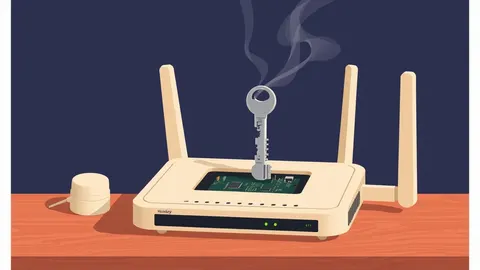
Firmware updates are low-level software packages that control hardware functions. They bridge the gap between physical components and the operating system. Applying these updates closes security holes in the hardware interface, preventing attackers from bypassing standard security controls through direct device manipulation.
What Is Firmware Updates
Firmware updates are specialized software packages that manage the basic functions of hardware devices. They reside in non-volatile memory, such as flash chips, allowing the device to retain instructions even when power is lost. You encounter firmware in routers, hard drives, motherboards, and network interface cards. Unlike application software, firmware operates at a level below the operating system. It initializes hardware components during the boot process.
This low-level access means firmware has unrestricted control over physical resources. If an attacker compromises this layer, they can bypass most security controls implemented by the operating system. Firmware updates provide patches for these critical vulnerabilities. They ensure the hardware behaves as intended by the manufacturer. Without regular updates, your devices remain exposed to known exploits that target the hardware interface directly.
At a Glance
| Aspect | Detail |
|---|---|
| Definition | Low-level software stored in hardware that controls device functions. |
| Location | Non-volatile memory chips like EEPROM or flash storage. |
| Scope | Bridges hardware components and the operating system kernel. |
| Risk | Compromise allows persistent access that survives OS reinstallation. |
| Update Method | Specialized flashing tools or built-in management interfaces. |
| Frequency | Less frequent than OS updates, but critical for security. |
How Firmware Updates Work
The update process involves replacing the existing binary code stored in the device’s memory. This requires a trusted execution environment to verify the integrity of the new code. Manufacturers sign firmware images with cryptographic keys. The device checks this signature before writing the new data to memory. This prevents unauthorized or corrupted code from running. The update mechanism often uses a dual-bank approach.
One bank holds the active firmware, while the other holds the update. If the new version fails to boot, the system rolls back to the previous version. This rollback feature protects against bricking the device. Bricking occurs when firmware becomes corrupted, rendering the hardware useless. You must ensure the power supply remains stable during the update. Interrupting the process can corrupt the memory sectors permanently.
Who Firmware Updates Affect
Every device with embedded electronics relies on firmware. This includes personal computers, servers, network switches, and Internet of Things sensors. Developers who build applications must consider the firmware layer in their threat models. An attacker who controls the firmware can intercept data before it reaches the operating system. This bypasses encryption and authentication mechanisms implemented at higher levels. Organizations with large hardware fleets face significant management challenges.
Tracking firmware versions across thousands of devices is complex. Legacy systems often lack secure update mechanisms. These devices cannot verify the authenticity of new firmware. They remain vulnerable to downgrade attacks. Attackers exploit these weaknesses to install older, vulnerable versions. This creates a persistent backdoor that standard security monitoring cannot detect. You must inventory all hardware components to identify exposure.
What People Usually Get Wrong
Many assume that operating system patches cover all software vulnerabilities. This is incorrect. Firmware operates independently of the operating system. A fully patched OS can still run on compromised firmware. Another common error is ignoring firmware for peripheral devices. Keyboards, mice, and external drives contain firmware that can be exploited. Attackers use these peripherals to inject malicious commands.
This technique is known as bad USB. It mimics trusted input devices to execute arbitrary code. Users also neglect to change default credentials on network devices. Firmware updates often reset these credentials. Failing to re-secure the device after an update leaves it open to unauthorized access. You must treat firmware security with the same rigor as application security.
See also: Automatic Software Updates: Security Benefits and Hidden Costs · Browser Updates for Small Teams: Automated Patching Strategies
Integrating Firmware Security into Development
Software developers must account for firmware interactions in their designs. Hardcoded assumptions about hardware behavior can lead to security flaws. If your application interacts directly with hardware drivers, verify the firmware version. Ensure the driver expects the specific firmware capabilities. Mismatched versions can cause unexpected behavior or security bypasses.
Use secure communication channels when sending commands to hardware. Validate all inputs sent to firmware interfaces. This prevents buffer overflow attacks that could overwrite critical memory. Consider the impact of firmware updates on application stability. Test your software against multiple firmware versions. This ensures compatibility and security across the lifecycle of the hardware.
What To Do About It
Start by creating a comprehensive inventory of all hardware assets. Include the manufacturer, model, and current firmware version. Subscribe to security advisories from hardware vendors. These documents detail known vulnerabilities and available patches. Prioritize updates for devices that face external networks. Routers and firewalls are high-value targets. Schedule updates during maintenance windows to minimize disruption.
Test updates in a staging environment before production deployment. This verifies compatibility and stability. Automate the update process where possible. Use configuration management tools to push updates to multiple devices. Monitor the update status to ensure successful completion. Address any failures immediately. Keep a backup of the previous firmware version for rollback. This strategy minimizes downtime and maintains security posture.
The Hidden Costs of Firmware Management
Managing firmware introduces operational complexity. Each device type requires a unique update procedure. This increases the workload for system administrators. Incompatible updates can break hardware functionality. This leads to costly repairs or replacements. The risk of bricking devices discourages timely updates. Organizations often delay patches to avoid operational risk.
This delay extends the window of exposure to known vulnerabilities. You must balance security needs with operational stability. Develop a clear rollback plan for every update. Train staff on the specific update procedures for critical hardware. Document the steps and verify them regularly. This preparation reduces the impact of failed updates. It also ensures that security measures do not compromise business continuity.
Related Security Practices
Firmware security intersects with several other security domains. Configuration hardening reduces the attack surface of devices. It disables unnecessary features and services that could be exploited. Vulnerability scanning tools should include firmware checks in their scope. Standard scans often miss the hardware layer. Static application security testing (SAST) can identify unsafe interactions with hardware drivers in your code.
Authorization bypass vulnerabilities often stem from weak firmware authentication. Responsible disclosure processes help vendors fix firmware flaws before public exploitation. Security advisories provide the necessary information to prioritize updates. Understanding cross-site WebSocket hijacking helps protect web applications that interact with hardware via browsers. Clickjacking attacks can trick users into initiating firmware updates with malicious payloads.
Key takeaways
- Firmware runs before the operating system, giving attackers persistent control if compromised.
- Standard security tools often ignore firmware, creating a blind spot in your defense stack.
- Automatic updates can break hardware compatibility, requiring manual verification before deployment.
Firmware updates secure the foundational layer of your hardware, preventing persistent attacks that bypass operating system defenses. Audit your hardware inventory and establish a verified update process to close this critical security gap.
Frequently asked questions
Can firmware updates be automated safely?
Yes, if you implement strict signature verification and automatic rollback mechanisms. Automation reduces human error but requires robust testing to prevent bricking devices during mass deployments.
How do I know if my firmware is vulnerable?
Check the manufacturer’s security advisories regularly. Compare your current firmware version against the patched versions listed in those documents. Use vulnerability scanning tools that support hardware inventory checks.
What happens if a firmware update fails?
The device may fail to boot or lose functionality. A dual-bank system will attempt to roll back to the previous version. If rollback fails, you may need to use a hardware programmer to restore the firmware manually.
Do mobile phones receive firmware updates?
Yes, mobile phones receive firmware updates for their baseband processors and other components. These updates are often bundled with operating system updates, but they specifically address hardware-level security and performance issues.
How this guide was produced: written by the Malware Chronicle editorial team with AI assistance, checked against the public references listed below, and reviewed when the facts change. See our editorial policy or report an error.