You can secure your infrastructure by disabling unused services, enforcing least privilege access, and automating configuration checks. This approach reduces the attack surface significantly without requiring a large security team or expensive tools. Focus on defaults, not just patches.
The Default Trap
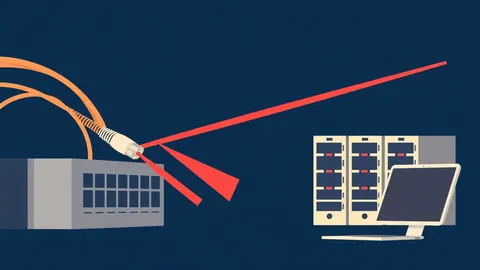
Most software and hardware ships with default configurations designed for ease of setup, not security. These defaults often leave diagnostic ports open, use weak default credentials, or permit unnecessary traffic. Attackers do not need to exploit complex vulnerabilities when they can simply walk through an unlocked door left open by the manufacturer.
For small organizations, this is particularly dangerous because you likely lack the resources to monitor traffic constantly. An open port is a beacon. It tells attackers that a service is running and invites them to probe for known weaknesses in that specific service.
Why Scale Changes the Risk
At a large enterprise, security teams have dedicated tools to scan for misconfigurations. They have processes to audit every server before it goes live. In a small environment, you are likely managing these systems alongside your core business functions. There is no dedicated security operations center to watch the logs.
This means a single misconfiguration can compromise your entire operation. If your web server allows directory listing, an attacker can download your entire source code. If your database allows remote connections from any IP address, it is visible to the entire internet.
The risk is not just data theft. It is disruption. A misconfigured mail server can become a spam relay, getting your IP addresses blacklisted. A misconfigured cloud storage bucket can expose customer data, leading to regulatory fines and loss of trust.
Understanding Configuration Drift
Configuration drift occurs when systems deviate from their intended secure state over time. This happens when administrators make manual changes to solve immediate problems, forgetting to document them. It also happens when software updates reset settings to new defaults that may be less secure.
Without a baseline, you do not know what "secure" looks like for your environment. You cannot detect drift if you do not define the desired state. This is where automation becomes necessary. Manual checks are prone to human error and fatigue.
You must define a golden image or a baseline configuration for each type of system. This baseline includes disabled unnecessary services, hardened file permissions, and strict firewall rules. Every new system should be deployed from this baseline.
Affordable Hardening Strategies
You do not need expensive security suites to harden your configurations. Many tools are open source or built into your operating system. The key is discipline and consistency.
Start by disabling all services that are not required for your business function. If you do not need a print server, turn it off. If you do not need remote desktop access from the internet, block it at the firewall. Every disabled service is an entry point removed.
Use built-in security features. Windows Defender Firewall, Linux iptables, or cloud provider security groups are powerful tools. Configure them to deny all traffic by default, then explicitly allow only the traffic needed for your applications. This is known as a whitelist approach.
What to Delegate to Providers
While you should understand the basics, some tasks are better handled by specialists. Configuration hardening is not just about turning things off; it is about ensuring that the remaining services are configured correctly and securely.
Consider delegating network segmentation to a managed service provider. Segmentation divides your network into smaller zones, limiting the spread of an infection. If a workstation is compromised, segmentation prevents the attacker from moving laterally to your servers.
You can also delegate the creation and maintenance of configuration baselines. A provider can use infrastructure-as-code tools to define your desired state. This ensures that every system is deployed with the same secure settings.
Do not delegate oversight. You must understand the policies your provider implements. You should have visibility into the configuration management process.
See also: Difference Between Network Scanning and Port Scanning: How to Detect and Respond · SYN Flood Attack Response: Containment, Recovery, and Prevention Steps
Questions for Your IT Provider
When evaluating a provider for configuration hardening services, ask specific questions. Do not accept vague assurances. You need to know exactly what they will do and how they will measure success.
- How do you define and enforce configuration baselines for different types of systems?
- What tools do you use to detect configuration drift, and how often do you run checks?
- Can you provide a sample report showing a misconfiguration you found and how you remediated it?
- How do you handle emergency changes that require opening ports or modifying firewall rules?
- What is your process for reviewing and updating default configurations after software patches?
These questions reveal whether the provider has a systematic approach or relies on manual, ad-hoc fixes. A good provider will have automated tools and documented processes.
Maintenance and Monitoring
Hardening is not a one-time event. It is a continuous process. Software changes, business needs evolve, and new threats emerge. Your configurations must adapt.
Implement automated monitoring for configuration changes. Tools can alert you when a setting is modified outside of your change management process. This helps you detect unauthorized changes quickly.
Regularly review your access controls. Remove accounts that are no longer needed. Ensure that privileges are granted on a need-to-know basis. Review firewall rules and application permissions periodically.
Integrating with Broader Security
Configuration hardening works best when combined with other security measures. It reduces the attack surface, making other defenses more effective.
Consider how your hardened configurations interact with your patch management process. See our guide on patch testing to ensure updates do not break your hardened settings. Also, review security misconfigurations to understand common pitfalls.
Network security is critical. Ensure your router and firewall are properly configured. Check our guide on router vulnerabilities for specific risks. Finally, ensure your users have updated browsers, as outlined in browser updates, to prevent client-side exploits.
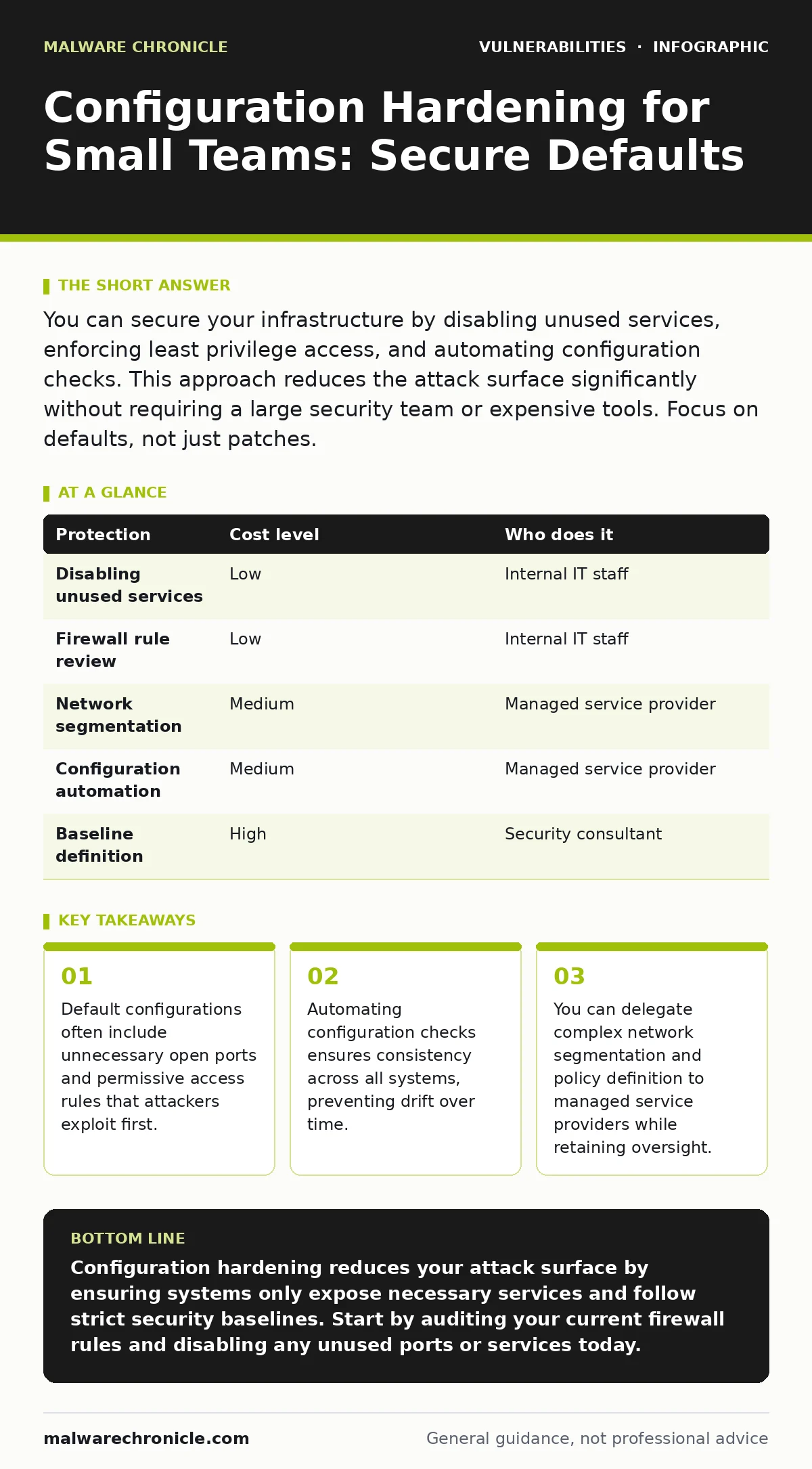
| Protection | Cost level | Who does it |
|---|---|---|
| Disabling unused services | Low | Internal IT staff |
| Firewall rule review | Low | Internal IT staff |
| Network segmentation | Medium | Managed service provider |
| Configuration automation | Medium | Managed service provider |
| Baseline definition | High | Security consultant |
Key takeaways
- Default configurations often include unnecessary open ports and permissive access rules that attackers exploit first.
- Automating configuration checks ensures consistency across all systems, preventing drift over time.
- You can delegate complex network segmentation and policy definition to managed service providers while retaining oversight.
Configuration hardening reduces your attack surface by ensuring systems only expose necessary services and follow strict security baselines. Start by auditing your current firewall rules and disabling any unused ports or services today.
Frequently asked questions
How often should I review my configuration settings?
You should review critical configurations quarterly and after any major system changes or software updates to ensure they remain aligned with security best practices.
Can I automate configuration hardening?
Yes, you can use infrastructure-as-code tools and configuration management platforms to automatically apply and enforce secure settings across all your systems.
What is the difference between hardening and patching?
Patching fixes known vulnerabilities in software, while hardening secures the system configuration by disabling unnecessary features and enforcing strict access controls.
Do I need a security consultant to start hardening?
No, you can start with basic steps like disabling unused services and reviewing firewall rules. A consultant is useful for defining complex baselines and automating checks.
How this guide was produced: written by the Malware Chronicle editorial team with AI assistance, checked against the public references listed below, and reviewed when the facts change. See our editorial policy or report an error.