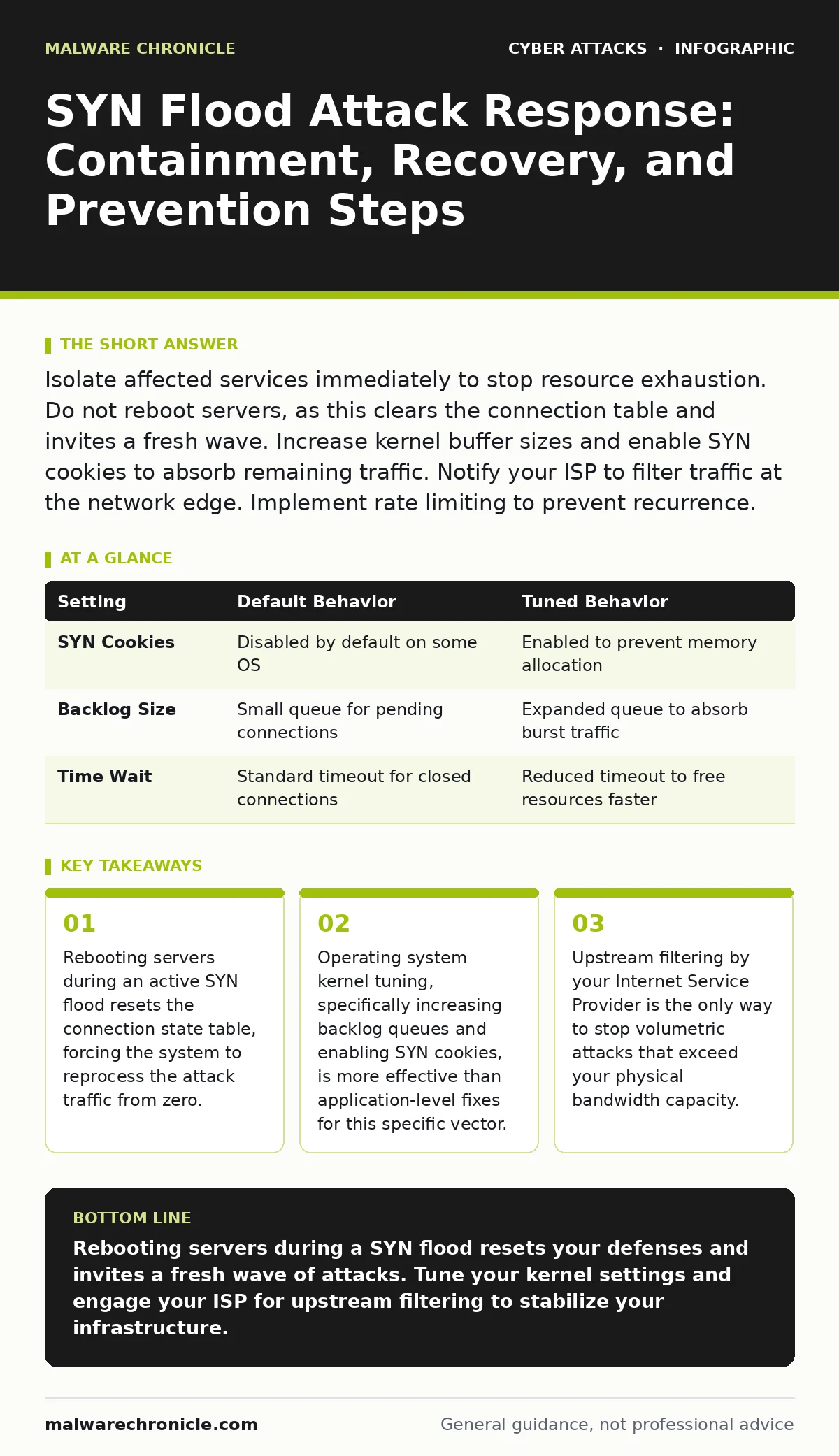
Isolate affected services immediately to stop resource exhaustion. Do not reboot servers, as this clears the connection table and invites a fresh wave. Increase kernel buffer sizes and enable SYN cookies to absorb remaining traffic. Notify your ISP to filter traffic at the network edge. Implement rate limiting to prevent recurrence.
The Mechanics of Connection Exhaustion
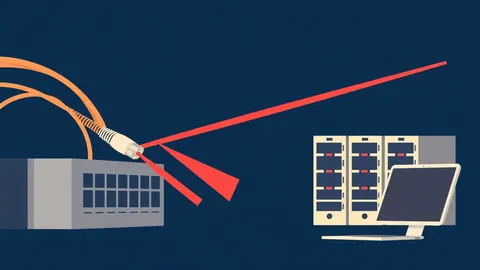
A SYN flood attack exploits the three-way handshake used to establish TCP connections. The attacker sends a SYN packet to your server, requesting a connection. Your server responds with a SYN-ACK and reserves memory for the new session. The attacker never sends the final ACK packet. This leaves the server waiting in a "half-open" state. When thousands of these half-open connections accumulate, the server runs out of memory or table entries. It can no longer accept legitimate requests. This is a denial of service, not a data breach. Your data remains secure, but your availability vanishes.
First Hour
The initial response determines whether you recover in hours or days. Speed matters, but precision matters more. Panic leads to destructive actions. You must stabilize the system before attempting to fix it.
- Verify the attack is a SYN flood by checking for high numbers of ESTABLISHED connections versus half-open SYN_RECEIVED states.
- Contact your Internet Service Provider immediately to request upstream filtering.
- Enable SYN cookies on all affected servers to mitigate the impact without dropping connections.
- Isolate affected services from public-facing load balancers if possible.
- Preserve logs for forensic analysis before clearing any temporary files.
Upstream Containment Strategies
Your server cannot handle traffic that exceeds its physical bandwidth. If the attack volume is high, packets drop at the network interface before they reach the operating system. You need help outside your infrastructure. Your ISP can apply filters that drop packets with spoofed source addresses. They can also throttle traffic that does not match normal patterns. This reduces the load before it hits your firewall.
Imagine your network as a narrow pipe. The attack is a firehose. Closing the tap at your end does nothing if the pipe is already bursting. You must close the tap at the source. Your ISP controls the tap. They can identify the geographic regions or IP ranges generating the noise. They apply blackhole routing to send that traffic into a void. This protects your bandwidth for legitimate users.
Kernel Tuning for Resilience
If upstream filtering is delayed, you must maximize your server’s ability to absorb the shock. This requires adjusting the operating system kernel. The kernel manages the TCP stack. It controls how many half-open connections it will hold in memory.
Increase the tcp_max_syn_backlog value. This expands the queue for pending connections. It allows the server to hold more incomplete handshakes before rejecting new ones. This buys you time. Enable SYN cookies. This mechanism encodes the connection state in the sequence number of the SYN-ACK packet. The server does not allocate memory for the half-open connection. It only allocates memory when the final ACK arrives. This makes the attack ineffective against memory exhaustion.
| Setting | Default Behavior | Tuned Behavior |
|---|---|---|
| SYN Cookies | Disabled by default on some OS | Enabled to prevent memory allocation |
| Backlog Size | Small queue for pending connections | Expanded queue to absorb burst traffic |
| Time Wait | Standard timeout for closed connections | Reduced timeout to free resources faster |
First Day
Once the immediate pressure subsides, you must restore full service. This is not just about turning things back on. It is about verifying integrity. Check your application logs for any signs of secondary exploitation. Attackers sometimes hide malicious payloads in the noise of a DDoS attack. Look for unusual API calls or database queries that occurred during the outage.
Review your conditional access policies. Ensure that legitimate users can still authenticate. A SYN flood might have disrupted your authentication servers. If users cannot log in, your business stops. Verify that your load balancers are distributing traffic evenly. One server might be overloaded while others sit idle. Adjust the health checks to ensure only responsive servers receive traffic.
See also: Difference Between Network Scanning and Port Scanning: How to Detect and Respond · Intrusion Detection Systems: Benefits, Limits, and When to Deploy
Recovery and Validation
You must confirm that the system is stable under load. Do not just check if it is online. Check if it performs well. Use synthetic monitoring tools to simulate legitimate user traffic. Measure response times and error rates. Compare these metrics to your baseline. If latency is high, the kernel might still be struggling with connection tracking.
Restore any data that was lost during the outage. If your application uses stateful sessions, users might have lost their place. Provide clear communication to your users about what happened and what you did to fix it. Transparency builds trust. Hiding the incident breeds suspicion.
First Week
The attack will likely return. Attackers often test their scripts again to see if the defenses hold. You must harden your infrastructure to prevent recurrence. This is not just about blocking IPs. It is about changing how your system handles traffic.
Implement rate limiting at the edge. This restricts the number of requests a single IP address can make in a given time window. If an IP sends too many SYN packets, the firewall drops subsequent packets from that source. This is more effective than blocking entire ranges, which might block legitimate users.
Consider integrating a cyber incident response team into your workflow. They can automate the detection and mitigation of common attack patterns. They can also provide guidance on advanced tuning. You do not need to be a network engineer to configure basic protections, but expert advice helps you avoid pitfalls.
Long-Term Prevention
You must accept that you cannot stop all attacks. You can only make them expensive and difficult for the attacker. Use a mix of technical and procedural controls. Regularly update your firewall rules. Monitor for new attack vectors. Educate your team on the signs of a DDoS attack.
Imagine a scenario where the attack evolves to use encrypted traffic. Your firewall might not be able to inspect the payload. You must rely on behavioral analysis. Look for anomalies in traffic patterns. If a single IP sends encrypted SYN packets at a rate higher than normal, block it. This requires a different approach than simple signature-based detection.
Also, consider how other threats might overlap. Phishing simulations can help ensure your team does not fall for social engineering attempts that might accompany a DDoS attack. Attackers often use noise to distract you while they try to steal credentials. Secure email gateways can help filter out malicious emails that try to exploit this distraction.
Final Hardening Steps
Review your network architecture. Are there single points of failure? Can one server take down the entire service? Distribute your services across multiple availability zones. This ensures that if one zone is overwhelmed, others can handle the traffic. Use anycast routing to distribute traffic across multiple servers globally. This makes it harder for an attacker to target a single location.
Ensure your monitoring tools are configured to alert you early. Do not wait for your website to go down. Set thresholds for connection rates and packet sizes. If traffic spikes, alert your team immediately. Early detection allows for faster containment. It reduces the impact on your users.
Key takeaways
- Rebooting servers during an active SYN flood resets the connection state table, forcing the system to reprocess the attack traffic from zero.
- Operating system kernel tuning, specifically increasing backlog queues and enabling SYN cookies, is more effective than application-level fixes for this specific vector.
- Upstream filtering by your Internet Service Provider is the only way to stop volumetric attacks that exceed your physical bandwidth capacity.
Rebooting servers during a SYN flood resets your defenses and invites a fresh wave of attacks. Tune your kernel settings and engage your ISP for upstream filtering to stabilize your infrastructure.
Frequently asked questions
How do I know if I am under a SYN flood attack?
Check your server logs for a high number of half-open connections. You will see many SYN_RECEIVED states but few ESTABLISHED connections. Your server will also become unresponsive to new requests.
Can a firewall stop a SYN flood?
A standard firewall can filter some traffic, but it cannot stop volumetric attacks that exceed bandwidth. You need stateful inspection and rate limiting to mitigate the impact. Upstream filtering by your ISP is also necessary.
What is the difference between a SYN flood and a UDP flood?
A SYN flood targets the TCP handshake mechanism to exhaust connection tables. A UDP flood targets application services by sending large amounts of UDP traffic, exhausting bandwidth and processing power.
Do I need a dedicated team to handle DDoS attacks?
You do not need a dedicated team for small attacks, but you do need a plan. For large-scale attacks, a cyber incident response team or a specialized mitigation service is recommended to ensure rapid containment.
How this guide was produced: written by the Malware Chronicle editorial team with AI assistance, checked against the public references listed below, and reviewed when the facts change. See our editorial policy or report an error.