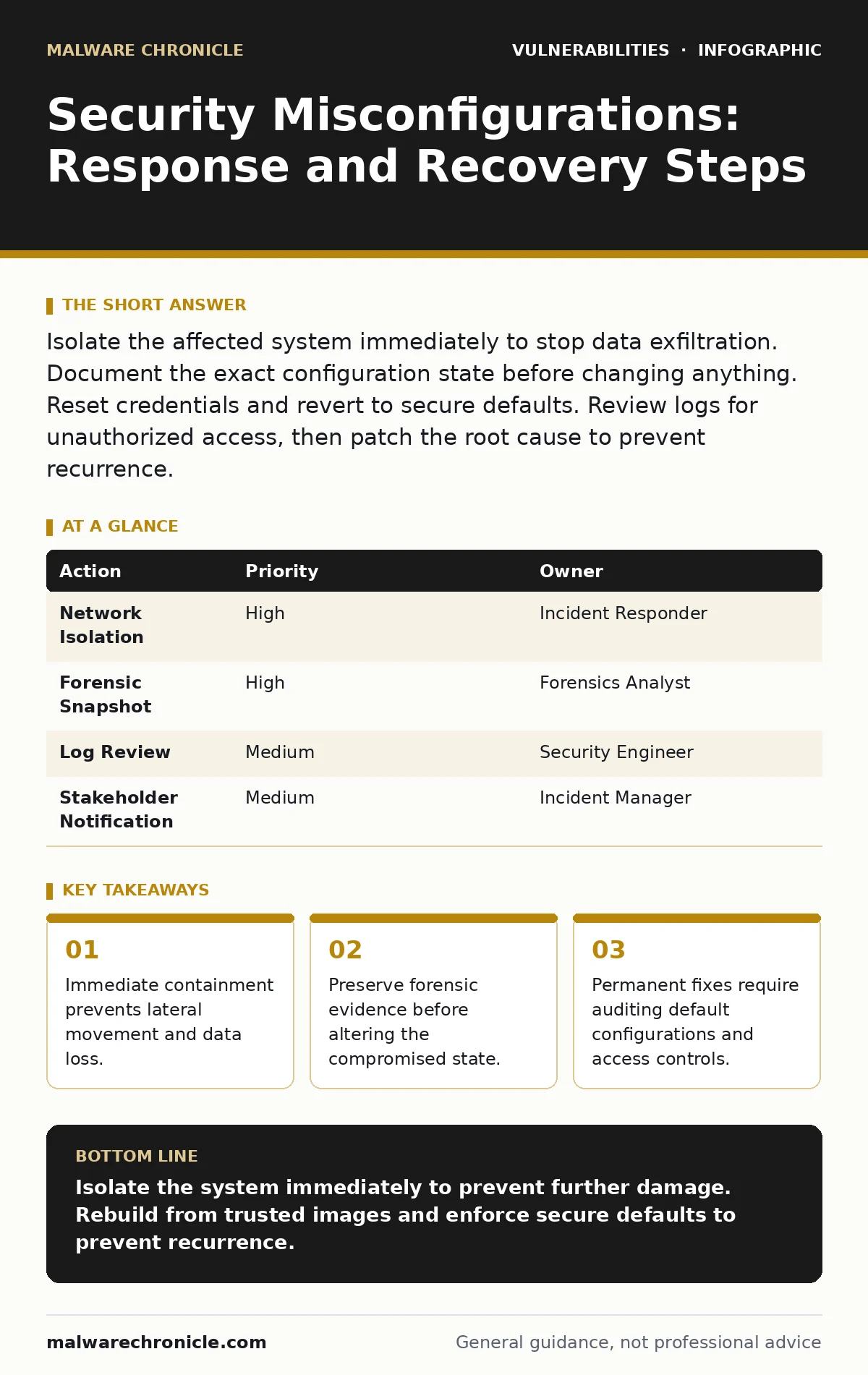
Isolate the affected system immediately to stop data exfiltration. Document the exact configuration state before changing anything. Reset credentials and revert to secure defaults. Review logs for unauthorized access, then patch the root cause to prevent recurrence.
First Hour: Stabilize and Contain
When you discover a security misconfiguration, your primary goal is to stop the bleeding. A misconfiguration might leave a database port open to the internet or grant excessive permissions to a service account. These errors create direct pathways for attackers. You must act quickly but deliberately. Panic leads to destructive actions that erase evidence and complicate recovery.
Isolate the network interface. Disconnect the compromised system from the network. If it is a virtual machine, sever the virtual switch connection. If it is a physical server, pull the network cable or disable the network interface card via the operating system. This prevents the attacker from moving laterally to other systems.
Preserve the state. Take a snapshot of the virtual machine or create a forensic image of the disk. This captures the exact configuration and any malicious artifacts present at the moment of discovery. You will need this image for later analysis. Do not attempt to clean the system yet. Cleaning destroys evidence.
Check for lateral movement. Review logs from adjacent systems. Look for unusual outbound connections or login attempts from the compromised host. Attackers often use a misconfigured system as a springboard to access more valuable assets. Your IT asset inventory should help you map these connections quickly.
- Isolate the compromised host from the network.
- Create a forensic snapshot or disk image.
- Verify no other systems show signs of compromise.
- Document the time of discovery and initial actions.
First Day: Assess and Notify
Once the system is isolated, you must understand what happened. A misconfiguration is rarely an isolated incident. It usually reflects a broader pattern in how systems are deployed and managed. You need to determine the extent of the damage and who needs to know.
Analyze the configuration. Compare the current configuration against the secure baseline. Identify exactly what setting was wrong. Was it a default password? An open firewall rule? An overly permissive access control list? Understanding the specific error helps you find similar issues elsewhere.
Review access logs. Determine if anyone accessed the system through the misconfiguration. Look for successful logins from unexpected IP addresses. Check for data downloads or privilege escalation attempts. This information is vital for determining if data was exfiltrated.
Notify stakeholders. Inform your security team and management. Provide a clear, factual summary of the incident. Include what was found, what was contained, and what is being investigated. Transparency builds trust and ensures you have the resources needed for recovery. If customer data was involved, you may need to notify affected parties. Refer to your responsible disclosure policy for external communications.
First Week: Recover and Harden
Recovery involves restoring the system to a safe state and ensuring the misconfiguration cannot happen again. This phase requires careful planning and execution. Rushing back online without fixing the root cause invites immediate re-exploitation.
Rebuild from known-good images. Do not attempt to patch the compromised system. Instead, rebuild it from a trusted, secure image. This ensures no hidden malware or backdoors remain. Apply all necessary patches and updates during the rebuild. Ensure browser updates and other client-side software are also current if the system serves web content.
Apply secure defaults. Configure the system using a hardened baseline. Disable unnecessary services and ports. Restrict access to only what is required for the application to function. Use the principle of least privilege for all accounts and processes. This reduces the attack surface significantly.
Verify the fix. Before connecting the system to the network, verify the configuration. Run a scan to ensure no new vulnerabilities are present. Consider using web application firewalls to add an additional layer of protection for web-facing services. These devices can filter malicious traffic before it reaches your application.
Communication Protocols
Effective communication is key during an incident. You need to keep everyone informed without causing unnecessary alarm. Clear, concise updates help coordinate the response effort.
Internal updates. Provide regular status reports to your team. Include progress on containment, analysis, and recovery. Highlight any new findings or changes in scope. Use a dedicated channel for incident communication to avoid noise.
External notifications. If the misconfiguration exposed customer data, you may need to notify affected users. Be honest about what happened and what you are doing to fix it. Provide clear instructions on what they should do, such as changing passwords. Follow legal and regulatory requirements for data breach notifications.
Preventing Recurrence
The goal is not just to fix the current issue but to prevent similar ones in the future. Misconfigurations often stem from poor processes and lack of visibility.
Automate configuration management. Use tools to enforce secure configurations across your infrastructure. Automation reduces human error and ensures consistency. Define secure baselines and apply them automatically during system provisioning.
Regular audits. Conduct regular audits of your configurations. Compare current settings against secure baselines. Identify and remediate drift. This helps catch misconfigurations before they are exploited. Consider periodic penetration testing to validate your defenses.
Training and awareness. Educate your team on secure configuration practices. Make security a shared responsibility. Encourage developers and operations staff to follow secure coding and deployment standards. Address business logic flaws and router vulnerabilities as part of broader security training.
See also: Attacker Dwell Time: Definition, Measurement and Reduction Tactics · How Threat Hunting Works: The Mechanics of Proactive Defense
Checklist for the First Hour
Use this checklist to ensure you do not miss critical steps during the initial response.
- Identify the misconfiguration.
- Isolate the affected system.
- Preserve forensic evidence.
- Check for lateral movement.
- Document initial findings.
- Notify the security team.
| Action | Priority | Owner |
|---|---|---|
| Network Isolation | High | Incident Responder |
| Forensic Snapshot | High | Forensics Analyst |
| Log Review | Medium | Security Engineer |
| Stakeholder Notification | Medium | Incident Manager |
Key takeaways
- Immediate containment prevents lateral movement and data loss.
- Preserve forensic evidence before altering the compromised state.
- Permanent fixes require auditing default configurations and access controls.
Isolate the system immediately to prevent further damage. Rebuild from trusted images and enforce secure defaults to prevent recurrence.
Frequently asked questions
How do I know if a misconfiguration led to a breach?
Review access logs for unauthorized activity and check for unusual data transfers. Compare current configurations against secure baselines to identify deviations.
Should I shut down the compromised server?
No, shutting down destroys volatile memory evidence. Isolate it from the network instead to preserve the state for forensic analysis.
What is the difference between a vulnerability and a misconfiguration?
A vulnerability is a flaw in software code, while a misconfiguration is an error in settings or implementation. Both can be exploited by attackers.
How often should I audit configurations?
Audits should be continuous, using automated tools to detect drift. Manual reviews should occur regularly, especially after major changes or deployments.
How this guide was produced: written by the Malware Chronicle editorial team with AI assistance, checked against the public references listed below, and reviewed when the facts change. See our editorial policy or report an error.