
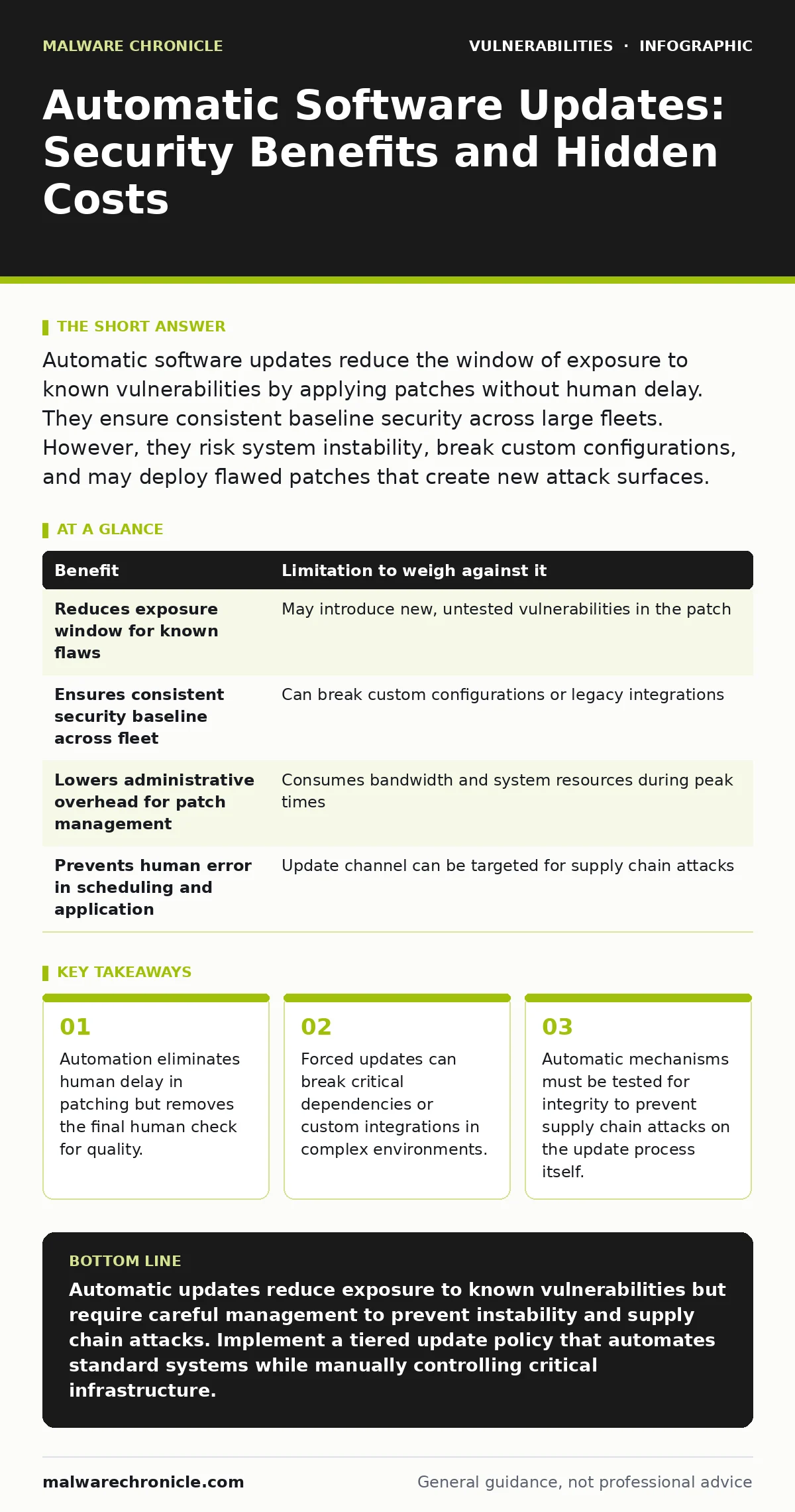
Automatic software updates reduce the window of exposure to known vulnerabilities by applying patches without human delay. They ensure consistent baseline security across large fleets. However, they risk system instability, break custom configurations, and may deploy flawed patches that create new attack surfaces.
The Mechanics of Automated Patching
Automatic software updates operate by polling a trusted repository for new versions of installed software. When a newer version exists, the system downloads the package and applies it, often during idle periods or upon reboot. This mechanism relies on digital signatures to verify the source and integrity of the update. The primary goal is to reduce the time between a vulnerability disclosure and its remediation. This window is often called the exposure window.
Attackers scan for systems running vulnerable versions. Shortening this window reduces the chance of exploitation. The process is deterministic. The same input produces the same output. This predictability is useful for compliance audits. It proves that systems are maintained. Yet, the automation assumes that the new version is always safer than the old one. This assumption is not always true. Software development is complex. New code introduces new bugs. Sometimes these bugs are security flaws.
Concrete Benefits of Immediate Remediation
The primary benefit of automatic updates is speed. Human processes involve scheduling, approval, and manual execution. These steps take time. Attackers do not wait for your calendar. They exploit known flaws immediately after publication. Automation closes this gap. It ensures that every device receives the patch at the same time. This consistency is vital for large organizations. It prevents fragmentation where some systems are secure and others are not. Fragmentation creates blind spots.
Attackers target the weakest link. Automatic updates also reduce administrative overhead. Staff do not need to track every patch release. They can focus on higher-level security tasks. This frees up resources for other defenses. The psychological benefit is also real. Teams feel more secure knowing patches are applied. This reduces alert fatigue from known vulnerabilities. It allows security teams to focus on active threats rather than backlog management.
Honest Limitations and Hidden Costs
Automatic updates carry significant risks. The most common is compatibility failure. A new version may break existing applications or scripts. This is especially true in development environments where specific library versions are required. An unexpected update can halt production. It can corrupt data or delete configurations. This is a denial of service caused by maintenance. Another risk is the update mechanism itself. If an attacker compromises the update server, they can push malicious code to all connected devices.
This is a supply chain attack. It bypasses traditional perimeter defenses. The update client trusts the server by design. This trust is hard to break. Additionally, automatic updates consume bandwidth and processing power. This can impact performance on resource-constrained devices. It can also trigger unexpected reboots, disrupting user work. These disruptions lead to resistance against security policies. Users may find ways to disable updates, creating larger security gaps.
| Benefit | Limitation to weigh against it |
|---|---|
| Reduces exposure window for known flaws | May introduce new, untested vulnerabilities in the patch |
| Ensures consistent security baseline across fleet | Can break custom configurations or legacy integrations |
| Lowers administrative overhead for patch management | Consumes bandwidth and system resources during peak times |
| Prevents human error in scheduling and application | Update channel can be targeted for supply chain attacks |
When Automatic Updates Are Worth It
Automatic updates are ideal for standardized, low-risk environments. Consumer devices benefit greatly from this approach. They run standard operating systems and applications. The risk of breaking a custom workflow is low. The risk of exploitation is high. Public-facing servers that run standard web services also benefit. These systems are constantly scanned by attackers. Speed is the priority. The cost of downtime from a breach outweighs the cost of a minor compatibility issue.
For these systems, the update channel is well-maintained. The software vendor has rigorous testing processes. The trade-off favors security. Imagine a web server running a known vulnerable version of a web framework. An automatic patch applies within hours. A manual patch might take days. In this scenario, automation saves the system. It prevents data theft or service disruption. The key is standardization. If the environment is uniform, automation works well. Deviations from the standard break the model.
When Automatic Updates Are Not Worth It
Automatic updates are dangerous in complex, customized environments. Development machines often require specific versions of libraries. An automatic update to a dependency can break the build process. This halts development and causes frustration. High-availability production systems also resist automatic updates. These systems require careful testing and staged rollouts. An automatic reboot can cause service outages. The cost of downtime is too high. Medical devices and industrial control systems are another category.
These systems run specialized software. Updates may require physical recalibration or safety checks. Automatic updates bypass these checks. This can lead to physical harm or equipment damage. In these cases, manual control is necessary. The update process must be integrated into the operational workflow. It must be tested in a staging environment first. The trade-off favors stability and safety. Security is still important, but it cannot compromise function.
See also: Browser Updates for Small Teams: Automated Patching Strategies
Integrating with Other Security Practices
Automatic updates are not a silver bullet. They must be part of a broader security strategy. You should combine them with static application security testing (SAST) to catch flaws before they are released. This shifts security left in the development cycle. It reduces the need for patches in the first place. You should also monitor for authorization bypass vulnerabilities that may arise from new code. These flaws allow attackers to skip security checks. They are often introduced by hurried patching processes.
Regular penetration testing helps identify these new weaknesses. It simulates real-world attacks against your updated systems. You should also review security advisories for critical patches. These advisories highlight the most dangerous flaws. They help prioritize manual updates when automation is not possible. For network devices, consider router vulnerabilities that may require firmware updates. These updates are often manual due to the risk of locking out administrators. A balanced approach uses automation where safe and manual control where necessary.
Managing the Update Lifecycle
Effective update management requires a clear policy. Define which systems receive automatic updates. Define which require manual approval. Document the rollback procedure. If an update breaks a system, you must restore it quickly. Keep previous versions available. Monitor systems after updates. Look for errors or unusual behavior. Log all update activities. These logs are useful for forensics. They show when a patch was applied. They help correlate events with incidents.
Train staff on the importance of updates. Explain the risks of skipping patches. Address the friction caused by reboots. Provide tools to schedule reboots at convenient times. This reduces resistance. Make security easy. If updating is hard, people will avoid it. Automation should make security effortless, not disruptive. Balance the need for speed with the need for stability. Adapt the strategy to the environment. One size does not fit all.
Key takeaways
- Automation eliminates human delay in patching but removes the final human check for quality.
- Forced updates can break critical dependencies or custom integrations in complex environments.
- Automatic mechanisms must be tested for integrity to prevent supply chain attacks on the update process itself.
Automatic updates reduce exposure to known vulnerabilities but require careful management to prevent instability and supply chain attacks. Implement a tiered update policy that automates standard systems while manually controlling critical infrastructure.
Frequently asked questions
Can automatic updates be hacked?
Yes, if the update server or channel is compromised, attackers can push malicious code to all connected devices. This is a supply chain attack.
Do automatic updates protect against zero-day exploits?
No, automatic updates only patch known vulnerabilities. They cannot fix flaws that are not yet discovered or for which no patch exists.
How do I handle updates for legacy systems?
Isolate legacy systems from the network if possible. Use virtual patching or network segmentation to protect them if updates are unavailable.
Should I disable automatic updates for development tools?
Yes, development tools often require specific versions. Automatic updates can break builds. Use manual updates or version pinning for these tools.
How this guide was produced: written by the Malware Chronicle editorial team with AI assistance, checked against the public references listed below, and reviewed when the facts change. See our editorial policy or report an error.