
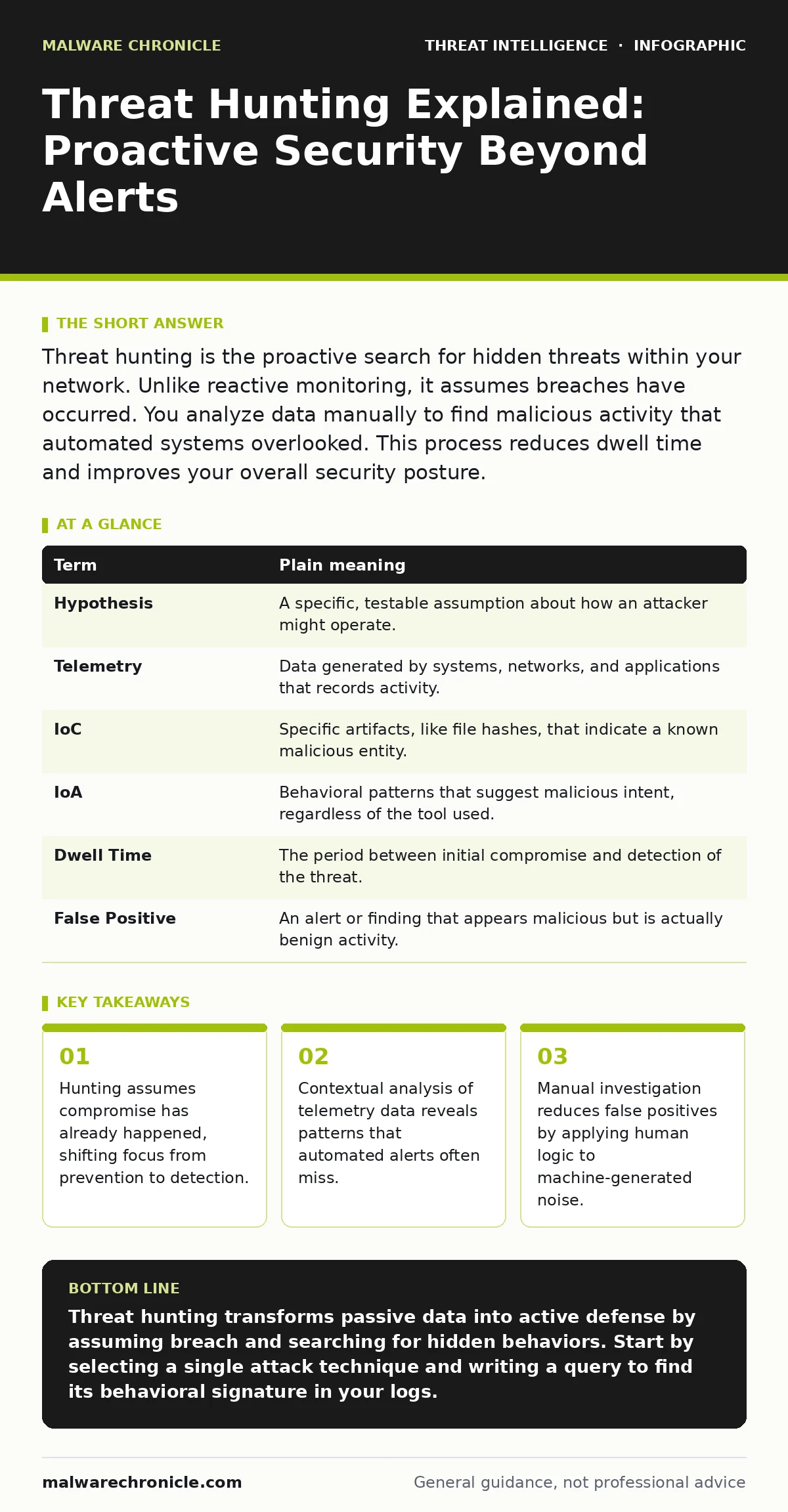
Threat hunting is the proactive search for hidden threats within your network. Unlike reactive monitoring, it assumes breaches have occurred. You analyze data manually to find malicious activity that automated systems overlooked. This process reduces dwell time and improves your overall security posture.
The Library Search Analogy
Imagine a vast library with millions of books. Automated security tools act like the library’s card catalog system. They flag books that are overdue, missing, or have torn covers. This system works well for obvious problems. However, it cannot detect a book that is present, has a valid barcode, but contains pages filled with coded instructions for building a bomb. The catalog sees a normal book. Only a human reader, flipping through the pages with a specific hypothesis in mind, can spot the danger. Threat hunting is that human reader.
Defining the Hunt
Threat hunting is the proactive, manual investigation of your environment to detect and isolate advanced threats that evade existing security solutions. It is not about waiting for an alarm to ring. It is about assuming that an intruder is already inside. You start with a hypothesis, such as "an attacker is using legitimate tools to move data." You then search your data for evidence that supports or refutes this idea. This approach complements automated monitoring rather than replacing it.
Key Terms for Hunters
To hunt effectively, you must speak the language of security data. These terms define the scope and method of your search.
| Term | Plain meaning |
|---|---|
| Hypothesis | A specific, testable assumption about how an attacker might operate. |
| Telemetry | Data generated by systems, networks, and applications that records activity. |
| IoC | Specific artifacts, like file hashes, that indicate a known malicious entity. |
| IoA | Behavioral patterns that suggest malicious intent, regardless of the tool used. |
| Dwell Time | The period between initial compromise and detection of the threat. |
| False Positive | An alert or finding that appears malicious but is actually benign activity. |
Why Automation Fails Alone
Automated systems rely on known signatures and predefined rules. They are excellent at stopping common, repeatable attacks. They struggle with novel techniques or attackers who use legitimate software for malicious purposes. This is where understanding indicators of attack becomes valuable. While indicators of compromise tell you what a specific malware looks like, indicators of attack tell you how an adversary behaves. Behavior changes less frequently than file hashes. By focusing on behavior, you detect threats that have never been seen before.
Building Your First Hypothesis
A good hypothesis is narrow and testable. Do not start with "look for anything bad." Start with "look for users logging in at unusual times from new locations." You need high-quality security telemetry to test this. This data includes login records, process creation events, and network connections. If you use tools like Sysmon, you can capture detailed process execution data. This granularity allows you to see the parent-child relationship between processes. For example, if a web server process spawns a command prompt, that is unusual. Automated tools might ignore it as a maintenance task. A hunter investigates it.
See also: False Positives in Threat Detection: Meaning, Causes, and Impact · Security Misconfigurations: Response and Recovery Steps
Reducing the Noise
The biggest challenge in hunting is volume. You will find many anomalies that are not threats. This is where false positives in threat detection become a daily hurdle. To manage this, you must understand your environment’s baseline. What is normal for your organization? A developer running a script at 3 AM might be normal. A finance employee doing the same is not.
Context is everything. You can use Sigma rules to standardize your detection logic across different platforms. These rules help you translate hunting queries into a format that your security information and event management system understands. This standardization reduces the time spent writing custom queries for each tool.
Practical Steps to Start Hunting
You do not need a dedicated team to begin. You can start with a small, focused effort.
- Select a specific threat model. Choose a common attack method, such as Kerberoasting, which targets service accounts in Active Directory. Understand the technical steps required for this attack.
- Identify the relevant data sources. Determine which logs capture the activity associated with this attack. For Kerberoasting, you need to look at authentication logs and requests for service tickets.
- Write a query to find the behavior. Create a search that looks for the specific pattern. For example, look for a high volume of service ticket requests from a single account. Analyze the results manually to confirm if the activity is legitimate or malicious.
Refining Your Detection
Once you find an anomaly, you must determine its significance. If you confirm malicious activity, you need to contain it. If it is benign, you update your baseline. This feedback loop improves your detection capabilities over time. You can use YARA rules to scan for specific file patterns on endpoints if you suspect a new type of malware. These rules allow you to define the structure of malicious files, such as specific strings or byte sequences. This adds a layer of precision to your hunting efforts. Remember, hunting is a continuous process. The environment changes, and so do the attackers.
Connecting the Dots
Threat hunting is not an isolated activity. It informs your broader security strategy. When you find a new attack pattern, you can create automated rules to detect it in the future. This turns manual effort into automated protection. It also helps you understand phishing infrastructure if you trace the initial vector. By seeing how attackers move laterally, you can improve your network segmentation. The goal is not just to find the current threat, but to make the environment harder for the next one.
Key takeaways
- Hunting assumes compromise has already happened, shifting focus from prevention to detection.
- Contextual analysis of telemetry data reveals patterns that automated alerts often miss.
- Manual investigation reduces false positives by applying human logic to machine-generated noise.
Threat hunting transforms passive data into active defense by assuming breach and searching for hidden behaviors. Start by selecting a single attack technique and writing a query to find its behavioral signature in your logs.
Frequently asked questions
How is threat hunting different from incident response?
Incident response reacts to a confirmed alert or breach. Threat hunting proactively searches for threats that have not yet triggered an alert, aiming to reduce the time between compromise and detection.
Do I need expensive tools to threat hunt?
You need access to data, not necessarily expensive tools. Basic log aggregation and querying capabilities are sufficient to start. The value comes from the analyst's hypothesis and understanding of the environment.
What if I find nothing during a hunt?
Finding nothing is a successful outcome. It validates that the specific threat behavior is not present. It also refines your baseline of normal activity, making future anomalies easier to spot.
How often should I threat hunt?
There is no fixed schedule. Hunting should be driven by emerging threat intelligence, changes in your environment, or specific hypotheses. Regular, focused hunts are more effective than constant, unfocused monitoring.
How this guide was produced: written by the Malware Chronicle editorial team with AI assistance, checked against the public references listed below, and reviewed when the facts change. See our editorial policy or report an error.