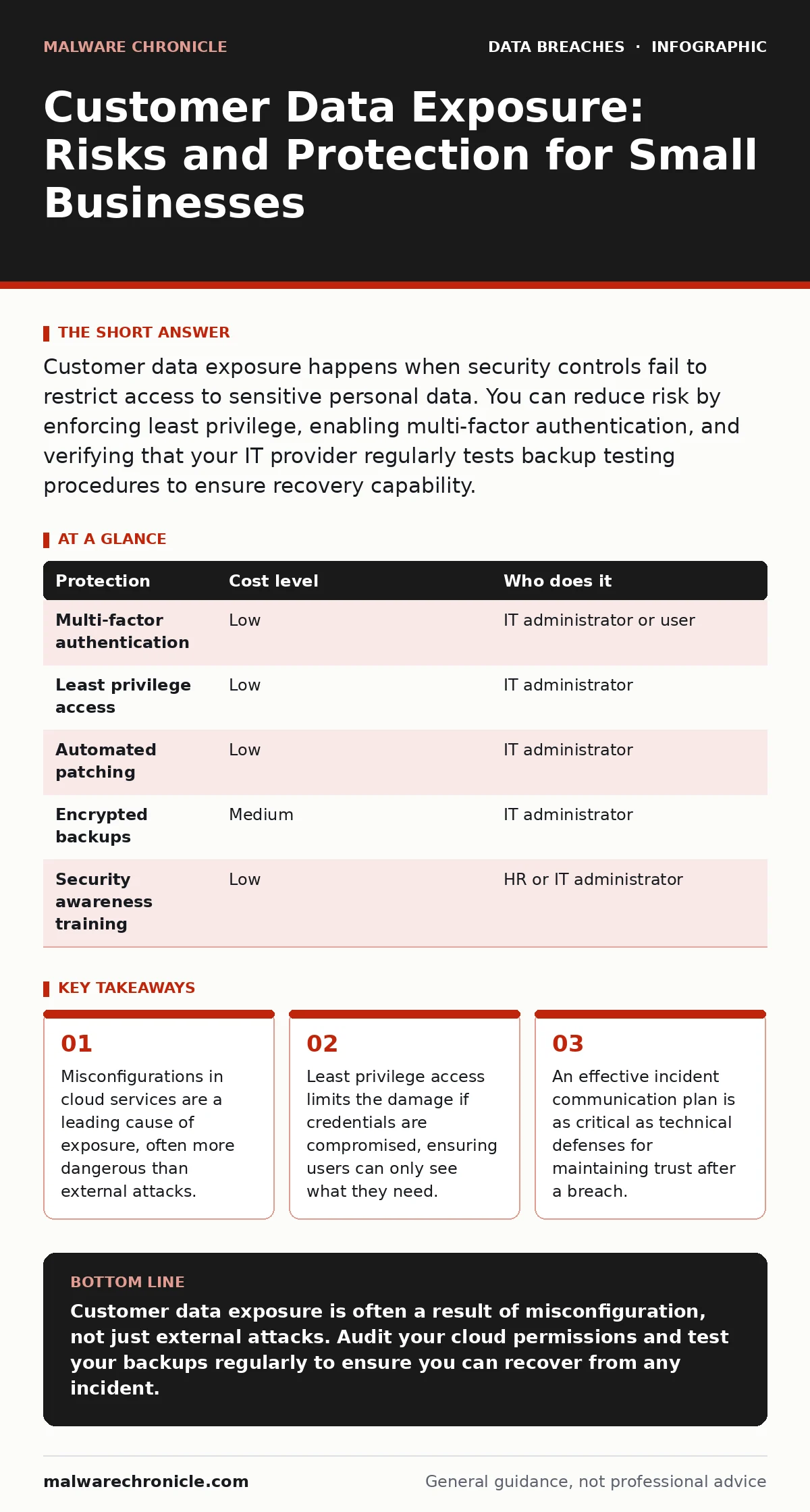
Customer data exposure happens when security controls fail to restrict access to sensitive personal data. You can reduce risk by enforcing least privilege, enabling multi-factor authentication, and verifying that your IT provider regularly tests backup testing procedures to ensure recovery capability.
The Hidden Cost of Small Size
Imagine a ten-person design studio. They use popular cloud tools for storage and communication. One junior employee uploads a folder containing client contracts and payment details. They set the sharing link to "anyone with the link can view" to save time. That link is indexed by search engines within hours. The firm has no firewall to block this, because the data left their network entirely. This is how customer data exposure happens in small organizations. It is rarely a sophisticated hack. It is usually a simple mistake in configuration.
Small teams often lack dedicated security staff. They rely on defaults. Cloud providers set default permissions that may be too open for your needs. Without someone to audit these settings, sensitive personal data sits exposed. The risk is not just regulatory fines. It is the immediate loss of client trust. When you cannot prove you protect their information, they leave.
Why Defaults Fail You
Cloud platforms are designed for ease of use. Ease of use often means permissive defaults. A storage bucket might be public by default to encourage collaboration. A database might accept connections from any IP address to simplify development. You must actively restrict these. This is the principle of least privilege. It means giving users and systems only the access they strictly need. Nothing more.
If you do not configure these restrictions, you inherit the provider’s defaults. Those defaults are not tailored to your risk profile. They are tailored for the largest possible audience. Your small business becomes a low-hanging fruit for automated scanners that look for open ports and public databases. These scanners run constantly. They do not care about your company size. They only care about accessible data.
Low-Cost Protections That Work
You do not need expensive hardware to start. You need discipline. The first step is multi-factor authentication. This requires a second form of verification, like a code from an app, in addition to a password. It stops attackers who have stolen credentials. Next, enforce role-based access control. This ensures that an accountant cannot access engineering files. It limits the blast radius of a compromised account.
Regular software updates are non-negotiable. Vendors patch known vulnerabilities. If you delay updates, you leave those doors open. Use automated update management where possible. Manual updates are often forgotten. Finally, implement the 3-2-1 backup rule. Keep three copies of your data, on two different media, with one offsite. This protects you if ransomware encrypts your primary systems.
| Protection | Cost level | Who does it |
|---|---|---|
| Multi-factor authentication | Low | IT administrator or user |
| Least privilege access | Low | IT administrator |
| Automated patching | Low | IT administrator |
| Encrypted backups | Medium | IT administrator |
| Security awareness training | Low | HR or IT administrator |
What to Ask an IT Provider
You may hire an IT provider to manage these tasks. Do not assume they prioritize security. Many focus on uptime and connectivity. You must drive the security conversation. Ask specific questions about their processes. Do not accept vague assurances. You need to know exactly how they protect customer data exposure vectors.
Ask if they perform regular access reviews. This means checking who has access to what and removing stale accounts. Ask how they handle password leaks. They should monitor for compromised credentials and force resets immediately. Ask about their incident communication plans. You need to know who speaks to clients if a breach occurs. Silence is not a strategy.
- Do you conduct quarterly audits of cloud storage permissions?
- How do you detect and respond to unauthorized access attempts?
- Can you demonstrate a recent backup restoration for critical data?
- What is your process for reviewing and revoking user access after staff departures?
- Do you monitor for sensitive personal data sold on the dark web?
The Reality of Tokenization
Storing raw credit card numbers is risky. Even if encrypted, it is a target. Tokenization replaces sensitive data with a non-sensitive equivalent, called a token. This token has no mathematical relationship to the original data. If your database is stolen, the thief gets useless tokens. They cannot reverse-engineer the original payment details.
This is particularly useful for small businesses that process payments. You do not need to be a large enterprise to use it. Many payment gateways offer tokenization services. By using tokens, you reduce your liability. You no longer hold the sensitive personal data. You hold the reference. If you are breached, the impact is significantly lower.
See also: Tokenization Mistakes That Expose Data and How to Fix Them · Cloud Encryption Checklist: Protect Data in Transit and at Rest
Understanding Backup Testing
Backups are useless if you cannot restore them. Many businesses perform backups but never test them. They assume the data is safe. Then a ransomware attack hits. They try to restore and find the files are corrupted. This is why backup testing is critical. You must verify that your backups are complete and readable.
Schedule regular restoration drills. Pick a random file or database and restore it to a test environment. Check for integrity. If the restore fails, you have a gap. Fix it before you need it. This process also helps you understand your recovery time. You need to know how long it takes to get back to normal. This informs your incident communication plans.
The Human Element
Technology fails. People make mistakes. Phishing emails evolve. They now use AI to write convincing messages. Your staff are the first line of defense. They must recognize suspicious requests. Training should be ongoing, not a one-time event. Simulate attacks to test awareness.
When a breach occurs, speed matters. Your incident communication plans must be ready. Do not wait to decide what to say. Have templates prepared. Be transparent with affected customers. Silence breeds suspicion. Acknowledge the issue, explain what you are doing, and what they should do. This builds trust even in a crisis.
Key takeaways
- Misconfigurations in cloud services are a leading cause of exposure, often more dangerous than external attacks.
- Least privilege access limits the damage if credentials are compromised, ensuring users can only see what they need.
- An effective incident communication plan is as critical as technical defenses for maintaining trust after a breach.
Customer data exposure is often a result of misconfiguration, not just external attacks. Audit your cloud permissions and test your backups regularly to ensure you can recover from any incident.
Frequently asked questions
How do I know if my customer data has been exposed?
You may see unusual login activity, customer complaints, or alerts from dark web monitoring services that detect sensitive personal data sold on the dark web.
Is multi-factor authentication enough to stop a breach?
It significantly reduces risk from credential theft, but it does not protect against misconfigured storage or insider threats. You need layered security.
What is the first step if I suspect a data breach?
Isolate the affected systems to prevent further spread, then activate your incident communication plans to assess the scope and impact.
Do I need a security officer for a small business?
Not necessarily, but you need someone responsible for reviewing access controls and ensuring backup testing is performed regularly.
How this guide was produced: written by the Malware Chronicle editorial team with AI assistance, checked against the public references listed below, and reviewed when the facts change. See our editorial policy or report an error.