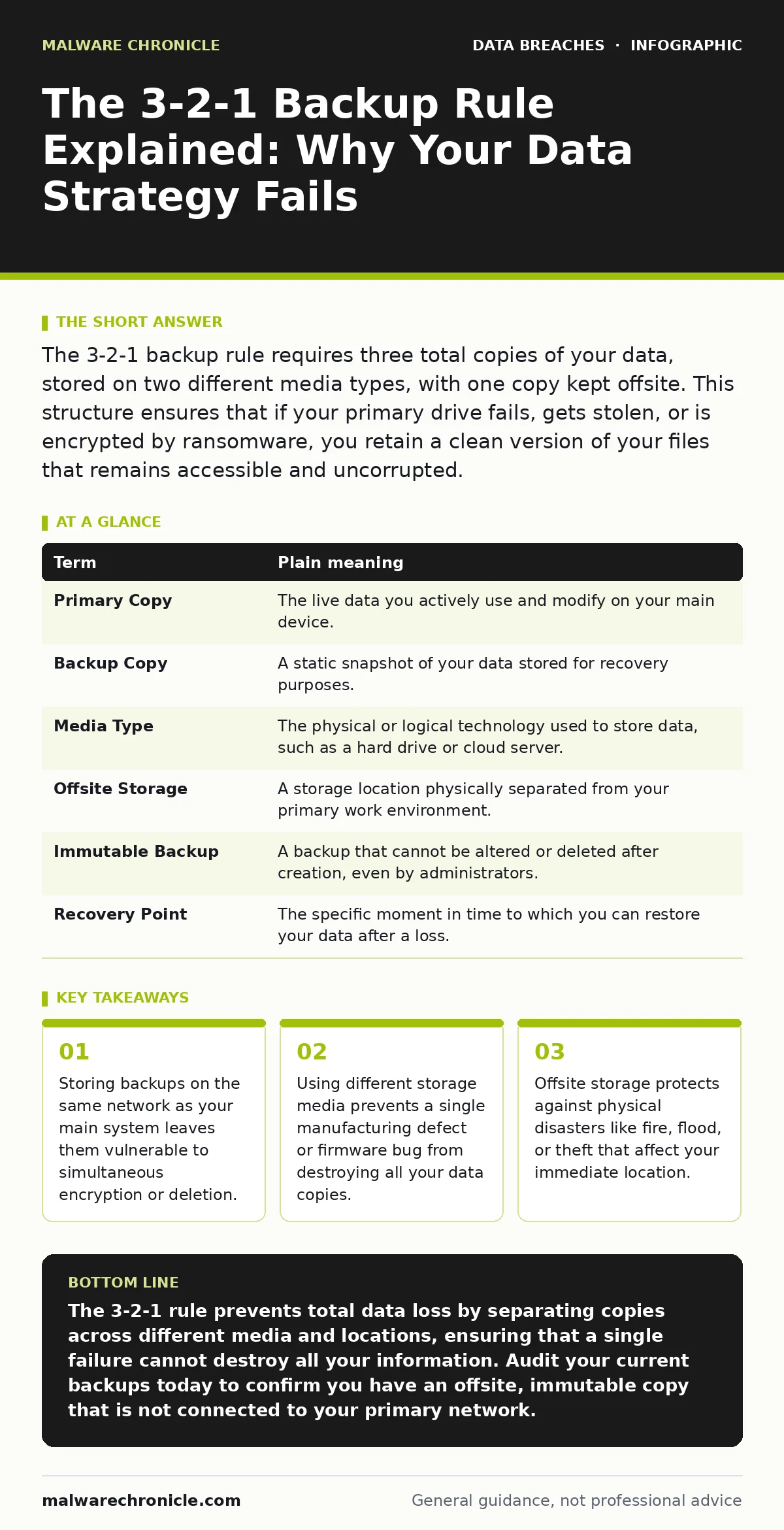
The 3-2-1 backup rule requires three total copies of your data, stored on two different media types, with one copy kept offsite. This structure ensures that if your primary drive fails, gets stolen, or is encrypted by ransomware, you retain a clean version of your files that remains accessible and uncorrupted.
The Library Analogy
Imagine you have written a single, irreplaceable manuscript. You keep the original in your home office. This is your primary working copy. If a fire burns down your house, the manuscript is gone forever. To protect it, you make a photocopy. You keep this copy in a safe inside the same house. If the fire spreads quickly, both the original and the photocopy are destroyed.
Now, imagine you make a third copy. You mail this third copy to a friend who lives in another city. If your house burns down, you lose the original and the local safe. However, your friend still has the third copy. You can recover your work. This simple scenario illustrates the core logic of data protection. It is not about having more copies; it is about where those copies live.
Defining the Three Copies
The first number in the rule refers to the total count of data instances. You need three copies of your critical information. One copy is the active data you use every day. This is the file open on your screen or the database serving your application. The other two are backups. They are static snapshots of your data at a specific point in time.
Having three copies is the baseline. Many people stop at two. They keep their working file and one backup. If the backup is corrupted or the media fails, they have no fallback. The third copy provides a safety net for when the first backup fails. It is a simple mathematical buffer against error.
| Term | Plain meaning |
|---|---|
| Primary Copy | The live data you actively use and modify on your main device. |
| Backup Copy | A static snapshot of your data stored for recovery purposes. |
| Media Type | The physical or logical technology used to store data, such as a hard drive or cloud server. |
| Offsite Storage | A storage location physically separated from your primary work environment. |
| Immutable Backup | A backup that cannot be altered or deleted after creation, even by administrators. |
| Recovery Point | The specific moment in time to which you can restore your data after a loss. |
The Two Media Requirement
The second number refers to the diversity of storage technology. You must store your backups on two different types of media. If you store both backups on identical external hard drives from the same manufacturer, you face a hidden risk. A firmware bug or a hardware defect common to that model could corrupt both drives simultaneously.
By using different media, you isolate your risks. One backup might live on a local network-attached storage device. The other might reside on optical discs or a different brand of solid-state drive. This diversity ensures that a failure in one technology does not cascade into a total loss. It forces you to consider the physical characteristics of your storage.
The Offsite Imperative
The final number mandates that one copy exists offsite. This is the most critical step for modern threats. If your primary drive and your local backup are connected to the same network, they share the same attack surface. Ransomware often scans for connected drives and encrypts everything it finds.
An offsite copy breaks this chain of infection. It sits outside your local network perimeter. Even if your entire office is compromised, the offsite data remains untouched. This separation is also vital for physical disasters. A flood or fire that destroys your server room will not affect a backup stored in a different geographic region.
Common Implementation Errors
Many implementations of this rule fail due to subtle configuration errors. A common mistake is treating a synced cloud folder as a backup. Syncing keeps files identical across devices. If you accidentally delete a file, or if malware encrypts it, the change propagates to the cloud. You lose the data everywhere.
Another error is neglecting to test the backups. A backup that cannot be restored is not a backup; it is a digital tomb. You must verify that your files are readable and complete. Regular testing reveals corruption early, before you need the data in an emergency. Without verification, you are trusting a process you have never validated.
See also: Credential Dumps Prevention Checklist for Secure Systems
Practical First Steps
Start by auditing your current data storage. Identify your primary working files and locate where they live. Determine if you have any copies beyond the original. If you do not have a second copy, create one immediately. Use a different device than your primary workstation.
Next, assess the location of your backups. If all your copies are in the same room, you are vulnerable to physical threats. Move one copy to a separate location. This could be a secure vault at work, a safe deposit box, or a reputable cloud service that offers versioning.
Finally, schedule a test restore. Pick a random file from your backup and try to open it. Confirm that the content matches your original. This simple action confirms your backup chain is functional. It transforms your backup from a theoretical safety net into a verified tool.
- Identify your most critical data sets and ensure they exist in at least three total copies.
- Verify that at least one copy resides on a different type of storage media than your primary drive.
- Ensure one copy is stored in a location physically separate from your primary workspace and network.
Integrating with Security Practices
Data protection does not exist in a vacuum. It works best when combined with other security measures. For instance, if you suspect your credentials have been compromised, you should check for password leaks before attempting to access your backup systems. Unauthorized access to your backup account could allow an attacker to delete your only clean copies.
Similarly, consider the value of the data you are protecting. If you handle sensitive personal data, the consequences of loss are higher. You may need stricter controls, such as tokenization, to reduce the risk if a breach occurs. Understanding the nature of your data helps you prioritize which backups need the highest level of protection and testing.
Key takeaways
- Storing backups on the same network as your main system leaves them vulnerable to simultaneous encryption or deletion.
- Using different storage media prevents a single manufacturing defect or firmware bug from destroying all your data copies.
- Offsite storage protects against physical disasters like fire, flood, or theft that affect your immediate location.
The 3-2-1 rule prevents total data loss by separating copies across different media and locations, ensuring that a single failure cannot destroy all your information. Audit your current backups today to confirm you have an offsite, immutable copy that is not connected to your primary network.
Frequently asked questions
Does cloud storage count as the offsite copy?
Yes, if the cloud service is geographically separate from your primary location and offers versioning or immutable storage to protect against ransomware deletion.
How often should I perform backups?
The frequency depends on how quickly your data changes. Critical data that changes frequently should be backed up daily or even continuously to minimize data loss.
Can I use the same cloud provider for both sync and backup?
It is risky. Sync services often propagate deletions. Use a dedicated backup service or feature that retains old versions and allows you to restore specific points in time.
What if I don't have enough space for three copies?
Prioritize your most critical data. You do not need to back up everything. Focus your 3-2-1 strategy on files that are irreplaceable or difficult to recreate.
How this guide was produced: written by the Malware Chronicle editorial team with AI assistance, checked against the public references listed below, and reviewed when the facts change. See our editorial policy or report an error.