
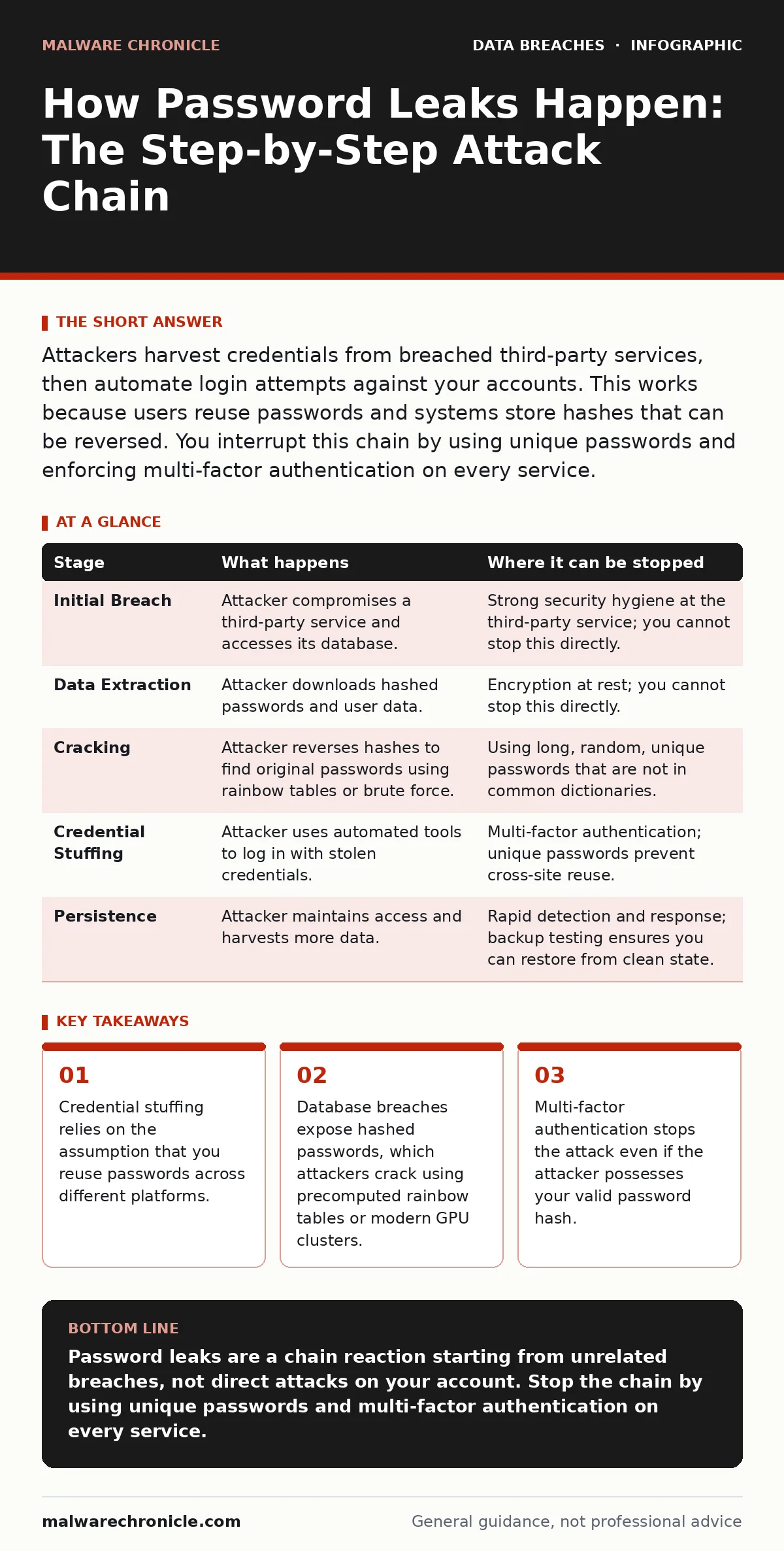
Attackers harvest credentials from breached third-party services, then automate login attempts against your accounts. This works because users reuse passwords and systems store hashes that can be reversed. You interrupt this chain by using unique passwords and enforcing multi-factor authentication on every service.
The Origin of Compromised Credentials
Most people assume a password leak means an attacker guessed their secret directly. This is rarely the case. In modern cybersecurity, a password leak usually begins far away from the service you are trying to protect. An attacker compromises a different organization, steals its database, and extracts the user credentials stored within it. These credentials are then cleaned, formatted, and prepared for reuse against other targets.
This process relies on a fundamental human habit: password reuse. You likely use the same or similar passwords for your email, banking, and social media accounts. An attacker does not need to break into your specific company to get your password. They only need to break into any service where you have an account. The flaw here is not in your security software, but in the assumption that a password is a unique secret tied to a single identity.
Stage 1: The Initial Breach
The chain starts with a vulnerability in a third-party service. This could be an unpatched web application, a misconfigured cloud storage bucket, or a phishing campaign that tricks an employee into revealing their login details. The attacker gains access to the service’s backend infrastructure. Their goal is not the service itself, but the data it holds. They locate the database containing user accounts.
At this stage, the attacker relies on the principle of least privilege being ignored. If the compromised account has administrative rights, the attacker can dump the entire user table. If it is a standard user account, they may still extract data visible to that role. The critical factor is whether the database is accessible and whether the attacker can move laterally within the network to reach the storage. This is where customer data exposure often begins, as the initial breach spills over into personal records.
Stage 2: Data Extraction and Cleaning
Once inside the database, the attacker extracts the credential storage. Modern systems do not store passwords in plain text. They store a hash, which is a fixed-length string of characters generated by a mathematical function from the original password. A hash is one-way; you cannot reverse it to get the password. However, if two inputs are identical, their hashes are identical. The attacker downloads these hashes along with associated usernames or email addresses.
The attacker then cleans this data. They remove duplicates, filter out inactive accounts, and verify the format of the email addresses. This step is crucial because automated tools need structured data to function efficiently. The attacker may also cross-reference this new list with previously leaked databases. If an email appears in multiple leaks, the confidence that the account is active and valuable increases. This aggregation turns raw data into a targeted weapon.
Stage 3: Cracking the Hashes
The attacker now has a list of hashes. They need the original passwords to use them. This is where credential leaks become actionable. The attacker uses two main methods to reverse the hashes. First, they check against rainbow tables. These are massive, precomputed databases that map common hashes back to their original passwords. If your password is common, the attacker finds it instantly without doing any computation.
If the password is not in the rainbow tables, the attacker uses brute-force or dictionary attacks. They use high-performance graphics processing units to guess millions of passwords per second. They try common words, dictionary terms, and predictable variations like adding a year or an exclamation mark. If your password is weak or lacks complexity, the attacker will find the matching hash. This stage highlights why simple password strength rules are insufficient. A long, random passphrase is far harder to crack than a short, complex one.
Stage 4: Credential Stuffing
With the cracked passwords in hand, the attacker moves to the attack phase. They use automated tools to log into your target service using the stolen username and password pairs. This is called credential stuffing. The tools simulate human behavior, handling CAPTCHAs and rotating IP addresses to avoid detection. They try the credentials at high speed. If the login succeeds, the attacker gains access to your account.
This stage relies on the lack of additional verification. If your account only requires a password, the attacker is in. The system sees a valid password and grants access. It does not know the password was stolen. This is why personal data sold on the dark web is so dangerous. The data is not just information; it is a key to your digital identity. The attacker may now access your files, make purchases, or use your identity to attack your contacts.
See also: Data Classification FAQ: Protect Assets Without Slowing Development · Encryption at Rest vs In Transit: Core Differences and Selection Criteria
Stage 5: Persistence and Expansion
Once inside, the attacker seeks to maintain access. They may change your password, add a new email address, or install malware. They might also harvest more data from your account to sell or use for further attacks. If you are a developer, they might access your source code repositories. If you are a regular user, they might access your financial information.
The attacker relies on the delay in detection. Most users do not notice a breach immediately. They might see unusual activity weeks or months later. By then, the attacker has already moved on or caused significant damage. This is why incident communication plans are vital. Organizations need to know how to detect and respond to these events quickly. Delay allows the attacker to expand their foothold.
Interrupting the Chain
You can stop this process at multiple points. The most effective defense is to prevent the initial compromise of third-party services. However, you cannot control other companies. Therefore, you must defend against the downstream effects. Use a password manager to generate unique, random passwords for every account. This ensures that a breach at one service does not compromise your others.
Enable multi-factor authentication everywhere. This adds a second layer of verification, such as a code from an app or a hardware key. Even if the attacker has your password, they cannot log in without this second factor. This breaks the credential stuffing attack. Regularly monitor your accounts for unusual activity. If you suspect a leak, change your passwords immediately. Consider dark web monitoring services to alert you if your credentials appear in known breaches.
| Stage | What happens | Where it can be stopped |
|---|---|---|
| Initial Breach | Attacker compromises a third-party service and accesses its database. | Strong security hygiene at the third-party service; you cannot stop this directly. |
| Data Extraction | Attacker downloads hashed passwords and user data. | Encryption at rest; you cannot stop this directly. |
| Cracking | Attacker reverses hashes to find original passwords using rainbow tables or brute force. | Using long, random, unique passwords that are not in common dictionaries. |
| Credential Stuffing | Attacker uses automated tools to log in with stolen credentials. | Multi-factor authentication; unique passwords prevent cross-site reuse. |
| Persistence | Attacker maintains access and harvests more data. | Rapid detection and response; backup testing ensures you can restore from clean state. |
The Hidden Cost of Convenience
The biggest risk is not the technology, but human behavior. We trade security for convenience. We reuse passwords because remembering fifty unique strings is difficult. We delay enabling multi-factor authentication because it adds a step to our login process. Attackers exploit this friction. They know that most people will not take extra steps to protect themselves.
This is why sensitive personal data protection is not just about encryption. It is about designing systems that are secure by default. If a service requires multi-factor authentication out of the box, users are safer. If a password manager integrates seamlessly, users are more likely to use it. You must accept that security requires effort. There is no free lunch. The cost of a breach is far higher than the cost of a password manager or the time to set up multi-factor authentication.
Final Defenses
You cannot prevent every breach. You can, however, limit the damage. Treat every password as already compromised. Assume your data is on the dark web. Act accordingly. Use unique passwords. Enable multi-factor authentication. Monitor your accounts. These steps are not optional. They are the baseline for modern digital life.
Remember that 3-2-1 backup rule principles apply to your digital identity as well. Keep copies of your important data. Ensure you can restore your accounts if they are locked. Do not rely on a single point of failure. Your digital identity is your key to your life. Protect it with the same rigor you protect your physical keys.
Key takeaways
- Credential stuffing relies on the assumption that you reuse passwords across different platforms.
- Database breaches expose hashed passwords, which attackers crack using precomputed rainbow tables or modern GPU clusters.
- Multi-factor authentication stops the attack even if the attacker possesses your valid password hash.
Password leaks are a chain reaction starting from unrelated breaches, not direct attacks on your account. Stop the chain by using unique passwords and multi-factor authentication on every service.
Frequently asked questions
Does changing my password help if I already reused it?
Yes, but you must change it on every service where you used that password. The attacker may have already logged in, so changing the password locks them out of future access.
Is multi-factor authentication enough if my password is weak?
It is better than nothing, but not enough. Attackers can sometimes bypass weak multi-factor setups or trick you into approving a login. Use strong, unique passwords alongside multi-factor authentication.
How do I know if my password was leaked?
You usually do not know until you see unusual activity. Use breach notification services to check if your email has appeared in known leaks. Monitor your accounts for unauthorized logins.
Can an attacker get my password from a hash?
They cannot reverse the hash directly, but they can guess passwords and compare their hashes to yours. If your password is common, they will find it quickly using precomputed tables.
How this guide was produced: written by the Malware Chronicle editorial team with AI assistance, checked against the public references listed below, and reviewed when the facts change. See our editorial policy or report an error.