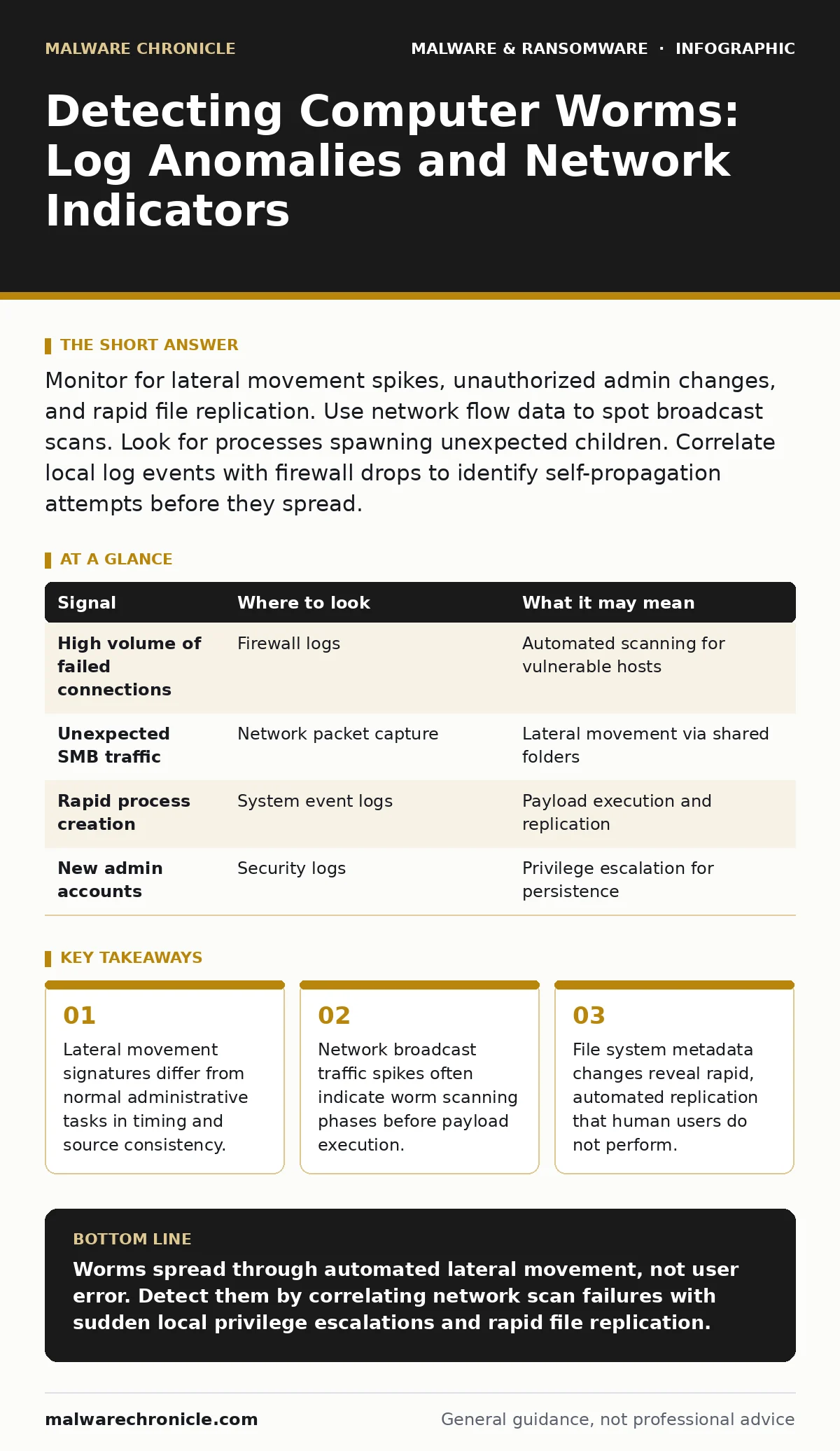
Monitor for lateral movement spikes, unauthorized admin changes, and rapid file replication. Use network flow data to spot broadcast scans. Look for processes spawning unexpected children. Correlate local log events with firewall drops to identify self-propagation attempts before they spread.
The Propagation Signature
Computer worms differ from other malware because they replicate independently. They do not require user interaction to move across a network. This autonomy creates a distinct behavioral footprint. You must look for automated, high-volume actions that bypass standard access controls.
The first sign of a worm is often a surge in connection attempts. Unlike a targeted attack, a worm scans for any vulnerable host. This creates a noisy network environment. You will see many connections failing, followed by a few succeeding. This pattern indicates the malware is searching for open ports or vulnerable services.
Network Flow Anomalies
Network traffic analysis reveals the worm’s search pattern. Worms often use broadcast or multicast packets to find new hosts. This is inefficient for human users but effective for automated code. Look for unusual volume in specific protocols.
Simple Network Management Protocol (SNMP) and Server Message Block (SMB) are common targets. A sudden increase in these protocols from a single host suggests scanning. Firewall logs will show many denied connections from the same source IP. This is the worm trying to exploit known vulnerabilities in neighboring systems.
| Signal | Where to look | What it may mean |
|---|---|---|
| High volume of failed connections | Firewall logs | Automated scanning for vulnerable hosts |
| Unexpected SMB traffic | Network packet capture | Lateral movement via shared folders |
| Rapid process creation | System event logs | Payload execution and replication |
| New admin accounts | Security logs | Privilege escalation for persistence |
System Log Correlation
Local system logs provide evidence of the worm’s actions after it connects. You must correlate these logs with network data. A single log entry is ambiguous. A sequence of events tells the story.
Look for the creation of new user accounts. Worms often create local administrator accounts to maintain access. This happens quickly after initial compromise. Security logs will show the account creation event. The source of the action may be a system process rather than a human login.
Process creation logs are equally telling. A worm often spawns a child process to handle replication. This child process may have a legitimate name but run from a temporary directory. The parent-child relationship is key. A system service should not spawn a command shell or a script interpreter.
File System Behavior
Worms need to copy themselves to new locations. This leaves traces in the file system. You will see new files appearing in shared directories or temporary folders. These files often have random names to avoid detection.
File metadata is a powerful indicator. Check the creation time and modification time. Worms create files rapidly. The interval between file creations is often less than a second. Human users do not create files at this speed.
Look for changes in file permissions. Worms may alter permissions to ensure they can execute on new hosts. This is a defensive move by the malware. It ensures the file remains runnable even if the local security policy tightens. Understanding software restriction policies helps you identify when these permission changes violate baseline expectations.
Service and Registry Changes
Worms need to persist after a reboot. They modify system services and registry keys. This allows them to start automatically. You must monitor for changes to critical system components.
Windows Registry logs track these modifications. Look for changes to the Run keys or service binaries. A worm may replace a legitimate service binary with its own code. This is a sophisticated technique. The service continues to run, but the code is malicious.
Service control manager logs show who started the service. If a service starts at an unusual time or from an unexpected user context, investigate. This deviation from the norm is a strong indicator of compromise. Memory forensics can help identify if the running service contains injected code that is not visible on disk.
See also: Cryptojacking Response: Immediate Steps to Contain and Recover · Keyloggers Explained: How They Steal Data and How to Stop Them
Common Blind Spots
Many detection efforts miss worms because they focus on perimeter defenses. Worms move inside the network. Internal traffic is often trusted. This trust is a blind spot.
Encryption hides worm traffic. If your network uses encrypted protocols, you cannot inspect the payload. You must rely on metadata. Flow duration, packet size, and frequency become your only signals.
Another blind spot is legitimate administrative tools. Worms may use tools already present on the system. This is known as living off the land. Command and control servers may mimic these legitimate tools. You cannot block these tools without breaking operations. You must monitor their usage patterns instead.
The Limitations of Signatures
Traditional security tools rely on known patterns. Malware signatures identify specific files. Worms evolve quickly. They change their code to avoid detection. This renders signature-based methods ineffective against new variants.
Heuristic detection offers better protection. It looks for suspicious behavior rather than specific code. However, heuristics produce false positives. You must tune these tools carefully. Too much sensitivity creates alert fatigue. Too little misses the threat.
You must combine multiple detection methods. Network flow analysis, system logs, and file system monitoring work together. No single tool provides complete visibility. The goal is to reduce the time between infection and detection.
Operational Trade-offs
Detecting worms requires deep visibility. This visibility has a cost. Logging everything consumes storage and processing power. You must balance detail with performance.
Focus on high-risk areas. Servers and shared drives are prime targets. Monitor these systems more closely than workstations. This prioritization reduces noise. It allows your team to focus on meaningful alerts.
Regular testing is necessary. You must verify that your detection rules work. Simulate worm behavior in a controlled environment. This ensures your tools catch the signals you expect. It also helps you understand the gaps in your coverage.
Key takeaways
- Lateral movement signatures differ from normal administrative tasks in timing and source consistency.
- Network broadcast traffic spikes often indicate worm scanning phases before payload execution.
- File system metadata changes reveal rapid, automated replication that human users do not perform.
Worms spread through automated lateral movement, not user error. Detect them by correlating network scan failures with sudden local privilege escalations and rapid file replication.
Frequently asked questions
How do I distinguish a worm from a virus?
Worms replicate independently across networks without user action. Viruses require a host file and user interaction to spread.
Can firewalls stop computer worms?
Firewalls can block external scans but cannot stop worms that are already inside the network. Internal segmentation is required to limit spread.
Why do behavioral detections have false positives?
Legitimate administrative tasks often mimic worm behavior, such as rapid file copies or remote process execution. Context is needed to distinguish them.
How this guide was produced: written by the Malware Chronicle editorial team with AI assistance, checked against the public references listed below, and reviewed when the facts change. See our editorial policy or report an error.