Notice mismatched URL paths or sudden certificate errors? You may be seeing a DNS spoof. Verify the host name manually. Check for HTTPS validity. If unsure, disconnect immediately. Do not enter credentials. Clear your DNS cache. Report the anomaly to your security team for deeper analysis.
The First Visual Clues
You often notice DNS spoofing through subtle visual discrepancies in your browser. The domain name in the address bar may look correct at a glance, but the path or subdomain differs slightly. Attackers exploit the way humans scan text, relying on your brain to fill in the gaps.
Check the scheme of the URL. A spoofed site might use HTTP instead of HTTPS, or it might mimic the visual style of a secure connection without the underlying encryption. If the padlock icon is missing or shows a warning, stop immediately. Do not proceed to the page.
Certificate Validation Failures
Modern browsers attempt to protect you by validating SSL/TLS certificates. When a DNS spoof redirects you to a server with an invalid or mismatched certificate, the browser displays a security warning. This is a clear sign that something is wrong.
However, attackers are increasingly using valid certificates for their spoofed domains. This bypasses the browser’s automatic warnings. You must look beyond the padlock. Examine the actual domain name. If it is a slight variation of the expected host, treat it as hostile.
Silent Resolution Errors
Some DNS spoofing attempts do not result in a visible webpage. Instead, they cause silent failures. Your application may hang, time out, or fail to load resources. These signs are easy to miss because they resemble normal network instability.
Developers often attribute these issues to transient network problems. They retry the request or wait for the connection to stabilize. This delay gives the attacker time to capture credentials or inject malicious code. Monitor for repeated timeouts on specific hosts.
Hidden Redirect Chains
DNS spoofing can initiate a chain of redirects. You enter a legitimate domain, but the DNS response points to an intermediate server. That server then redirects you to the final malicious destination. The browser history may only show the final URL, hiding the initial spoof.
Inspect the network traffic if you have the tools. Look for unexpected 3xx status codes. Check the Location header in the response. If the redirect leads to a domain you did not expect, the DNS layer was likely compromised.
Table of Indicators
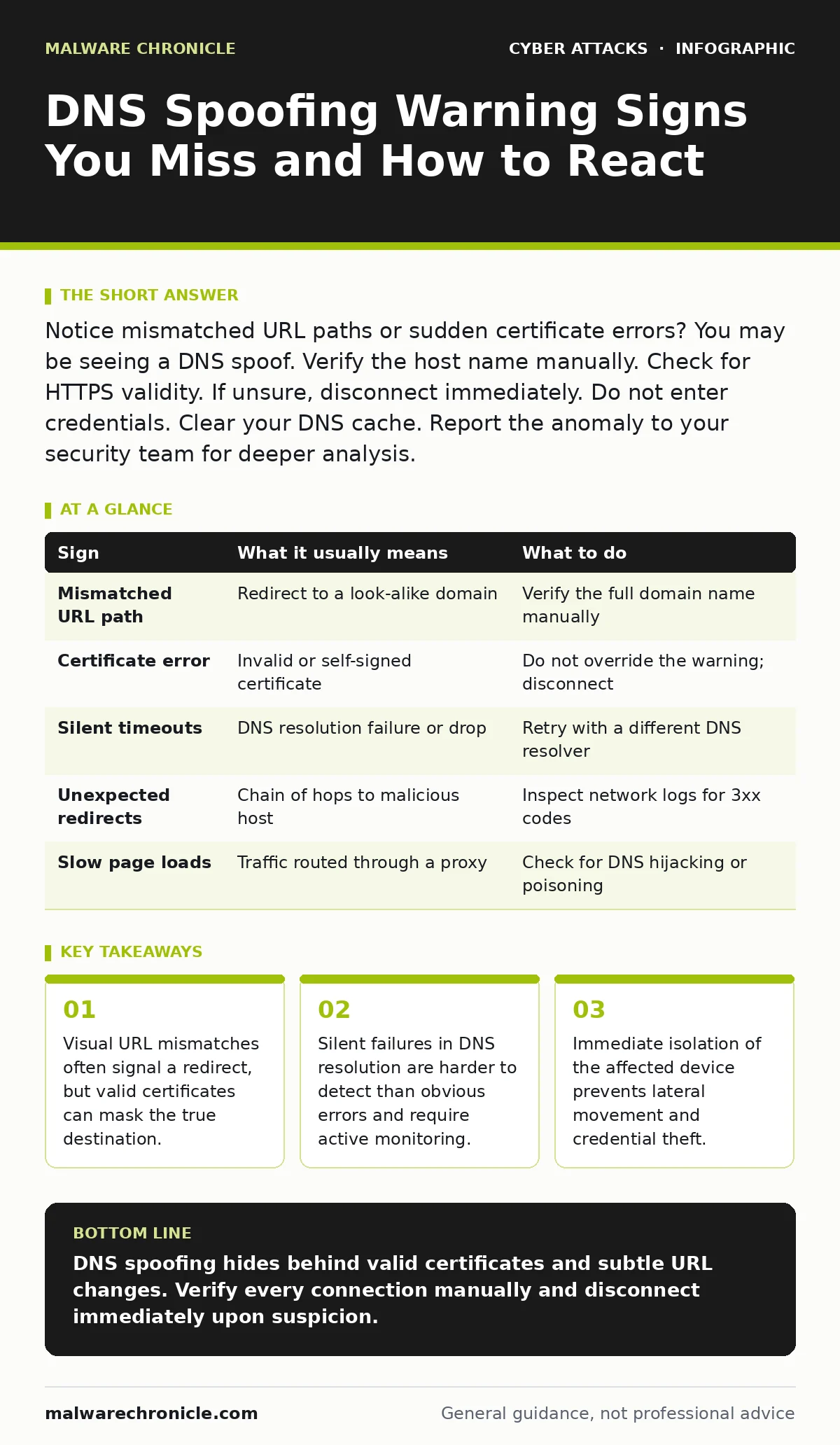
| Sign | What it usually means | What to do |
|---|---|---|
| Mismatched URL path | Redirect to a look-alike domain | Verify the full domain name manually |
| Certificate error | Invalid or self-signed certificate | Do not override the warning; disconnect |
| Silent timeouts | DNS resolution failure or drop | Retry with a different DNS resolver |
| Unexpected redirects | Chain of hops to malicious host | Inspect network logs for 3xx codes |
| Slow page loads | Traffic routed through a proxy | Check for DNS hijacking or poisoning |
See also: Account Takeover: Definition, Vectors, and Defense Strategies · Prevent Whaling Attacks: Stop Targeted CEO Fraud Attempts
Immediate Response Steps
When you suspect DNS spoofing, act quickly. Disconnect the device from the network. This stops any ongoing data exfiltration. Do not attempt to "fix" the issue by clearing the cache on the connected device. The cache may still contain poisoned entries.
Use a separate, trusted device to report the incident. Contact your security team. Provide the exact URL, the time of the incident, and any error messages. Do not share credentials entered on the suspicious site. Assume they are compromised.
Preventing Future Occurrences
Prevention requires a combination of technical controls and user awareness. Implement DNSSEC, which adds cryptographic signatures to DNS records. This prevents attackers from injecting fake records. Ensure your recursive DNS resolvers support DNSSEC validation.
Use encrypted DNS protocols like DoH or DoT. These protocols encrypt the DNS query, preventing eavesdropping and manipulation on untrusted networks. Configure your devices to use these protocols by default.
Monitor your DNS logs for anomalies. Look for queries to new or suspicious domains. Integrate this monitoring with your intrusion detection systems. Set alerts for unusual query volumes or patterns.
The Hidden Cost of Trust
Relying solely on browser warnings is dangerous. Users are trained to ignore warnings to access services quickly. Attackers exploit this behavior. You must build a culture of verification. Teach users to check the full domain name, not just the brand logo.
Integrate security checks into your development workflow. Validate DNS responses in your applications. Use pinning for critical services. This adds a layer of defense that does not rely on user vigilance.
Consider the impact of brand impersonation attacks. These often rely on DNS spoofing to direct users to fake sites. By securing your DNS, you reduce the effectiveness of these attacks.
Final Verification Steps
Before entering sensitive data, verify the destination. Use a bookmarked link rather than typing the URL. Bookmarks store the exact URL, reducing the risk of typosquatting. If you must type the URL, do so carefully.
Check the certificate details. Click the padlock icon. Verify the organization name matches the expected entity. If it is a personal certificate or an unknown organization, do not proceed.
Key takeaways
- Visual URL mismatches often signal a redirect, but valid certificates can mask the true destination.
- Silent failures in DNS resolution are harder to detect than obvious errors and require active monitoring.
- Immediate isolation of the affected device prevents lateral movement and credential theft.
DNS spoofing hides behind valid certificates and subtle URL changes. Verify every connection manually and disconnect immediately upon suspicion.
Frequently asked questions
Can antivirus software detect DNS spoofing?
Antivirus software focuses on malware on the device. It rarely monitors DNS traffic in real-time. Use a dedicated DNS security solution or firewall for better protection.
Does using a VPN prevent DNS spoofing?
A VPN encrypts your traffic, which can prevent local DNS hijacking. However, if the VPN provider’s DNS servers are compromised, you remain at risk. Choose a trusted provider.
How do I clear my DNS cache?
The method varies by operating system. On Windows, use the command prompt. On macOS, use the terminal. This removes cached entries, forcing new resolutions.
Is DNSSEC mandatory?
DNSSEC is not mandatory but highly recommended. It adds a layer of security by signing records. Without it, your DNS queries are vulnerable to spoofing.
How this guide was produced: written by the Malware Chronicle editorial team with AI assistance, checked against the public references listed below, and reviewed when the facts change. See our editorial policy or report an error.